Guest video messages
The four minutes a guest spends at your message page
A filmed wish is four small actions long: open the link on the phone already in their hand, give a name, record into the browser or pick a clip they took earlier, press send. That is the whole performance you are asking for, and the pages that fill up are the ones that never ask for a fifth action.
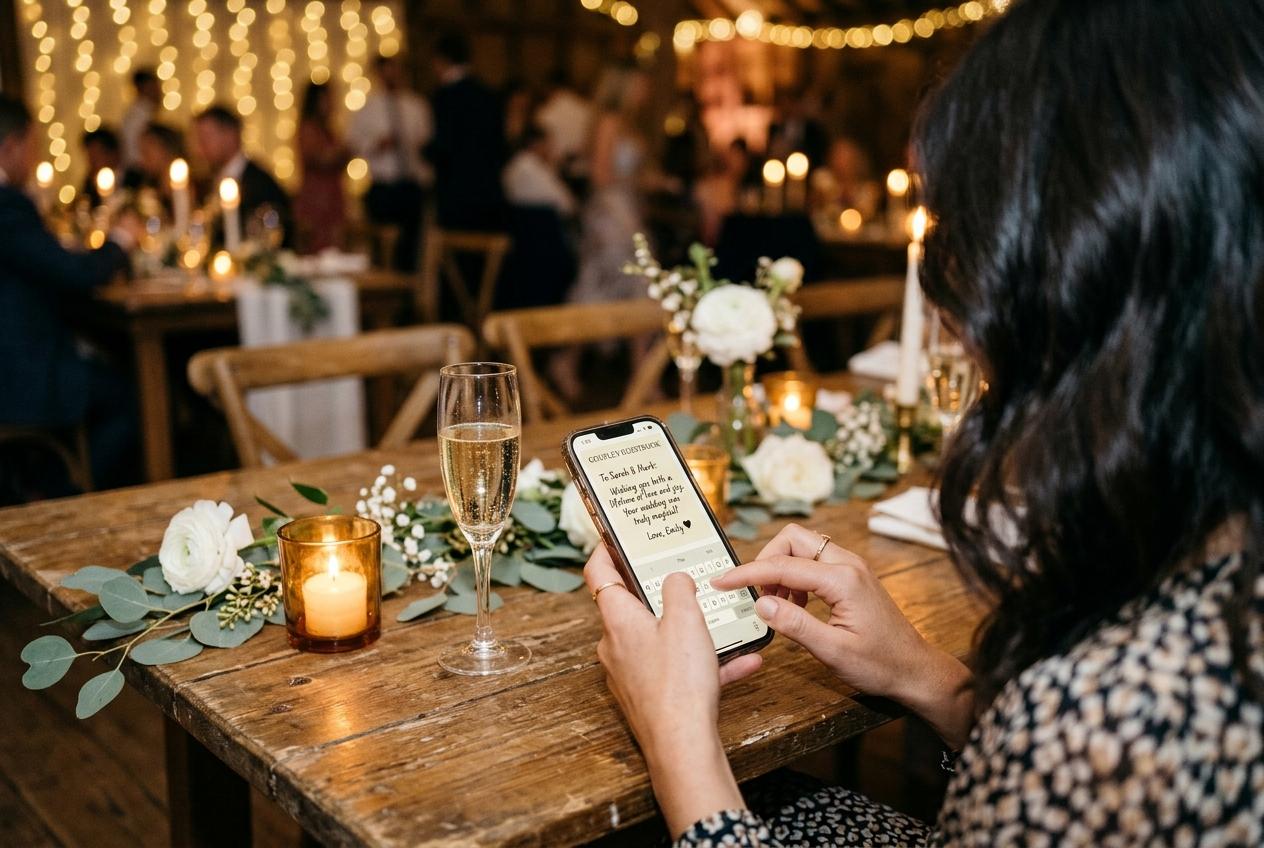
Guest video messages are the part of a collection that somebody makes on the spot, and the sequence they follow is worth knowing in detail, because every wobble in it costs you an entry. Someone at table four hears the toast, pulls out a phone, films thirty seconds of it badly with a thumb at the edge of the frame. Then one of two things happens. Either the clip sits in their camera roll until a grey Sunday when they clear space and delete half of what they shot, or they notice the card standing by the water glasses, point the camera at it, and find a page with your names on it. In that second version they can send the clip exactly as it is, or press record and say the thing they never got the chance to say at the table. Nothing was installed, nobody registered, and they put the phone down and carried on eating.
The four minutes, in the order a guest meets them
A card on the table opens a page
The camera app they already own reads the code and the browser opens the address on the same handset they filmed the toast with. No store, no download, no terms to accept. For the guest who does not trust codes, the short address is printed underneath, so they can type it from the taxi instead.
They read one line that says whose page this is
The occasion, the hosts' names and the date sit at the top, with your welcome sentence under them. Four seconds of looking decides whether a guest stays or puts the phone away, which is why a page that opens with your names reads as an invitation and a page that opens with a brand reads as paperwork.
They give a name in one field
A first name and a surname is the entire registration. The page remembers who is typing for twelve hours, so a guest who sends a clip before dinner and a filmed message after the dancing is not asked to introduce themselves twice.
They choose between the camera and their own gallery
One button opens the browser camera and records straight into the page. The other opens their picker and takes a file shot earlier, when a steady hand and a bit of distance made a better picture. Both routes land as the same kind of entry in the same collection.
They press send and see that it arrived
A receipt confirms the submission landed. That small confirmation is why a guest tells the person beside them that the page works, and a great many of your messages will come out of that conversation rather than out of anything announced at the start of the evening.
They go back to the table
Nothing is left signed in on their phone, nothing needs a password tomorrow, no app has quietly arrived. The whole exchange costs a guest under two minutes, which is less time than the queue by the cloakroom at most receptions.
Two ways a clip reaches you, and when each one suits
- Recorded into the browser
- The guest taps record on your page and speaks there. This is the route that catches the reaction: the face during the last song, the two friends leaning into the frame together, the wave at the end. It needs nothing but the handset already in their hand.
- A file uploaded from their gallery
- Somebody filmed the speeches from three rows back with a good camera and a steady elbow. They pick that file and send it. Picture and sound are usually far better than anything recorded at the table, so it is worth mentioning this route in your welcome line.
- Filmed by one person, sent by another
- A cousin holds the phone in a front room, records an uncle who would never manage a page on his own, then uploads it from their own device with his name given as the sender. Family footage has always been made this way, and the quiet corridor at the back of the hall is the other good place: a message made away from the band is the one you can listen to twice.
- Photographs sent in the same submission
- A contributor can put stills and a clip into one submission, so the picture of the table and the film of the toast arrive together under the same name rather than through two different doors. Anyone who would rather type two lines than be filmed can do that on the same page, and the written entry lands in the same book.
What a browser camera does well, and where it gives out
It removes the searching
Asking a guest to find a clip in their own library is asking them to dig, and digging is postponed indefinitely. Recording into your page skips the dig entirely: the file never has to be found because it is made where it is needed.
It keeps the hesitation
A filmed entry carries the pause before the joke, the point where somebody has to begin again, the laugh that arrives too late. Ink can keep the wording of a wish and nothing else of the person who said it.
It costs them nothing to keep
Sending a clip does not require a guest to clear space, share an album, or move their library anywhere. They hand over a copy and the original stays on their phone, which is the only arrangement that ever worked at a dinner table.
It loses to a loud room
A handset at arm's length in a hall with a band playing records the cymbals and not the sentence. This is the one weakness worth naming out loud, because the fix is cheap: a quiet corner, a second take, or a clip filmed properly the following week.

When somebody else has to hold the phone
The relative who cannot see the preview
Ella's father records beautifully on a tablet and nothing at all on a handset. Let a younger guest capture him in his own chair and upload the file afterwards with his name on the entry. Nobody at a family occasion cares who pressed the button.
The children, rehearsed and then forgetting
Three cousins lined up with a speech they practised, one of them losing the thread and the rest collapsing. A grown-up holds the phone, sends it from their own page, and that entry is the one everybody replays.
The guest who will not be filmed at a table
Some people will speak warmly to a handset in an empty corridor and say nothing at all with an audience. That group is not smaller than the other one, merely invisible, and a page that stays open after the room has gone is how you reach them.
The one who sends it on the drive home
Jonas is in the car park, still in his coat, and remembers a story he meant to tell. He records it in thirty seconds on the passenger seat because the link is still open in his browser. Late entries are frequently the best entries, and they only exist because the page never closed.
The list of things no guest is ever asked for
- An app to install, from any store, for any plan.
- An account, a username or a password invented at a dinner table.
- An email address handed over before a single file arrives.
- A price, a card detail or a trial to decline.
- A choice between photo and video before they have picked a file.
- Any explanation of what the occasion was, since your names are already on the page.
Where the messages come from, hour by hour
The week before
The link sent to people who are not coming
Mira records in a kitchen in Vilnius with the washing-up still in the sink, because she was told the date of the occasion and the date the page closes. Absent guests go first, and they take their time, and the result is usually the most composed entry in the whole collection.
Seated, before the food
Two minutes with nothing else to do
The speeches have not started and the phone is already in the hand. Whoever notices the card here sends what they shot on the way in, and the collection stops being an empty page for the guests who arrive after them.
Between the cake and the dancing
The window that actually fills a book
People are warm, cheerful, standing near a wall with a drink in the other hand. This is when the recorded messages pile up, and it is also when the room films the toast badly, so both routes are busy at once.
The week after
One reminder and the stragglers
A short message carrying the closing date brings two or three more entries in, and at a family occasion those are often the ones you keep playing. Nothing arrives after the page comes down, which makes that date the only hard deadline in any of this.
What the page is allowed to hold
- Filmed messages by plan
- Recording into the browser is on Celebrate and Keepsake, and it can be added to Gather as a nine dollar one-off for a single event. Written entries come with Gather and every plan above it, whether or not anyone films anything.
- How many clips the collection takes
- The free plan takes no video at all. Gather holds 30 clips, Celebrate 100 and Keepsake 300, and every figure is a real ceiling rather than a suggestion, so a room of eighty guests is worth counting against it before the link goes out.
- How much room the files sit in
- Storage runs 500 MB, 5 GB, 20 GB or 50 GB according to the plan, and photographs and clips fill it together. Extra uploads cost nine dollars for fifty clips or fifteen for a hundred, once, for one event.
- The size the file keeps
- A clip is stored exactly as it left the camera, at full size and with its real audio. The small tile the grid needs is drawn in the browser on the guest's own phone, which is why a crowded page still opens quickly on unreliable venue wifi.
- Who can see what arrived
- Only the people holding the address. Guest pages are kept out of search indexes, the address is not listed anywhere, and the gallery can be switched to upload-only so a contributor sends without browsing what the rest of the room sent.
- When it stops taking entries
- Every plan states how long a collection stays online from its event date, warning mail arrives before anything is removed, and the archive you download is then the only copy that exists.
A guest will not hunt for your link and will not fight a form. They will do two minutes of something while the dessert is being cleared.
Setting the page so guests press record rather than scroll
- Write a welcome line that names what you want filmed, and mention that a clip shot earlier can be uploaded instead.
- Check the number of clips your plan holds against the size of the room, and decide what you will do if the evening overruns it.
- Put a card on the tables rather than one by the door, because most entries are made by people who are already seated.
- Say the request out loud once, in the welcome, and point at the printed stand rather than describing the process.
- Ask two people to record before the day so the page is not empty when the first guest opens it.
- Keep the closing date in the same message as the link, since that date is what turns a good intention into an entry.
Approval is a switch you turn on if you would rather see each entry before the room does. It is off until you touch it, and anything you refuse is left out of the collection and out of the download.
Questions guests ask before they press record
Do I have to install anything to send a video?
No. The code or the address opens a browser page on the handset you already have, and the camera runs inside that page. There is no account to create and no price shown to a guest at any plan.
Can I send a clip I already filmed instead?
Yes, and it is usually the better result. The picker takes a file from your own gallery, so a steady shot taken earlier lands at its real size with its real sound, and it arrives in the same collection as the messages recorded on the page.
How long can my message be?
As long as you want to talk, within the room a collection has: clips count against the video allowance on the plan you were invited to, and a long file uses storage too. Sixty seconds to two minutes is what most people naturally end up with.
Can I record twice if I stumble over the first take?
Yes. Nothing overwrites anything, and each entry arrives with your name on it separately. Go again as many times as you like and leave the host to keep whichever one you sent last.
Do I need to give my email address?
No. A name is the only thing asked, and the page remembers it for twelve hours so you are not asked again if you come back after the party with three more photographs.
What if the venue has no signal?
Then the page waits. A photograph or a clip that will not upload tonight is not lost, because it is still in your camera roll and the address is still in your browser history. Most people send theirs from the hotel lobby or the drive home.
Is my message private?
It is not published anywhere. The address is not listed, guest pages stay out of search indexes, and the audience is the small circle the host handed the link to. If they turned approval on, nothing appears until they have looked at it.
One link does both jobs
The page that takes a filmed message is the page that takes photographs, so there is no second address to explain to a guest who is holding a drink. Anyone who can send a picture of their table can leave a wish, and anyone who wants to talk for ninety seconds can do that too.
See how the guestbook worksGive the room two minutes rather than a homework task
Open a collection, put the address where the phones already are, and ask for the thing you actually want filmed. A guest who can finish before the coffee arrives is a guest who sends you the toast.
Video and guestbook messages
Put one link on the tables and let everyone contribute.
Create a collection, print the table stands, and the photographs your guests took are waiting for you the morning after. Guests never install anything and never make an account.