No install needed
Photo sharing without an app that other people will actually use
You are not choosing software for yourself. You are choosing what sixty tired guests will agree to do at a dinner table, and the honest answer is that photo sharing without an app is the only version they finish.

When you set up photograph sharing for an event you are not buying a tool for the one person who already wants it. You are making a decision on behalf of everyone else in the room: the cousin who photographs the whole evening and never sends a frame, the aunt who is not sure about links, the friend who left before the speeches. The version that reaches those people is photo sharing without an app — a page that opens from a code, works in the browser they already have, and asks for nothing they would have to remember.
Why an install request is where contributions die
Every instruction you add between a guest and the send button is another guest who quietly decides to do it later, which means never. An app sits at the front of that chain of refusals, because it is the biggest single ask you can make of somebody who is mid-conversation with their dinner.
It turns a favour into a chore
Sending three photographs they already took is a forty-second kindness. Downloading an application, opening it, and working out where the upload lives is a small project, and nobody starts a small project at a wedding reception.
It fails on the people you least want to lose
The relatives who took the most photographs are often the ones least confident with new software. An app asks them to be fluent in something they have never met, at a table, in a room with patchy signal.
It needs storage, a passcode, and patience
Before a single picture moves, an app occupies space on the phone, wants a login, and sometimes wants permission to see the whole camera library. Each of those is a reason to put the phone face down again.
It leaves nothing behind for the late ones
A guest who installs your app on the night and deletes it in the taxi is a guest who cannot send the two good pictures they found on Sunday. A page they never had to keep stays open in their browser history for days.
What a guest actually has to do instead
Once you remove the install, the whole job shrinks to four things, and two of them are things the guest was already doing.
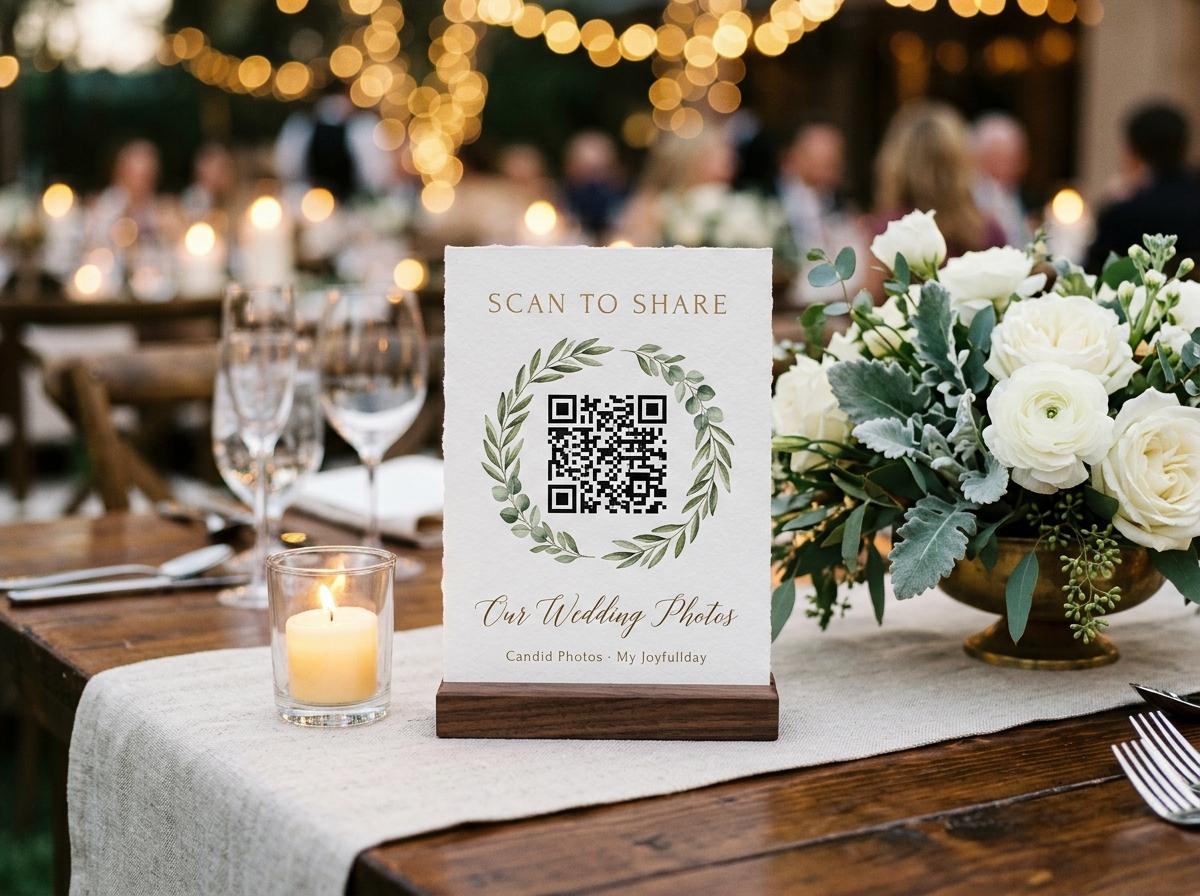
Point the camera at the code
The phone's own camera app reads a QR code with no extra scanner installed. The address opens straight in the browser the guest uses for everything else. That is the entire technical skill the request needs.
Read one line from you
The page carries the occasion, the hosts' names, and a short welcome sentence, so a guest knows within a second that this is their friends' collection and not a service they have stumbled into.
Choose the files
One picker, photographs and clips together, as many as they like in a single submission. They choose from the album their own phone already organised, so finding the pictures is not a separate task.
Give a name once
A single field for who is sending. The page remembers that name for twelve hours, so a guest who adds more later is not asked again. It is the only detail worth asking for, because it lets you trace a photograph back to a person.
Press send and put the phone away
A receipt confirms the submission arrived. There is no account to verify, nothing to open a second time, and no reason to remember the event happened. The next contribution, whenever it comes, is the same four steps.
What an app is genuinely good at
It would be dishonest to pretend an application has no strengths. It has several, and they are the reason photo apps exist. The point is that none of them matter for the narrow job of getting photographs off a guest's phone and into your collection during an evening you are busy hosting.
- Living in a pocket
- An app can be opened for reasons that have nothing to do with your event, so it stays useful long after the party. A contribution page has no reason to be opened twice, which is exactly why it asks for nothing to keep.
- Editing and organizing a library
- Sorting, tagging, and editing a growing photo collection is real work that benefits from a persistent interface. Collecting one evening's pictures from other people is not that work.
- Working offline and syncing later
- A native client can queue an upload when signal returns and keep a local copy. A browser page uploads while connected, which is what a guest standing at a table wants it to do in the moment.
- Pushing notifications
- An installed client can remind you about things over months. You do not need a permanent notification channel to receive a handful of photographs from your own party.
When you would still choose an app anyway
There are honest cases for a full application, and it is worth naming them so the choice is made with open eyes rather than out of habit.
- You are managing and editing a single personal library across many years and many devices.
- Everyone contributing already lives on the same platform and will open the same tool for other reasons anyway.
- You genuinely need to capture and share with no connection at all, and can teach everyone how the queue works.
- The work is professional and continuous — a shoot you deliver again next month — not a room of guests at a table.
For a one-off occasion where other people send you their photographs, none of these usually applies. The guest has no reason to keep anything, and every reason not to start.
The best interface for a guest who will only ever visit once is the one they already have open.
What a page never asks a guest for
The absence is the feature. Look at the list of things a guest is never bothered with, because each removed request is a guest who does not give up halfway.
- An email address, before the first upload.
- A password, a passcode, or a verification link to open on another device.
- A sign-up, a trial, or a card detail — guests never pay and never see a price.
- Permission to read the whole camera library, when they only want to send a few frames.
- A relationship to the host, a table number, or a reason for being there.
No account is needed at any plan level
From the free preview up to the longest-retention tier, a guest never creates a login. The only thing that changes between plans is how much the collection can hold and how long it stays online.
See what each plan holdsWhere this reaches you after the evening
On the night
It happens in the gaps
Guests upload between courses, after a toast, on the way to the cloakroom. The pictures arrive while they are still the most interesting thing on each phone, which is the only moment sharing costs nobody anything.
The next morning
The late set still lands
The address is in a browser history and in the group message, so people who fell asleep before the dancing send their best frames over coffee. Nothing about the method asks them to reopen a thing they deleted.
When you take it all
One download, originals intact
You pull the whole collection as a single streamed archive, or take individual files. The file each guest chose is stored as it arrived, so the photograph you keep is the one their camera made.
Questions people ask before they trust a page
Do my guests really not have to install anything?
Correct, at every level. The code opens a web page in the browser already on their phone. There is nothing to download, nothing to register for, and no password to invent at a table.
Will an older phone or a relative who struggles with technology manage it?
Usually yes, because it is only the pointing of a camera and a file picker — the two skills they used to take the photographs in the first place. If the code is fiddly, the same address can be opened from the message you sent earlier.
Can a guest send video as well as stills without an app?
Yes, from the same picker and in one submission, on any plan that includes video. The short free preview is photographs only; the paid tiers each list how many clips they hold.
Does going without an app mean going without quality?
No. The file a guest chose is stored as it arrived, and a small preview for the grid is drawn in their own browser. Downloading gives you the originals, at full size on the higher tiers.
Is there a downside to having no app?
One worth naming: a browser page uploads while connected, so a guest with no signal at all waits until they have some. The photographs are not lost — they simply arrive from the car, the hotel, or the drive home, which is where the address stays open anyway.
The honest limits of a page instead of a program
A method this quiet still has edges, and they are worth naming before the first card is printed. A host who expects the behaviour of installed software from a web page will feel let down at exactly the wrong moment, and will blame the method rather than the expectation. Nothing below is a reason to ask your guests to install something. All of it is a reason to know what you are choosing.
The trade is simple and worth saying out loud. You are exchanging a set of abilities that only matter across years of use — offline queues, a library that lives in a pocket, notifications that arrive months later — for the one ability that matters on the night, which is that a stranger holding a phone can hand you a photograph in forty seconds without being taught anything. Every limit of a browser page is a mirror of something you did not need.
- There is no offline queue. A guest with no connection cannot send, and nothing sits in a tray pushing itself out when signal returns. The photographs stay in the camera roll and arrive from the car park or the kitchen table, which is slower but is not a loss.
- The card still has to be noticed. A page cannot lean over and ask, so a code nobody saw produces exactly as empty a collection as a login nobody could remember. Where the paper goes is the whole distribution strategy.
- It is not a photo library. The collection is an event with a closing date, not somewhere to keep everything your household owns. Your library begins with the download, which is why taking it in the first week is the only habit that really matters.
- A heavy file takes the time a heavy file takes. On an old handset a large clip can crawl rather than snap, and a guest may close the page halfway through. The stills still land, and the clip very often comes back on Sunday from a better signal.
- It cannot be handed over. Somebody who wants to keep the photographs in their own account takes the download and gives it to them; there is no second login to grant. The archive is the sharing, in the end.
- You cannot make anybody contribute. One or two guests in every room send nothing under any arrangement whatever, and pressing the point turns an invitation into a demand at the worst possible table.
Know the limits before the night, and a page does everything an install would have done for the guests who were always going to help, plus everyone else.
A fair test before your next occasion
The cleanest way to settle whether removing the install is worth anything is to run it once on a real but small event. The free preview is a working collection for seven days — a short leash, but a genuine one — and it shows you how fast a page fills compared with the group chat you used last time. Nothing here asks you to commit to a platform; it asks you to give your guests one fewer thing to do.
Give your next event one page instead of one more app
Open a collection, print the table code, and let the photographs arrive from the browser everyone already has. The free plan runs a real event so you can watch it fill.
How it works
Put one link on the tables and let everyone contribute.
Create a collection, print the table stands, and the photographs your guests took are waiting for you the morning after. Guests never install anything and never make an account.