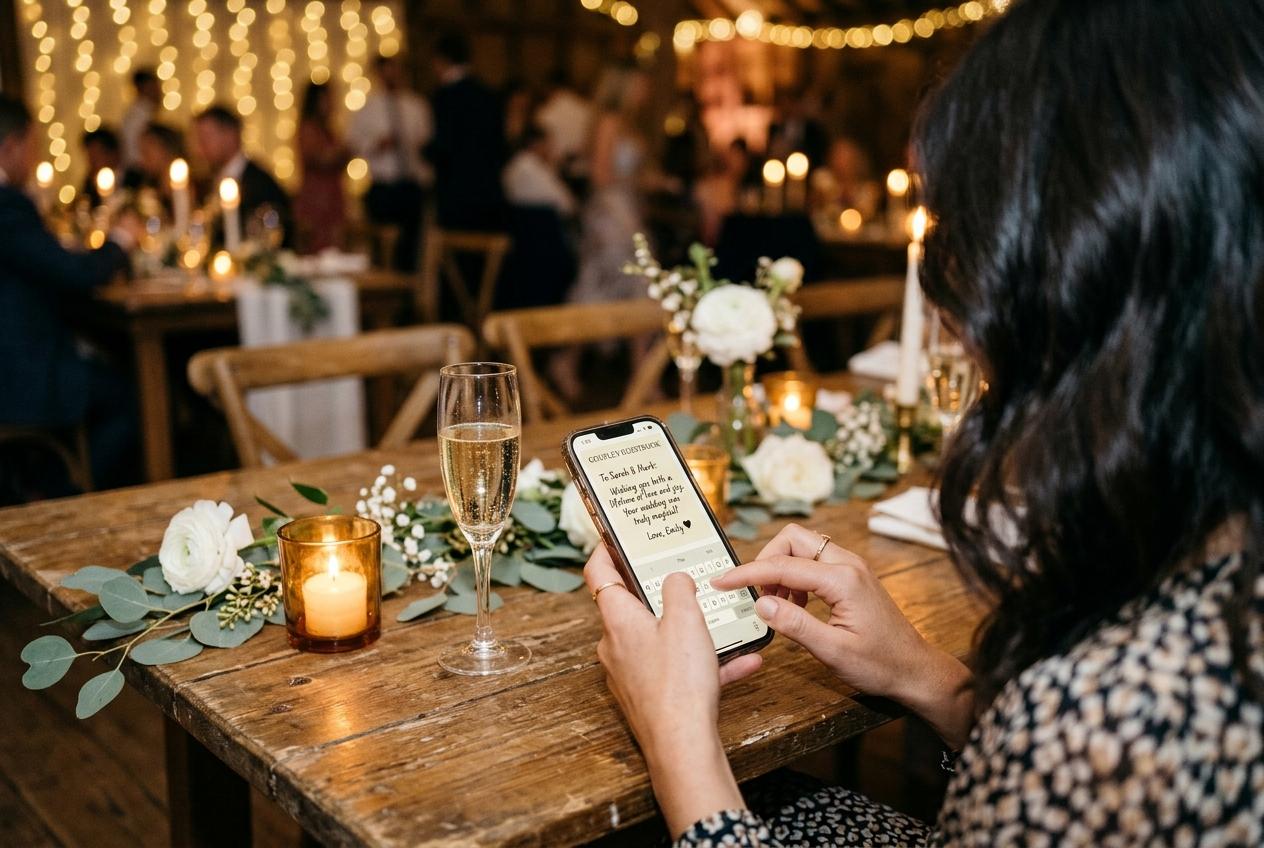
Friction, removed
Guest photo uploads without login, password or code
Guest photo uploads without login are the difference between a collection of forty photographs and a collection of three hundred, and the reason is simpler than it looks: every request you remove is another guest who finishes.
A guest who wants to help and a guest who can help are not the same person, and the distance between them is measured in steps. Nobody at your event is refusing out of selfishness. They are being interrupted, their phone is doing something else, and the request has quietly grown from a forty-second favour into an errand. Removing the login is the single largest step cut available to a host, and it is the one that most other sharing methods never even consider.
Count what stands between a guest and the send button
Write the steps out for each method you might use and the comparison stops being a matter of taste. The number of decisions is the whole story, because every one of them is a place where a person can drift off toward later, which means never.
- Emailing the photographs
- Open the gallery, choose, share, find the mail app, attach again, type your address, write something, send, repeat for the second set. Eight decisions, and the attachment is the largest they have ever mailed.
- A group chat
- Four or five, which is why chats work so well for the first twenty minutes. Then the files arrive squeezed, out of order, with no names attached and no way to see what you already have.
- A shared cloud folder
- Sign in or register, accept an invitation, learn where the folder is, upload. Three steps for somebody fluent in that ecosystem and eight for everybody else, most of which are password recovery.
- An upload page behind a login
- Register, confirm an address, set a password, come back, sign in, find the button. Six, and the first one is the wall. This is the design that looks responsible and behaves like a closed door.
- A page that asks for a name
- Open, choose, name, send. Four, of which two are things the guest was doing anyway, and the name is asked once and then remembered for twelve hours.
A guest will do four small things in a room. They will not do six administrative ones, and they would not do seven if you asked politely.
What an account asks before it asks for a photograph
Something to remember
An account is a promise that you will be back, and a password is the proof. A guest contributing to your wedding has no intention of coming back to a service, and cannot remember a credential they invented ninety seconds ago for a page they are leaving.
Something to prove
Registration wants an address that can be verified, which drags in a second app, a second screen and a wait. The guest who is holding a phone full of photographs has been asked to go and do something else first.
A decision about who owns the file
Once a person has a login, an upload is an action inside somebody else's system. On a plain page it is a file they handed you, which is a much easier thing to feel comfortable about at a dinner table.
An excuse for the shy ones
Plenty of guests were never going to send anything, and an account gives them a tidy reason that is not about you. Take the reason away and some of them turn out to be willing after all.
The code that arrives too late
The verification step is the cruellest of the whole sequence, because it fails at exactly the moment the photograph is worth something. A code is issued, then sits unopened while the guest is in the middle of a toast, then expires while they are on the dance floor, then arrives in an inbox they cannot read because the venue network will load a page but not a mailbox. By the time they find it, the moment has passed and the phone has gone into a pocket.
- Codes that stop working after a few minutes, which is less time than it takes to queue for a photograph with the couple.
- Confirmation links opened on a laptop in a hotel room the next morning, by which point the guest has lost the thread.
- Password rules that reject what a person types, twice, in front of a table that is watching them struggle.
- Two-factor prompts sent to a device that is in a coat in the cloakroom.
- A reset flow started at eleven at night and abandoned before the second email.
None of this is a security problem solved badly. It is a security mechanism aimed at the wrong person. A login protects an account holder, which is somebody who will come back. A guest is not an account holder; they are a visitor with three photographs and two spare minutes, and the machinery built to protect them is the machinery that turns them away.
One name, remembered for twelve hours
So the page asks for one thing, and asks it once. Here is the whole journey a guest takes when there is nothing to log in to.
The page opens
From a code on the table or a link in a message, in the browser already on the phone. Nothing in this step is asked of the guest.
They see whose collection it is
The occasion, the hosts, the date, and a welcome line you wrote. This is the four seconds in which a person decides whether they have stumbled into a service or into their friend's wedding.
They choose the files
One picker, photographs and clips together, as many as they like in a single submission. The album their own phone organised is the only place they have to look.
They give a name
One field. Mira, Jonas, Ella, Aunt Ruth, whoever they are happy to be called. It is attached to the submission so you know whose camera the frame came from.
They send, and they can come back
A receipt confirms it arrived. Within the next twelve hours the same page remembers who is typing and does not ask again, so the second set from the drive home takes three steps rather than four.
Why a name is not a login
It is fair to ask why one field is acceptable when the other one is not. The difference is not the number of characters; it is what the field does. A login is a gate that the guest has to pass through to reach their own photograph, and it exists for the benefit of the system holding the files. A name is a label stuck on the outside of a submission, and it exists so that you can trace the frame of your grandmother laughing back to the person who took it. One of those costs the guest a password and a wait. The other costs them the effort of typing what they were called at their own christening.
- What the name buys you
- Attribution. Six months later you can find the guest who has the video of the speech, and you can tell whose forty food photographs to thank.
- What the name does not do
- It opens nothing, protects nothing, and is not a credential. A guest cannot be locked out of a page that never let them in, because there was no door.
- What happens after twelve hours
- The page asks again. That is the whole mechanism: long enough for the evening and the journey home and the Sunday clear-out, short enough that a borrowed phone does not keep sending as somebody else.
No guest makes an account, at any level of the product
There is no version of this where a contributor registers, whatever the collection holds or how long it stays online. What changes between plans is capacity and time, never what is asked of the person sending a photograph.
Compare the plansThe two pages, side by side
An upload page that wants a login
- Registration first, photograph second, which is the wrong order for a favour.
- An address, a password, a rule about capital letters and a number.
- A code to open on another screen while the event is happening on this one.
- A lockout, a reset, and a support conversation you did not want.
- A guest who decides, reasonably, that you have enough pictures already.
A page that wants a name
- Photograph first, everything else never.
- One field, filled in once per day of contributing.
- No second screen, no waiting, no timer running against the evening.
- Nothing to forget, because there was nothing to remember.
- A guest who is back on Sunday with eight more frames they had time to choose.
Both designs store the same file. The second one simply has fewer places for a person to give up.
Borrowed phones and shared tablets
Half of the photographs at a family event are taken on a device that does not quite belong to the person holding it: the tablet a grandmother carries because it is the one with the better screen, the phone a teenager handed to a parent because their own is dead. Anything that saves a credential on a shared device is a small trespass, and anything that needs one is a dead end. A page with a single name field and a twelve-hour memory works on somebody else's hardware without leaving a trace of an account behind, which is the only reason the best photographs of the afternoon are in your collection at all.
Setting the page so the first guest does not give up
- Write a welcome line that says what to send and where it goes. A blank-looking page is a suspicious page.
- Put your own first photograph in before the link travels, so the collection reads as alive.
- Check the occasion name and the date, because a guest who thinks they have the wrong wedding closes the tab.
- Open the page once on your own phone and do the four steps yourself. It takes a minute and it finds the awkward part.
- Say the request out loud once, in plain words: the pictures from today go on the card on your table.
What not to do: ask for an email address so that you can chase people later. It is the second-most effective place to lose a guest, after a password.
What the late arrivals are worth
The reason a login matters more than it first appears is that most good contributions are late ones. Somebody finds a better frame the next day. Somebody who left before the speeches photographs the send-off from a taxi window. A relative in another country sends a message and two pictures on the Wednesday. Every one of those is a return visit, and a return visit to a page is free while a return visit to an account is a sign-in, a forgotten password, and a reason to think it can wait until next month.
- The car-ride set, sent on the way home while the phone is still open.
- The Sunday clear-out, when people finally look at what they shot and pick the good ones.
- The absent relative, contributing from their own kitchen with no invitation to accept.
- The photographer's second unit, the cousin who was asked late and said yes in thirty seconds.
- The guest who sent one frame on the night and came back for the rest of the roll.
Questions about uploading without an account
Can a guest really send photographs without registering?
Yes. There is no account at the guest end, no password, and no confirmation code. One name field, asked once and remembered for twelve hours, is the whole of it.
How will I know who sent which photograph?
Every submission carries the name the guest gave. That is the reason the field exists, and it is why it is worth the one second it costs.
What if two guests give the same first name?
Ask them to add a letter or a family name, which is the only instruction worth giving on this subject. Anything you can tell apart by looking at the photograph is not a problem.
Can a guest send video as well as stills?
From the same picker and in the same submission. Whether the collection accepts clips depends on the plan you chose, and each one states how many.
Does skipping the login mean skipping privacy?
The opposite. The address is not listed anywhere and guest pages are kept out of search indexes, so reaching the page takes an invitation from you rather than a search engine.
What happens when the twelve hours are up?
The page asks for a name again on the next visit. That is deliberate: it keeps a shared device from quietly filing contributions under the wrong person.
Is there a limit on how much one guest can send?
Guests send several files at once rather than one at a time. The binding limits are the ones on the collection itself, which is photographs and clips counted across everybody.
There is a version of this where a login is defensible, and it is the version where the guest is a customer. If somebody is going to keep a library, pay for storage, and come back for three years, an account is the right machinery. Your guests are not doing that. They are standing in a room with a phone, holding four photographs they took of your evening, and they will be gone by Sunday. Build the page for the visit, not for the relationship.
Ask your guests for a name, not a password
Open a collection and read the guest page as a stranger would. If the four steps feel like four things to do, the page is finished.
How it works
Put one link on the tables and let everyone contribute.
Create a collection, print the table stands, and the photographs your guests took are waiting for you the morning after. Guests never install anything and never make an account.