Upload pages
An event photo upload website a guest can use with one thumb
An event photo upload website earns its keep on a phone, at a table, in about a minute. Here is what that demands of the page, what the whole thing is built around, and where it stops.
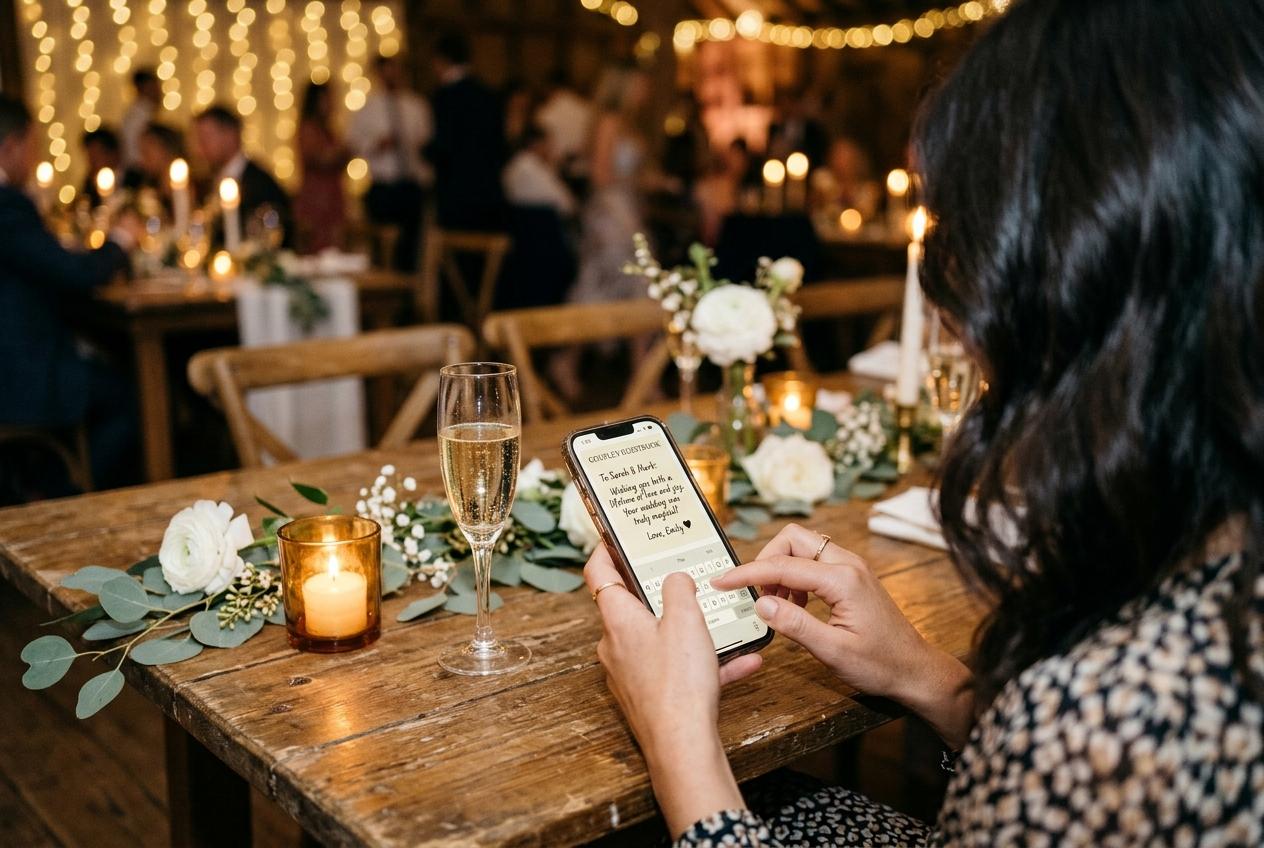
A desktop designer and a guest at a wedding table want different things from an upload page. The designer wants a form with fields, a preview of the gallery, and a set of options to explore. The guest wants to hand over four photographs before the main course arrives, without learning anything and without being asked for anything they cannot answer while standing. Everything here follows from that: an event photo upload website is used by people who did not choose to be there for the software, in a room with poor light, holding a phone in one hand and a glass in the other.
An upload page is not a website
- The whole task, measured
- Point a camera at a code. Read one line. Choose files. Type a name. Press send. Five acts, of which two are things the guest was doing anyway, and only one is a decision they have to make. Everything added to that list is a guest who sends nothing, which is why the guest page is deliberately shorter than the dashboard behind it.
- No install, at any tier
- The code opens a browser page in the app the guest already uses. There is no download step, no account, no password to invent at a dinner table, nothing to remember and nothing to update. That is the most important property of an event photo upload website: a guest who will never install anything will still photograph a card.
- The name that is worth asking for
- One field, and then silence about it for twelve hours. The page remembers who is typing, so a contributor who sends the ceremony now and the dance floor later is not asked to introduce themselves twice. A name is not vanity: it is the difference between a set of photographs and a set of photographs with a person you can write to attached.
- A picker that takes both kinds of file
- Stills and clips in the same submission, from the album the phone already organised. A guest who filmed the toast should not have to learn that video is a separate feature with a separate button. Video belongs to the paid plans — 30 clips on Gather, 100 on Celebrate, 300 on Keepsake — but the picker does not care.
- Receipts, not dashboards
- The confirmation tells a contributor their files arrived, and that is enough for them. A guest has no use for a storage figure, an allowance bar or a list of other contributors. Those belong to whoever opened the collection, on their own screen; keeping them off the page is what keeps the page down to a minute.
- Light where the room is heavy
- The square the grid needs is drawn in the browser on the guest's own phone, while their file is stored as it arrived. A hundred and fifty people on venue wifi can fill a collection of nine hundred files without the gallery turning into a slideshow of grey boxes, and without anybody's original being quietly squeezed on the way in.
- A page that keeps working after the night
- The address does not expire at midnight. It stays reachable for the plan's whole period, counted from the event date, so the guest who found the photographs on Sunday morning sends them on Sunday morning, into the same collection, with the same name already remembered. A late contribution is often the best one in the set.
What a guest does at a table, in order
The code goes in the camera app
No third-party scanner, no instruction to download one. Somebody points the phone at the card the way they would point it at a restaurant menu, and the address opens. A guest who does not trust codes can read the web address printed beside it and type that later, from a hotel room, which is a route worth keeping open for exactly one person in every room.
The page says whose event it is
The occasion, the hosts' names and the date at the top, plus a line of welcome written by the host. These are the four seconds that decide whether a guest bothers. A page that says Marta and Tobias, ninth of June is obviously their wedding; a page that says Upload Photos is a service, and people are correctly cautious about services.
Files are chosen from recents
The picker opens on whatever the phone puts first, which for a guest who took photographs twenty minutes ago is precisely the right set. Choosing six files is a favour that takes forty seconds. Choosing forty is a task, and tasks get postponed into never, which is the mechanism by which most guest photographs are lost.
One name, typed once
A short field, already explained by the line above it. Guests who have sent something in the last twelve hours are not asked again, so a second submission is a picker and a button. Nobody is asked for an email, a table number, a relationship to the host, or a password they will not remember tomorrow.
Send, and put the phone down
A receipt confirms arrival and the guest goes back to their dinner. There is nothing to verify, no app to open twice, no thread to rejoin. Whatever the host decided about browsing and moderation was decided before this page opened, so the contributor never has to think about it or be told about it.
Later, from a laptop, if they prefer
The same address is an ordinary web page, so the uncle who keeps his photographs on a computer can contribute from there the following week, dragging files instead of tapping them. Nothing about the page is phone-only; it is phone-first, which is the same thing as being usable by the majority who are holding a phone in a room.
What has to be true for one thumb to work
It opens without a login wall
Anything between the code and the picker costs contributions. A sign-in screen does not merely annoy the fluent guests; it silently excludes the people who share a family email address, the ones who cannot remember passwords, the one who arrived late with eleven per cent of a battery, and the grandparent who was never going to type anything at a wedding.
The ask is written in the host's own voice
Two sentences on the page: what to send, and where it goes. 'Photographs and clips from the day, straight from your camera roll. They are playing on the screen behind the band, and we keep the whole set afterwards.' A guest who knows where their file lands sends it without asking anybody, and tells the table as well.
The card is where the phone already is
One stand on a table reaches twelve people for two hours. A stand by the entrance gets passed twice. Add one where a queue forms — the bar, the cake table, the cloakroom — because those are the guests who never sat down, who arrive late and leave early, and who would otherwise contribute nothing to the set.
The room can see it working
A guest who sends three photographs and watches them appear on the wall tells the person beside them, and that is the cheapest mechanism for filling a collection there is. The slideshow address is separate and token-gated; with moderation on it plays only what the host accepted, which is what makes it safe to leave running all evening.
A stalled upload is not a lost photograph
If the room has two bars of nothing, the files stay in the guest's camera roll and the address stays in their messages or their browser history, so the submission happens in the car, at the hotel, or the next morning. Hosts who judge a method at midnight in a stone barn conclude it failed; it was merely waiting for a signal.
The guest is never charged and never marketed at
A contributor sees no price, no plan, no upsell and no prompt to register, because they are not the customer. Whoever opened the collection paid a one-off figure in US dollars for it. That asymmetry is what lets the page stay at four taps, since nothing on it needs to sell anybody anything at any point.
The parts of the page nobody notices
- The page opens without a login wall, so nobody has to find a password in a room full of people waiting for the speeches.
- The name field is remembered for twelve hours, which turns a second contribution into two taps instead of a small form.
- The grid preview is produced on the contributor's own device, so a heavy album does not lean on the venue's network.
- Photos and video are taken by the same picker in the same submission, so nobody has to discover which feature clips belong to.
- A receipt appears when the files land, which is the difference between a guest who trusts the page and one who assumes it broke.
- Nothing on the page asks for an email address, a table number or a consent checkbox, because every one of those is a lost contribution.
Where a printed code beats a typed link
- Print four stands to one A4 sheet on an ordinary printer, and put one on every table rather than a stack by the door.
- Add the plain web address beside the code, for the guest who distrusts codes and the one whose camera will not focus on small print.
- Put the address in the invitation and in the day's schedule, so contributions can begin before anybody travels.
- Send it as text the following morning, because the people who took the best photographs were too busy all evening to look at a card.
- Keep one card somewhere central for a room with poor signal, where people drift when they are hunting for a bar.
- Say the line out loud once, during the welcome: the code on your table is how your photographs reach us, and they are the ones on the screen.
A guest who scans at the table is contributing to the collection the slideshow is already playing. A guest who is emailed the link on Tuesday is contributing to a folder. Same files, entirely different momentum.
When the page is opened away from the room
Plenty of contributions never happen at the event at all, and that is fine rather than a failure of the design. Somebody who could not come opens the address from their own kitchen and sends a written message plus three photographs. A guest on a coach home finds the link in the day's schedule and uploads while the room is still in their recents. A colleague at a conference sends the photographs of a session from a laptop two weeks later, in a trainees' group nobody had thought to email. The page is the same page everywhere; the only thing the room provides is the moment when the photographs are easiest to reach.
The allowance is the ceiling nobody can dodge
A full collection stops taking uploads
A collection stops accepting files when the plan's allowance is used up, and the guests who arrive after that get a page that will not take their photographs. Free holds 20 files from ten contributors; Gather holds 200 photographs and 30 clips; Celebrate 750 and 100; Keepsake 2,000 and 300. Extra uploads can be bought as an add-on, but the sensible moment to think about it is the week before rather than the middle of the evening.
Match the plan to the head countUpload website questions
Do guests need to install an app to upload?
No, and that is not a limitation of the cheaper tiers. The QR code or the address opens a browser page on any plan, and the only thing a contributor ever types is their name.
Does the page work on an older phone?
It is a web page, so it opens wherever the browser opens. The heavy part — choosing files — is the phone's own picker, and the preview for the grid is drawn on the device, which is what keeps the page light enough for an older handset and a poor connection.
Can a guest send video as well as photographs?
From the same picker, in the same submission, on any plan that takes video. The free tier is photographs only; Gather holds 30 clips, Celebrate 100 and Keepsake 300.
Are the uploaded photographs compressed?
The file a guest chose is stored as it arrived. A smaller preview is produced for the gallery grid, and the download is the original — full quality on Celebrate and Keepsake, standard downloads on Gather, none on the free preview.
Can guests upload after the event?
Yes, up to the collection's closing date, which is counted from the event date: seven days free, six months on Gather, twelve on Celebrate, twenty-four on Keepsake, with extensions available. The late arrivals are frequently the best files, because those guests chose rather than grabbed.
What does a guest see when the page opens?
The occasion, the hosts' names, the date and the host's own line of welcome. If the public gallery is switched on they can browse what has arrived; if it is switched off the page is an upload page and nothing else, which is the setting most hosts pick for a surprise.
What happens if the venue wifi is terrible?
Uploads slow down; photographs are not lost. The files remain in the guest's camera roll and the address remains in their messages, so contributions trickle in through the evening and the following day. Clips are the first casualty of a weak signal, so the filmed toast is worth asking for directly.
Can I use the same address for next year's event?
A collection holds one occasion, with one name, one allowance and one closing date, so the next event gets its own page. The address is short and the stands reprint from the dashboard, which makes starting again cheaper than reusing something that has quietly filled up.
Build the page your guests can actually finish
One address, one name field, photographs and clips in a single submission, and printed stands on every table. Open a collection and see how quickly one minute of somebody's evening arrives in your archive.
Event photo sharing
Put one link on the tables and let everyone contribute.
Create a collection, print the table stands, and the photographs your guests took are waiting for you the morning after. Guests never install anything and never make an account.