The guest's two minutes
Scan to upload photos, seen from the side of the person holding the phone
A guest points their camera at the card on the table, your event page opens, they choose three pictures, type their name and sit back down. Nothing was installed, no account was created, and nobody was asked for money. This is that two minutes, in full, because the whole success of a printed code depends on how little it costs the person scanning it.
Table stands, printed codes and the scan that opens an upload page.
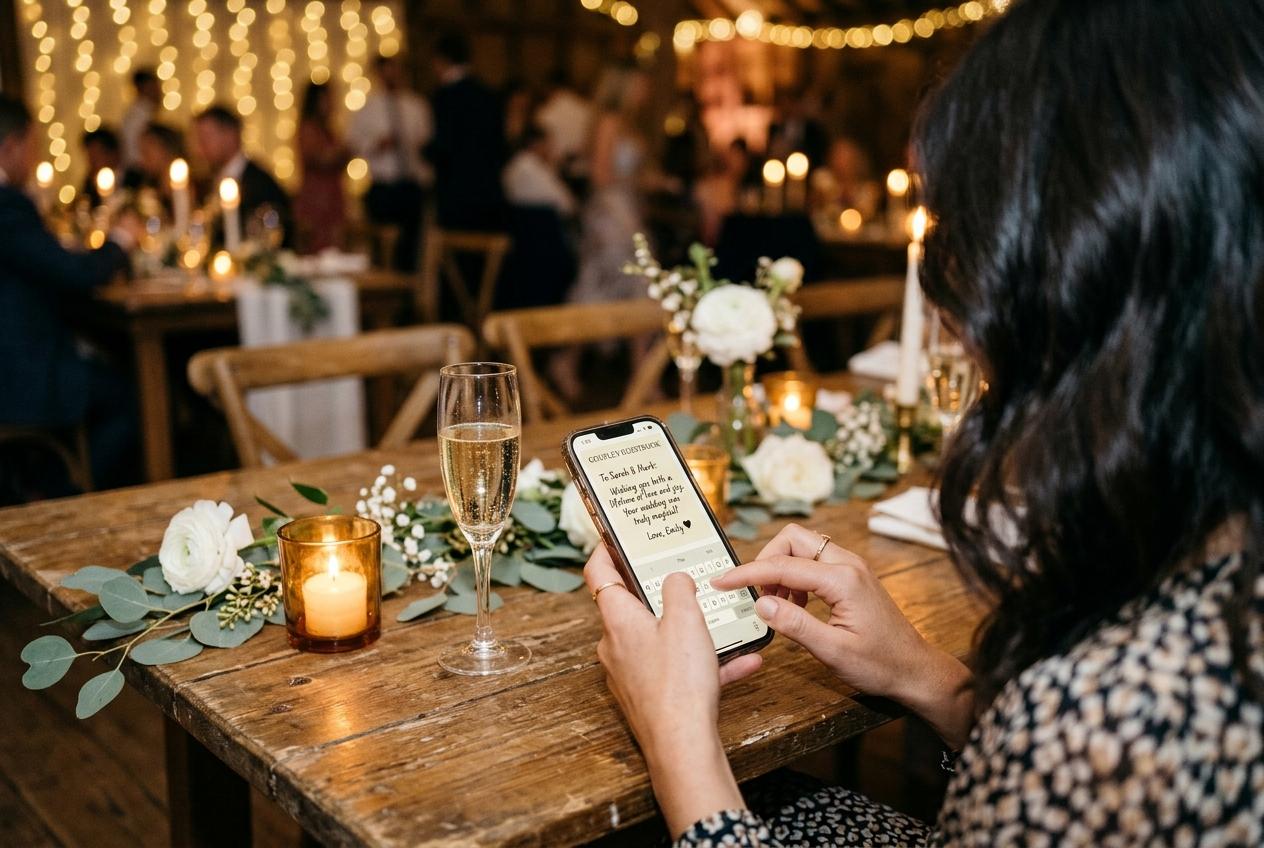
The guest was never going to open a laptop tonight. They are seated between someone they know and someone they do not, the food has arrived, and their phone is already in their hand because they took four photographs of the top table ten minutes ago. Scan to upload photos is the act that turns those four files into part of your collection at exactly that moment, and it is worth walking through from their side rather than yours, because every extra step you add to it is subtracted from the number of photographs you get back.
What the guest is doing anyway
Nothing here is a new behaviour. Pointing a camera at something is what a phone is for, and choosing photographs from the recents album is what people do while they wait for a drink.
The scan itself is the same motion a guest used on a restaurant menu, a board-pass ticket or a car park sign thirty minutes earlier. The phone's own camera reads the square; there is no separate scanning tool to find, and no code reader to set up. The browser that opens is the one already on the device, and the page it loads is the address of your collection. From the guest's point of view the printed card did all of the work: nobody typed anything, and nobody had to remember anything after the card was back on the table.
That is why the phrase matters more as a promise than as an instruction. A guest who reads 'send your photos' has to decide how to do it, where to send it, and whether it is worth the bother. A guest who reads 'point your camera at the card on the table' has one action in front of them and no decision to make. The second version gets photographs.
The two minutes, step by step
They notice the card
It is standing in the middle of the table among the glasses, printed so the code faces the person sitting opposite. This is the step hosts overestimate: nobody hunts for a code, and a guest only notices one that is already in their line of sight while they are holding their phone.
They open the camera and point it
The camera app, the way they would photograph a menu. The square fills a corner of the screen, the phone locks onto it, and a small link appears above the shutter. One tap and the browser does the rest. The whole exchange takes about four seconds, and none of it needs a signal strong enough to load anything yet.
Your event page opens
The occasion, the names of the hosts and the date are at the top, with the welcome line you wrote underneath. A guest reads that line and decides within a few seconds whether this is a real page belonging to a real person. It is the only moment of persuasion in the whole journey, which is why generic instructions lose here.
They choose their pictures
The picker opens on their own library, and the photographs from the last twenty minutes sit at the top of the recents. Still images and clips can go in the same selection, so the video of the toast that has been taking up space on their phone since the ceremony finally leaves.
They type one name
One field, no email, no password, nothing to confirm. It is there so you know whose camera a photograph came from, which is the difference between a file you can ask a follow-up question about and a file you cannot. The page remembers who is typing for twelve hours.
They press send and put the phone down
A short confirmation says the files arrived, and that is the end of the guest's involvement. Nothing is scheduled, nothing has to be finished later, and nobody is left with a half-completed task sitting in a browser tab they will close in the taxi.
The list of things a guest never has to do
It is easier to design a good guest experience once you can see the whole negative space of it. Every item below is a reason a photograph normally never arrives, and none of them exists here, at any price your collection is on.
- Download an app. There is nothing to install, and the page never says there is.
- Create an account, or invent a password at a dinner table with a wet napkin in front of them.
- Confirm an email address, verify a phone number, or wait for a code that arrives too late to be useful.
- Pay anything. Guests never see a price, on the free collection or on any other; the plan is yours and the upload is theirs.
- Find a cable, a laptop, or someone to help them export a file from their camera.
- Email a photograph to a stranger, or work out whether your address was on the invitation.
A guest who cannot get the camera to focus has a second route
Print the plain web address beside the code on every stand. One guest will not trust a square, another will be sitting where the glare lands, and a typed address is the slower but complete version of the same journey. It is also the line you can copy into a message the next morning.
Read the guide to QR codes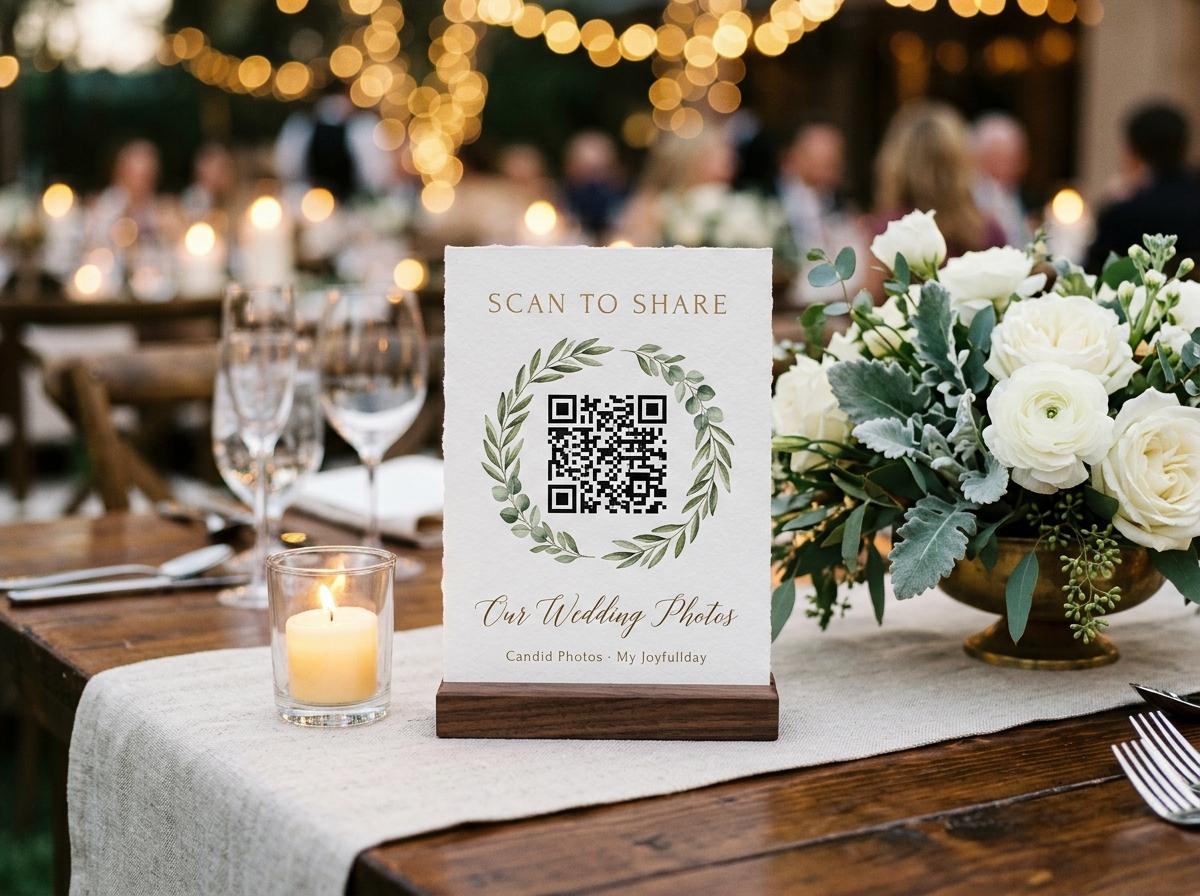
When a scan does not work, and what it usually is
Almost nothing that goes wrong at a table is a fault in the code. The failure modes are physical, and a host who knows them in advance can fix most of them before the first guest sits down.
The room has no signal
A barn, a cellar or a marquee at the far end of a field. The page will not load, so the guest puts the phone down and means to do it later. Nothing is wasted, because the address still works from the car park, the hotel or their own kitchen that evening. Print it on the order of the day so there is a copy to carry out of the room.
The card is too small or too far
A code printed at two centimetres across is readable at thirty centimetres and hopeless at two metres. A guest will not lean over someone's soup to find out. Size the square for the distance people will actually be sitting from it, and check the printed proof from your own chair before the room fills.
The code is from a different collection
A square screenshotted from last year, or printed before this collection existed, opens a page that is not your event. Codes do not expire, which is precisely the problem: an old one looks exactly as healthy as a new one. Reprint from the dashboard, and check the occasion named on the guest page.
The light has gone and the room has moved
Candlelight, a marquee with one bulb, and tables dragged together for the dancing. This is a paper problem, not a page problem: move a spare stand to where the crowd has drifted, and put one where people queue rather than where they sit.
The guest at the table against the guest in the morning
Scanning at the table, tonight
- The photographs are still at the top of the recents album, so choosing them is instant.
- The card is in front of them and the phone is already in their hand.
- They remember what the picture is of, which makes them pick the good one.
- Twelve other people at the table watch it happen and consider doing it themselves.
- Nothing has to be remembered tomorrow.
Uploading later, from home
- They need the address again, so it has to be in a message they can still find.
- The gallery has filled with the week's other photographs and the search begins.
- A reminder is what gets this group moving, and a reminder needs no password.
- The shy ones, the ones who left early, and the ones abroad prefer this route.
- It is the only route for a guest who was sitting where the card could not reach.
You need both, and they are not the same request. The code collects tonight; the plain address collects afterwards. A printed stand at the cloakroom and a line in the group chat the next morning cover more guests than either alone.
What the guest sees after sending
A confirmation that the files arrived, and the option to send more. If the gallery is open, the guest can look through what other people contributed; if you have switched the gallery off, the page stays a plain uploader and nobody browses anything. If you turned approval on, the guest's own photographs appear once you accept them, which is worth saying in the welcome line rather than leaving a guest to work out when a picture does not show up immediately.
There is one version of this moment that changes the whole evening's yield. A guest who sends three files and sees nothing happening concludes the page is broken and goes back to the conversation. A guest who sends three files and then watches their own photograph appear on the screen behind the band tells the person next to them, in words, with a gesture. Room feedback is the cheapest growth mechanism in a collection, and it only exists if something in the room is playing what arrives.
Every step you remove from the guest's side is a photograph that arrives instead of one that gets forgotten on a phone.
Setting the guest side up before anyone sits down
- Open the guest page on your own phone from a printed proof, and read the welcome line as if you were a stranger at table nine.
- Put a code on every table and the plain address beside it, then one more at the bar, the cake and the cloakroom.
- Write the welcome line so it says what happens to the file and what the guest gets out of sending it.
- Decide before the doors whether guests can browse the gallery or only add to it, and set the switch.
- Say the address out loud once during the welcome, and say the date it closes, so people send this week rather than eventually.
- Keep the event date on the collection correct, because the time a collection stays online is counted from that date.
One habit to avoid: asking guests to text or mail you photographs. It turns one action into four, and the quietest people at the table send nothing.
Questions a guest asks before they scan
Do I have to install anything to send photos?
No. The camera reads the square and the page opens in the browser already on the phone. There is no app to find and no code reader to set up, and this is true whatever plan the host is on.
Does it cost the guest anything?
No. Guests never pay and never see a price. Whatever the collection was bought on, the upload page is free to use and asks for nothing in return but the photographs.
Why does it want my name?
So the host knows whose camera a photograph came from and can ask for the full set later. It is one field, nothing else is asked, and the page remembers it for twelve hours so a second round of uploads is not a second form.
Can I send a video of the speech?
Yes, in the same submission as the still photographs, whenever the collection includes video. Clips are kept as the camera made them rather than squeezed down by a messaging app.
Can other people see what I sent?
That depends on the host. The page can show the shared gallery, or it can be switched to upload-only so nobody browses. Either way the address is unlisted and the guest pages are kept out of search indexes.
What if I take more photographs later?
Scan again. The card, the saved link, or the address in the message all open the same page, and the name is already filled in for the rest of the day and the following morning.
The part that decides whether a second round arrives
A collection that fills is not the work of one good upload; it is the work of a first upload that was noticed. The guest who sends three pictures has just made a small bet that the host cares, and the answer to that bet is what determines whether they send the four from the dance floor or forget them. Two things answer it: something in the room showing the files as they arrive, and one plain sentence said out loud telling the room when the collection closes. Everything else about the guest's side is already as short as it can be.
Make the guest's side take four seconds
Open a collection, print the stands on your own printer, and check the page from your own phone at the distance a guest will be sitting. The photographs you are missing are on the phones of people who were never given a way to hand them over.
QR code photo sharing
Put one link on the tables and let everyone contribute.
Create a collection, print the table stands, and the photographs your guests took are waiting for you the morning after. Guests never install anything and never make an account.