Photo QR codes
What a photo QR code is, and how a printed square becomes an upload page
An event photo QR code is a printed square that opens a collection on someone else's phone. Nothing to install, nothing to sign into, no address to type. This is the whole mechanism, from the card on your table to the file in your gallery.
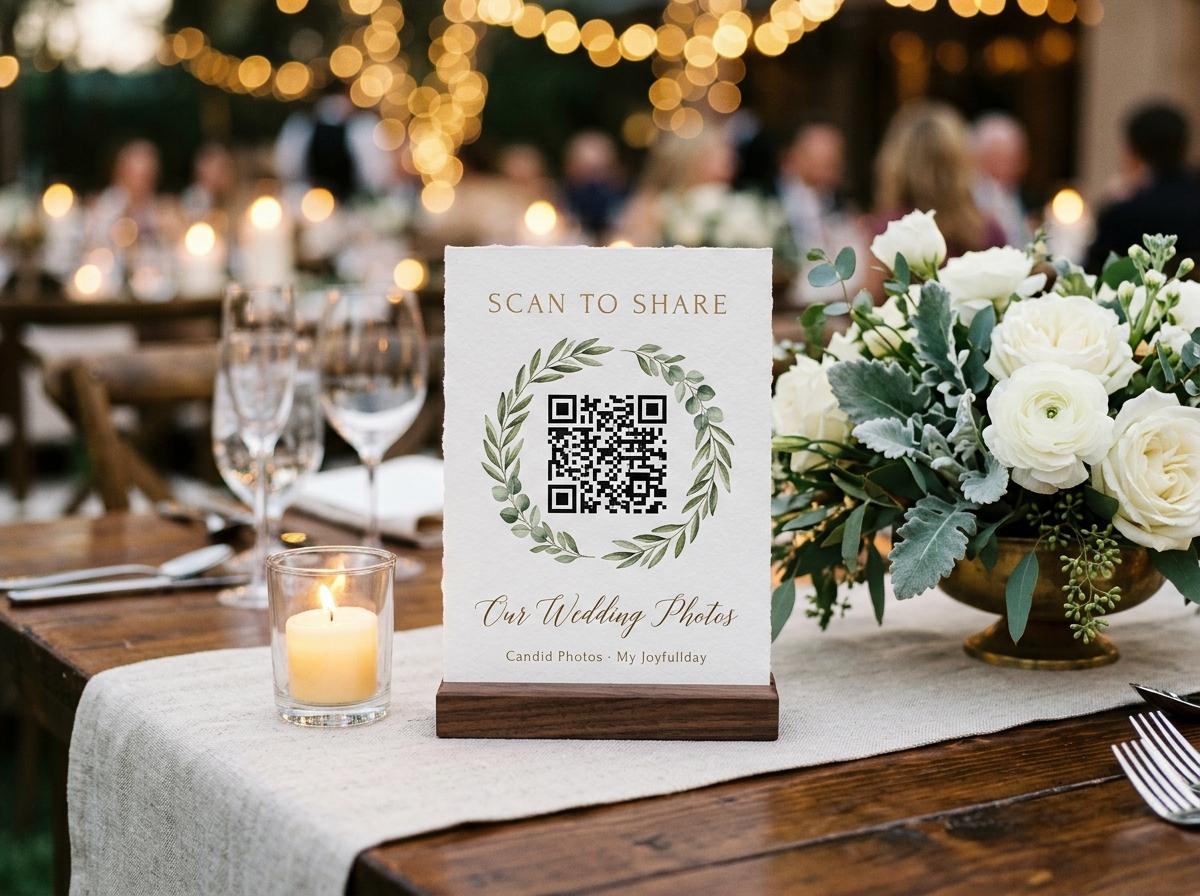
A photo QR code is a small black-and-white square that turns a printed card sitting on a table into an upload page on someone else's phone. Nothing is installed, nothing is signed into, and the guest never types a web address by hand. The code points at the one page that belongs to your event, and that page takes the photographs the room has already taken. Most of the confusion around it comes from treating it as a piece of software. It is not. It is a printed shortcut to an address you already own, and once you see it that way the rest of the design of your event follows easily.
What the code actually holds
The square is not a copy of your gallery and it is not a login. It is an encoded reading of a web address — the same short address that every collection already has. When a phone camera locks onto it, the browser opens that address, and the guest lands on the page a typed link would have taken them to. If you printed the code next to the plain written address, both routes arrive at the identical upload page; the code only saves the guest from typing. That one fact settles everything else about how the printed cards behave: a code is exactly as useful as the address it encodes, and the address it encodes has to be the live public address for your specific collection, not a generic sign-up page and not a placeholder you generated too early.
Because the code is a picture of an address, it does not go out of date on its own. The square printed a fortnight before the event opens the same page as the square printed at the door, so long as the collection behind it is the one that is actually running. The only time a printed code is wrong is when it was made for a different collection, or made before the address settled, or copied from a screenshot of an old event. None of those are faults in the code; they are faults in which address got printed.
From a printed card to an open upload page
You open a collection and name the occasion
The event, the hosts, the date. This is the step that creates the collection, and the collection is the thing that owns an address. Until you have opened it there is nothing for a code to point at, so a printed card made before this step points at a page that does not exist yet.
The short address and its matching code are created
Every collection is given a short web address and a QR code that encodes it. They are the two halves of one thing: the address is what the code resolves to, and the code is what a guest's camera can read across a crowded table without them leaning in to type.
You print the stands from the dashboard
Four table stands go onto a single A4 sheet, drawn straight from the dashboard and printed on an ordinary home or office printer on plain paper. There is no special stock, no ordering, and no waiting for a delivery that arrives the day after your event.
A guest points their camera at the card
The phone's own camera, the way someone would photograph a restaurant menu or a board pass. There is no separate scanning app to find and no code-reading tool to install, which matters because the guest at your table has not come prepared to troubleshoot anything.
The upload page opens in the browser they already use
The address loads in whatever app the phone was going to open it in anyway. The page names the occasion and the hosts so the guest knows they are in the right place, and it shows the line you wrote for them before anyone uploads anything.
They choose files, give a name once, and send
Photographs and clips can go in the same submission. A guest types their name in one field, and the page remembers who is typing for twelve hours, so a second round of uploads the following morning is not a second form. They press send and put the phone down.
Why a printed code beats a link alone at a table
A link with no code
- It lives in a message nobody opens while they are standing up and enjoying themselves.
- A guest has to leave the conversation, find the message, and tap it.
- Someone will misread the address when you say it out loud at a speech.
- It works perfectly on the phone of the person who is already organised.
- The moment it is pasted into a public feed, it belongs to that feed.
A code on a stand
- It is physically in front of twelve seated people for two hours at a time.
- A guest points a camera at it and the picker is open before the drink arrives.
- Nobody has to remember or spell anything; the address is inside the square.
- The plain address can sit beside it for the person who distrusts codes.
- A spare stand can be moved to wherever the crowd has drifted.
The two are not rivals. Send the address as text as well, because the guest who uploads from a hotel room the next morning will tap a link in a message rather than photograph a card that is back at the venue.
Four stands, one sheet, an ordinary printer
- Four to a sheet
- The dashboard lays out four table stands on one A4 page, each carrying its own code and a plain address beside it. A wedding of fifteen tables is four sheets of paper and a pair of scissors, not a print shop and a proof round.
- Any printer you already have
- The sheet is built to come off an ordinary home or office printer on plain paper. There is no card stock to order and no vinyl to cut, which is the difference between printing these the week before an event and not printing them at all.
- Cut, fold, and stand
- Each panel folds into a small tent that sits upright among the flowers and the water glasses. It faces the person seated on the far side of the table, which is the one who would otherwise never see it.
- Print spares
- Print an extra sheet. Stands walk off, get spilled on, or end up turned to face the wrong way, and a spare is the cheapest possible insurance against the one table that never had a code in front of it.
- Reprint whenever you like
- Because the code simply encodes the collection's live address, reprinting the same sheet a week later produces stands that open exactly the same page. Nothing about reprinting changes where the photographs land.
What a guest does after the scan
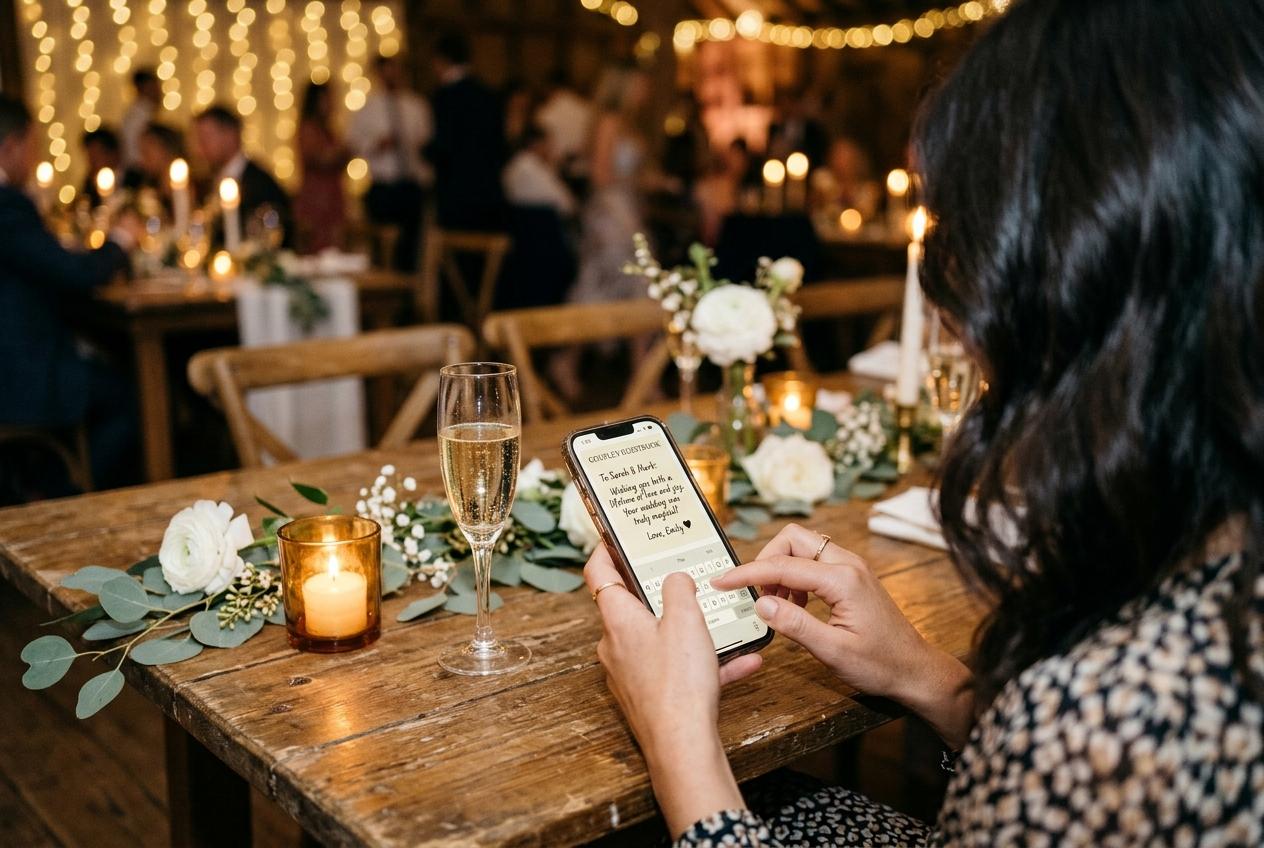
The moment a code is read, the work of the design is done and the work of the page begins. The address opens a single upload page: the occasion named at the top, the hosts' names and the date beneath it, and the welcome line you wrote for exactly this second. A guest deciding whether to bother reads that line and makes up their mind in about four seconds. This is why it is worth writing your own rather than leaving a generic instruction: the page has to look like it belongs to a person's event, not to a service somebody is trying to sell them.
From there the guest does two things they were going to do anyway and one new thing. They open the picker and choose files — photographs and clips together, whatever they took in the last twenty minutes sitting at the top. They type a name in one field, and the page holds that name for twelve hours so a return visit is a picker and a button rather than a form again. Then they press send, see a short confirmation that the files arrived, and go back to the table. There is no install, no account, and no password, on any plan.
The address behind the code, and its limits
- Confirm the code encodes your collection's live public address, not a screenshot of an older event or a page that predates the collection.
- Open the guest page on your own phone once, from the printed proof, to be sure the occasion and hosts read the way you want them to.
- Check the event date, because every plan counts how long the collection stays online from that date and a wrong one closes things early in silence.
- Decide the audience before the first stand leaves the table: where the printed code goes is where the photographs can come from.
The address is the door. Anyone who reads the code can open the page, so the code goes to the people you meant to invite and not onto a public wall. The controls that matter are the gallery switch, the approval switch, and where you physically place the stands.
A short address travels as text; a code travels as paper
The two channels reach different people. The code on the table collects from guests who are seated, phone in hand, with nothing to do. The plain address in a message collects from those who left early and those abroad. A good evening uses both and asks nobody to choose.
Where the code should sit in the room
One per table, not a stack by the door
A stand at the entrance is glanced at twice by the last person through the door. A stand on a table is in front of twelve people for two hours, and it is the person seated opposite it who eventually picks up their phone and points it there.
A second one where the crowd gathers
The bar, the cake, the dessert table, the cloakroom: anywhere a queue forms and people stand rather than sit. Those guests never had a table stand in front of them, and without one they go home holding photographs nobody asked for.
Somewhere central for the room with no signal
A barn or a cellar with two bars of nothing pushes everyone toward where they think the connection is. A stand at that pinch point is scanned repeatedly by the same people hunting for signal, and the files arrive later from the car park or the hotel.
Facing the guests, not the wall
A tent card turned toward the empty side of a table is a decoration. Fold it so the printed side looks at the people who have phones in their hands, and check that the small print is readable from a seated distance rather than from across the room.
On the order of the day and the invitation
A code printed on the programme collects from guests who arrive eager, and one on the invitation collects before the day begins — a message from someone who cannot come, a photograph of the outfit. Anything sent early lands in the same collection as everything from the room.
When a code alone will not carry the evening
A printed square is a good way to remove a step, but it is not a way to remove a reason. If the room has never been told that there is a place to send photographs, or told once in a speech nobody heard over the plates being cleared, the stands sit politely unscanned. The code is the least-effort route to a page; it still needs the page to be worth opening and the guests to know it exists. That is a brief line said out loud and a welcome that reads like a person wrote it.
Nobody is going to hunt for your address. The code has to be where their thumb already is, on the table they are already sitting at.
Questions about event photo QR codes
Do my guests need an app to scan a photo QR code?
No. The phone's own camera reads the square and opens the page in the browser already on the device. There is no scanning app to download and no code reader to set up, and this is true at every tier, including the free one.
Does a guest need an account or a password?
Never, on any plan. The only thing a contributor types is their name, in one field, and the page remembers it for twelve hours so a second submission is not a second form.
What exactly does the code encode?
The short web address of your collection. It must be the live public address for that collection, because the code is only a picture of that address and opening it is identical to typing it.
Can I print the stands myself?
Yes, and that is the point. The dashboard lays four stands on one A4 sheet, and they come off an ordinary printer on plain paper. Cut them, fold them, and put one on each table.
Will a code printed weeks earlier still open my gallery?
As long as it was made for the collection that is actually running, it opens the same page every time. A code does not expire; only the collection does, on the closing date its plan states.
Is the gallery the code opens public?
It is unlisted rather than public. The address is not entered in any directory and the guest pages are kept out of search indexes, so the only route in is one you handed to somebody.
What if a guest will not scan a code?
Print the plain web address beside it and send that same address as text in a message. Some people do not trust squares, and a typed address is the slower but complete version of the same journey.
Put a printed square on every table
Open a collection, name the occasion, and print the stands on your own printer. Guests need nothing but the photographs they already took and a camera to point at the card.
QR code photo sharing
Put one link on the tables and let everyone contribute.
Create a collection, print the table stands, and the photographs your guests took are waiting for you the morning after. Guests never install anything and never make an account.