Digital guestbooks
A digital event guestbook that keeps every message readable
A digital event guestbook is a page of written messages that your guests fill from the same link they use to send photographs. Nothing to post, nobody has to find a pen, and every entry can still be read in ten years.
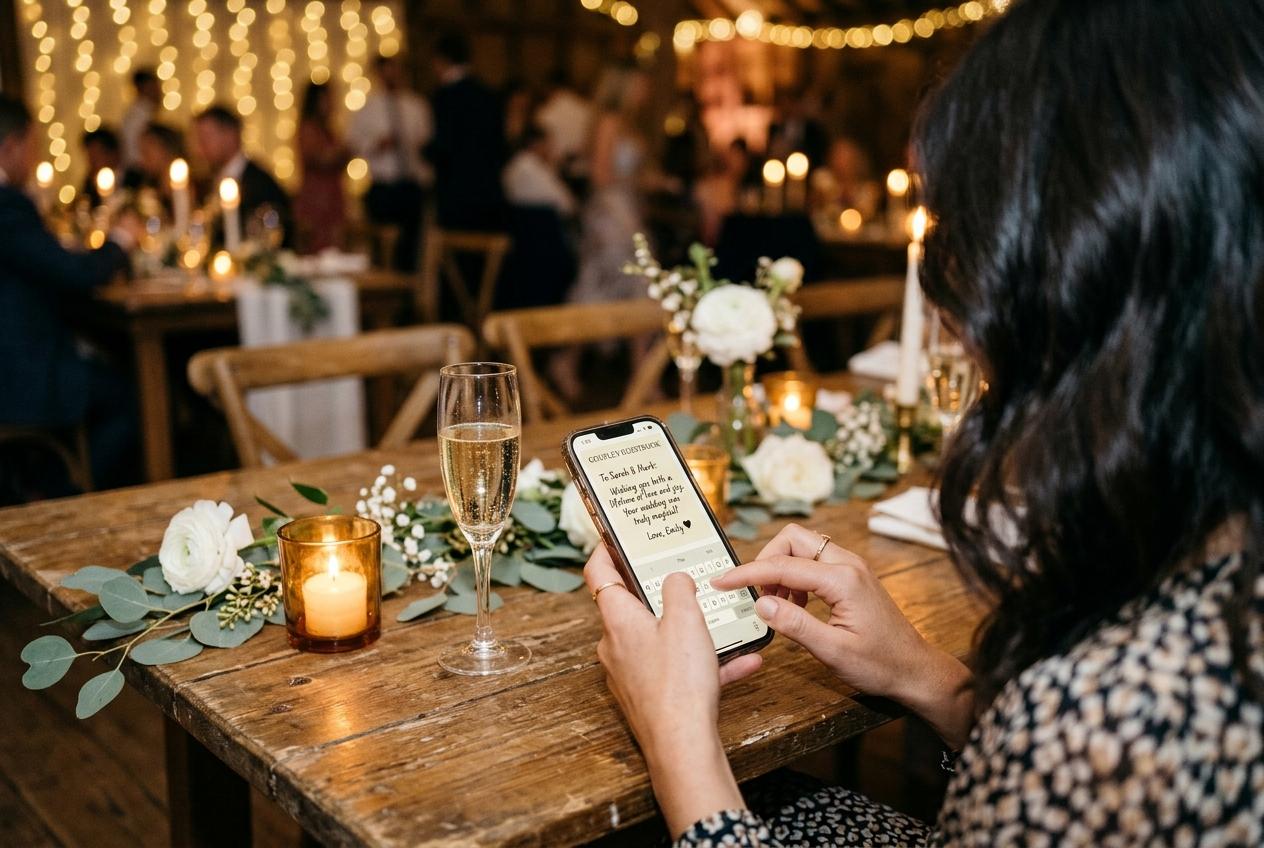
The messages you will actually want to reread never arrive in the guestbook. They arrive at eleven at night, in a group chat, from a cousin who says she is glad she came and then sends three photographs and a photo of her children asleep in the car. By the time you have looked, the chat has moved on to a delivery order, and the sentence you liked is somewhere under a sticker. A digital event guestbook exists to catch those messages while they are fresh, in the same place your guests are already standing with their phone in their hand.
What it is, precisely
One page that belongs to your event, holding the photographs your guests took and the messages your guests wrote, side by side.
Strip away the word digital and the job is unchanged from a paper book on a table by the entrance: people leave their name and something they would like you to remember. What changes is where the writing happens and what survives it. A book by the door is written in by whoever is brave enough to hold the pen in public, in whatever handwriting the occasion and the wine allow, and then sits in a cupboard where it is either treasured or slowly ruined. A guestbook attached to a web page is written into from a seat at the table, from a taxi home, or the following morning by the uncle who drove four hours and left before the cake. It is typed, so it is legible. It is stored, so it is not going to be watermarked by a glass.
The important structural point is that the guestbook is not a separate thing you also have to set up and tell people about. It sits beside the photograph collection on the same guest page. Whoever scanned the code to send their pictures of the top table can scroll and write. Whoever came only to leave a message and had no phone full of photographs can write and never touch the uploader. One address, one occasion, one place where the room's words and the room's pictures end up together.
What one entry holds
- The message itself
- Typed on any phone or laptop, in the browser your guest already uses. Long or short, in the guest's own words, and readable afterwards without a magnifying glass or a guess at the surname.
- The name who wrote it
- Every guest gives a name before anything is sent, which is what turns a wall of well-wishing into a record of who was there. The page remembers that name for twelve hours, so somebody who adds a second line that evening does not have to introduce themselves again.
- The photographs, if they came with it
- A submission can carry pictures and clips together with the words that explain them. The picture of somebody's grandmother in a hat arrives with the sentence about the hat, rather than as an unlabelled file in a shared album.
- Video messages, on the plans that include them
- Recorded entries are filmed in the browser with the camera, or uploaded as a video file. That is available on Celebrate and Keepsake, and as a nine dollar add-on on Gather. There is no audio-only entry: if it is recorded, it is a video.
- Your decisions afterwards
- Entries can be held for review before anyone else sees them, and the ones worth showing can be featured so they lead the page instead of being buried under a week of good wishes.
How the messages arrive
Open the collection for your occasion
You choose the event type it fits — wedding, birthday, graduation, baby shower, anniversary, corporate event, conference, family reunion, or something you name yourself — and the page exists. The guestbook is its own switch, so you can have a photograph collection with no messages, or both.
Turn the guestbook on
It is a setting on the collection, not a separate product. Once it is on, the writing box appears on the guest page under the upload area.
Put the address where people are standing
Every collection gets a short web address and a matching QR code, and the dashboard prints four table stands on one A4 sheet from an ordinary printer. Stands on the tables get looked at; a stand by the cloakroom gets passed twice.
Guests write
No app, no account, no password invented at dinner. A guest types their name and their message and presses send. Guests never pay anything and never see a price on that page.
You read and arrange
Entries appear in the collection as they come in. If you asked for approval, nothing is public until you accept it, and rejected submissions stay out of the archive you download at the end.
Which plans include a written guestbook
- Preview · free
- No guestbook at all. The free plan is twenty photographs, ten contributing guests, seven days online, no downloads. It is a rehearsal of the upload page, not a place to collect messages, so do not send your guest list there expecting words.
- Gather · $19
- The written guestbook starts here, with 200 photographs, 30 videos, unlimited contributing guests and six months online. A recorded video guestbook is a one-off nine dollar add-on if you want both kinds of entry.
- Celebrate · $39
- Written messages and video messages both included, 750 photographs, 100 videos, original-quality downloads and twelve months online. Approval is a switch on the collection settings that starts off, and it is the same switch whatever you pay for.
- Keepsake · $69
- Everything above plus 2,000 photographs, 300 videos, premium themes, two extra people to help manage the collection and two years online. Chosen most often when the messages are the point rather than a nice extra.
The free plan has no guestbook, and that surprises people
Written entries begin on Gather. If you were hoping to try a guestbook on a real event before paying, the cheapest honest way is a small family occasion on the nineteen dollar plan rather than a hundred-person wedding on the free one.
Compare the plansBefore the day, during it, and after
Before
The book can be open early
Nobody has to be at the venue to write. Put the address on the invitation or send it to the people travelling a long way, and the quiet relatives, the ones who would never hold a pen in front of a room, leave something thoughtful on the Tuesday before. Their entries land in the same page as everything written on the day, not in a separate folder you merge later.
During
Writing happens in the gaps
Between the main course and the first dance, at the table, while somebody's phone is already out. This is the window a paper book never reaches, because the pen has walked away and the person holding it is giving a speech.
After
The stragglers still count
The link does not expire at midnight. The friend who left early, the colleague who apologised in the morning, the grandparent at home with a landline and a laptop all still have somewhere to put a sentence, and it appears beside the photographs they also send.
What to do with the messages once the day is over
Read it properly, once, while it is fresh
Not a scroll on the train. An evening, a cup of something, every entry in order. The messages from people you were worried would not come are the ones you will have skimmed past in the room.
Feature the entries that should lead the page
Featured entries sit at the front, which matters if other people are going back to the page in the following weeks. The eight-line note from the best friend beats the fourteenth repetition of the same three words, and you are the only person who knows the difference.
Moderate the ones you did not want in public
Every event has one entry: the joke that landed badly, the photograph of a napkin with a phone number on it, the message that was funny at midnight. Approval set before the day means nothing reaches the other guests until you have looked; set afterwards, it means the next entries wait. Either way you decide what is on show.
Take the download while the address still works
Every plan keeps a collection online for a stated period from the event date, and warning mail goes out before anything is deleted. Once it comes down, the download you took is the only copy that exists. The archive is the files your guests sent: the photographs and the clips.
Copy out the sentences you want for good
Written entries live inside the collection, so the ones that matter are worth reading into wherever you keep your own words — a document, a note in the album file, the first page of the printed album you have made elsewhere. This is ten minutes of work in week two and a permanent loss if you leave it to month five.
Send each writer something back
Every entry carries the name of the person who wrote it, and every photograph carries the name of the person who took it. That is the practical difference between a guestbook and a group chat: you know exactly who to thank, and exactly whose camera the good picture of your mother came from.
A guestbook is only worth what you do with it in the fortnight afterwards.
Getting people to write something you will want to read
The failure mode of a written guestbook is not that nobody writes. It is that everyone writes the same sentence, and you end up with sixty entries that all say the equivalent of congratulations and best wishes. The fix is not a longer prompt; it is a specific question and one sentence of reason.
- Ask one concrete question out loud at the toast, and say where to put the answer. Advice is much more likely to reach a page than an instruction is.
- Tell the room what happens to the words. A guest who knows their message will be read by the couple in a month, in order, writes differently from one who thinks it goes into a database.
- Put a printed code on the tables rather than one card at the entrance, and mention it once during the welcome so nobody decides it is for other people.
- Send the address to the guests who are shy in a crowd or travelling far. They write better alone than they ever write holding a pen with a queue behind them.
- Say the name of the occasion on the page and let the entry box be small and unglamorous. A guest is more likely to write three honest lines into a plain box than into a decorated screen that looks finished already.
- Read the first few entries out, if the room is that kind of room. Hearing what somebody else wrote is the most effective instruction ever devised.
What to avoid: asking guests to text you their messages. You become the storage system, the entries arrive without names attached in a chat you cannot search, and the shy ones never send anything at all.
Who can see the guestbook
Private by default, which is not a slogan here but a set of mechanics. The address of a collection is not listed anywhere and guest pages are deliberately kept out of search indexes, so a message written about your family does not turn up for a stranger. There is a switch that hides the gallery from contributors entirely, which turns the guest page into an upload and write box: people add their pictures and their words without browsing what everybody else sent. And there is the approval setting, which holds submissions — photographs and entries both — until you accept them. For an event with a open bar, a mixed age range and one uncle with opinions, that is the whole argument for turning the guestbook on at all.
The closing date applies to the words as well as the pictures
A collection stays online for the period its plan states, counted from the event date, and you get warning mail before it comes down. If the messages matter, read them, feature them and copy what you want kept before that date, and extend the online period with an add-on if you need more time.
See retention add-onsQuestions hosts ask first
Do my guests need an app or an account to write in it?
No. The QR code or the link opens a browser page, the guest types a name and a message, and that is the whole procedure. There is nothing to install and no password to invent at a dinner table.
Is the guestbook the same thing as a video guestbook?
They are two kinds of entry in the same place. Written messages are included from Gather upward. Recorded video messages need Celebrate or Keepsake, or the nine dollar add-on on Gather, and they are filmed with the browser camera or uploaded as a video file.
Can guests leave an audio message without being on camera?
No. Recording in this product means video, whether filmed live in the browser or uploaded as a file. There is no voice-only note, so an audio-only wish is not something your guests will find on the page.
Can I keep messages private until I have read them?
Yes. Entries can be moderated, so submissions wait for you to accept them, and accepted entries can be featured so the ones worth reading appear at the front of the page. Rejected entries stay out of the archive you download.
Does the guestbook work if I do not want a photograph gallery?
The two live on the same guest page, and the gallery view can be switched off so people upload and write without browsing each other's submissions. The written box itself is a separate switch on the collection.
What happens to the entries when the collection closes?
The whole collection comes down on the date your plan states, with warning mail beforehand. The download you took is the only copy afterwards, which is the moment to have read the messages and kept the sentences that matter.
Open a guestbook while there is still time to tell people
Start a collection, switch the written messages on, print the stands and put the address on your invitation. Gathering is nineteen dollars for one event and the guestbook is included.
Guestbooks and written messages
Put one link on the tables and let everyone contribute.
Create a collection, print the table stands, and the photographs your guests took are waiting for you the morning after. Guests never install anything and never make an account.