Words and pictures together
A digital guestbook with photos on the same address as the gallery
A digital guestbook with photos means the written book and the photograph collection living on one event address: one link to print, one name to give, and both halves of the day kept in the same collection until somebody takes them down.
A photograph and a sentence are worth more together
Splitting the two halves of a memory across different services is why so many collections arrive as unlabelled files. Putting the book and the gallery on one address is a smaller change than it sounds, and it is the change that makes a collection readable.
Consider the two ways a well-wishing guest usually helps. Either they send photographs and say nothing, so you receive forty frames from somebody you cannot identify and no idea which one is the ceremony. Or they write the message and keep the photographs to themselves, so you get a lovely paragraph from Jonas describing the toast and no record of it whatsoever. Both gestures are generous, and both put the work of joining them back together on you, in month three, with a group chat you cannot search.
What a collection does about that is worth being precise about, because the obvious promise is one a guest page does not make. There is no single form in which a paragraph and four photographs are sent as one object: the address carries two boxes, and they are separate on purpose. One takes files, and it is the shorter of the two, because a person choosing thirty frames from an album does not want to be asked to write first. The other takes the written entry, with a name, and keeps the book readable as a book rather than as captions scattered between images. What makes the pair work is everything else they share: the same printed address, the same occasion named at the top of each page, the same name typed once a day, the same gallery, the same screen in the room, and the same closing date. The joining of the two halves is done by that shared context rather than by a merged submission, which is why it survives being looked at a year later.
What each of the two boxes carries
- The upload page: the photographs
- As many as the guest chooses in one go, stored at the size their camera made them. A smaller preview is drawn on the guest's own device so the gallery loads quickly; the original is untouched and waiting in the download.
- The upload page: the clips
- Video goes in the same picker as stills, on any plan that takes video, so the twenty seconds of singing is not the thing you have to chase separately in the morning.
- The guestbook: the written wish
- Typed by the guest in their own words, long or short, and stored against their name. It is legible, which sounds trivial until you are reading a page of handwriting from a room that had been drinking.
- Both: the contributor's name
- Given once, in one field, and remembered by the page for twelve hours. Attribution is what lets you go back to the person holding the rest of those photographs, and it is the thread that ties an entry in the book to the frames that arrived from the same phone.
- Both: your decisions on them
- Arriving material can be held until you have looked at it, on either side, and the parts worth showing can be put at the front of the page so a returning guest reads your aunt's entry rather than somebody's duplicate blur.
From the picker to the collection
The guest opens the address
A printed code on the table or a link in a message. It opens in the browser already on their phone, and the occasion and hosts are named on the page so they know they are in the right place.
They choose files
Photos and video in the same picker, from the album their phone already sorted. Nothing is squeezed on the way out to make the upload lighter.
They give a name and send
The files land in the gallery under that name, in arrival order, with a small preview so the page they are now on loads quickly.
They open the book from the same page
One menu, one tap, and a box that asks for a memory, a wish, or something that happened tonight. Having just sent four photographs, a guest will happily explain the evening; asked to open a second application to write, they will not.
Both halves land in the one collection
Photographs, clips and written entries on the same event, with the same closing date and the same name on each. You watch it fill from your own phone or laptop, and the sentence and the picture arrive on the same day rather than in different years.
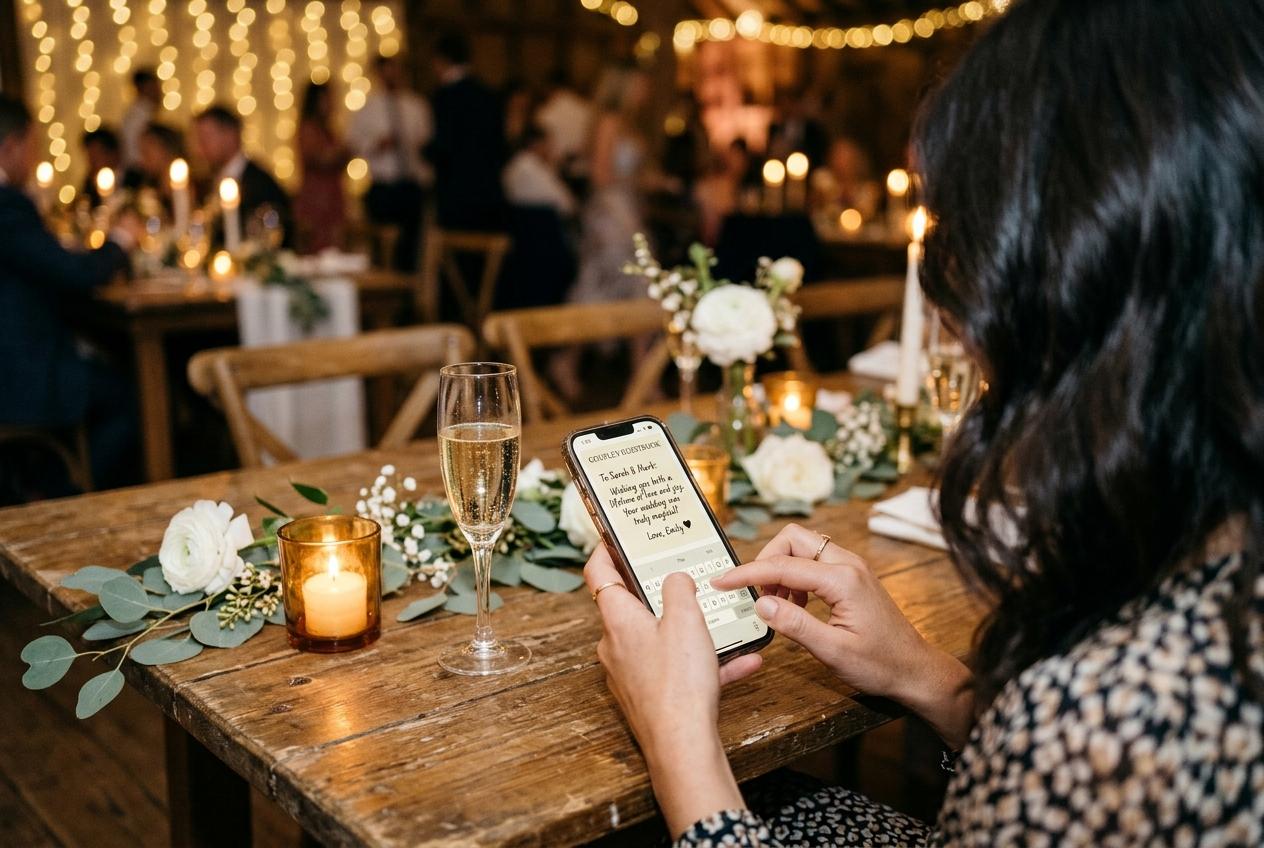
A photograph with a name beside it, and a sentence from the same person on the same day, is a record. The photograph on its own is a file you will not find again.
Why pairing changes what guests send
Explaining a picture is easier than describing an evening
A blank message box invites congratulations and best wishes. The book gets filled by somebody who has just sent their own photographs, and it gets the story behind them: who is in the background, what happened next, why the cake is on the floor.
One request instead of two
Guests are being asked for one favour, not one favour and a form. Every extra step is a guest who means to do it later, and later never arrives.
The shy ones contribute more
Somebody who would not dream of standing at the front of the room with a microphone will happily film a message at the table, and a guest who never posts photographs will send two and then write the line that explains them, because the sentence makes it feel like a note rather than a submission.
You get an index for free
Files and entries arrive under names, at timestamps, in the order the day happened. Six months later that is the difference between finding the photograph and hiring a weekend to look for it.
Text, photographs and video in one collection
The written half is the base layer and it is included with the photo collection from Gather upward. The recorded half is a different capability: video messages can be filmed in the browser camera or uploaded as a finished file, and they belong to Celebrate and Keepsake. If you want them on a Gather collection, there is a nine dollar one-off add-on for that single event, which exists precisely so a smaller party is not pushed into a bigger plan for one feature.
Words in one place, pictures in another
- The chat holds the messages and squeezes the photographs.
- Nobody knows which file came from which person.
- The explanation of a photograph lives in a different app.
- Late contributors have to be told twice, about two links.
- You end the week assembling the memory by hand.
One contribution carrying both
- A message and its photographs from the same person, on the same day, at one address.
- Everything filed under the contributor's name in one collection.
- Video clips travelling with the stills rather than after them.
- One address to print, one line to say out loud.
- One download at the end, holding the files as they arrived.
Neither half is a separate product you switch between. The written entries and the photograph uploader are settings on the same collection.
Two views of the same pile
- The contributor
- Two short pages, reached from one address and one menu: the occasion named at the top of each, a file picker on one of them, a message box on the other, one field for a name, and a receipt when each part goes. They are deliberately under-designed. A guest should be in and out in under a minute, because anything longer is a form and forms get abandoned at dinner parties.
- The host
- The same contributions with the machinery around them: who has sent what and when, how much of the plan's allowance the collection has used, which submissions are still waiting, the sheet of table stands to print, the address for the room screen, and the download at the end of it all.
- The people back later
- Anyone you give the address to can revisit the page while the collection is online, which is how a message written on the Tuesday after gets read by the whole family in March. You decide whether contributors can browse what other guests sent or only add to it.
What reading it afterwards feels like
The next evening
You go through it once, properly
Entries and pictures in the order they arrived, which turns out to be roughly the order of the party. This is the pass where you notice that nobody photographed the ceremony, and where you learn which cousin has the video of the speeches.
The following week
Feature, tidy, download
Put the three entries worth reading first at the front, decide what to do with the napkin photograph, and take the archive while the address is comfortably open. The download carries the files; the names and the sentences stay on the pages, so copy anything worth keeping into your own document in the same sitting.
A year later
The collection is closed and the files are yours
Whatever you downloaded is what remains, so the sentences you want permanently are worth copying into your own document in week two. Written entries live inside the collection, and the collection has an end date like everything else.
Setting up a collection built for both
- Turn the guestbook on. It is its own switch on the collection, and a photographs-only page is a perfectly good choice for some events.
- Decide whether contributors can browse what other people have sent, or only add to it.
- Decide whether you want to see each contribution before anybody else does, and set that switch before the party rather than during it.
- Write the welcome line as one instruction and one reason: what to send, and where it ends up.
- Upload a photograph yourself so the first guest to open the page sees a collection that is alive.
- Print the table stands from the dashboard, four to an A4 sheet on ordinary paper, and put one per table rather than one at the door.
- Check the event date, because the length of time the collection stays online is counted from it.
Written entries do not exist on the free page
Preview is twenty photographs, ten contributing guests and seven days online with no guestbook at all, so a guest arriving at a free collection finds a message box that is not there. Typing and photographs together start on Gather, at nineteen dollars for one event.
See the plansWhat each plan puts in the same collection
- Gather · $19
- Two hundred photographs, thirty videos, five GB, unlimited contributing guests, six months online, written entries included, standard downloads. Recorded video entries can be added for nine dollars.
- Celebrate · $39
- Seven hundred and fifty photographs, one hundred videos, twenty GB, twelve months online, written and recorded video entries, a live slideshow on the room screen and original-quality downloads.
- Keepsake · $69
- Two thousand photographs, three hundred videos, fifty GB, two years online, premium gallery themes and two extra people helping to manage the collection.
- Extensions and top-ups
- More uploads or six and twelve additional months, added to a collection that is still open. An extension begins when the included period ends rather than on the day you buy it.
Questions about pairing messages with photographs
Can a guest really send photos and a message at the same time?
Not as one object, and it is worth being exact about it. The address carries two boxes: the uploader takes files and the book takes the written entry, so a guest sends the photographs and then writes, a couple of taps later. The name they gave is remembered for the day, both halves land in the same collection with the same closing date, and neither box needs an installation or a registration.
Are the photographs the full-quality originals?
The file your guest picked is stored as it arrived. A preview square is produced on their own device for the gallery grid, and what you download is the original file, at full size on Celebrate and Keepsake and as a standard download on Gather.
Do the written entries come down in the download too?
The download is the set of files your guests sent, which means photographs and clips. Written entries live on the collection page, so the ones you want permanently are worth copying out before the closing date, or extending the online period with an add-on.
Can I record a video message instead of typing?
Filmed entries are part of Celebrate and Keepsake, and are available on Gather as a nine dollar one-off add-on. Recording means video, filmed in the browser or uploaded as a file; there is no audio-only option.
What stops a stranger seeing the collection?
The address is not listed anywhere, guest pages are kept out of search indexes, and you can switch the gallery view off so contributors upload and write without browsing. Contributions can also be held until you accept them.
Does this work for a party that is not a wedding?
It is the same collection with a different name on it. Birthdays, anniversaries, graduations and baby showers are named occasions at creation, and anything else, including a housewarming, is one you type yourself.
Collect the wishes and the pictures in one ask
Open a collection with the guestbook switched on, print the codes, and let a guest send three photographs and the sentence that explains them before they put their phone down.
Guestbooks and written messages
Put one link on the tables and let everyone contribute.
Create a collection, print the table stands, and the photographs your guests took are waiting for you the morning after. Guests never install anything and never make an account.