A quieter gathering before the wedding
Rehearsal dinner photo sharing for the people who gathered early
A rehearsal dinner brings together family and friends who may not all meet again before the wedding. Give the group a clear way to collect informal photographs, then decide who will download and keep the event archive.
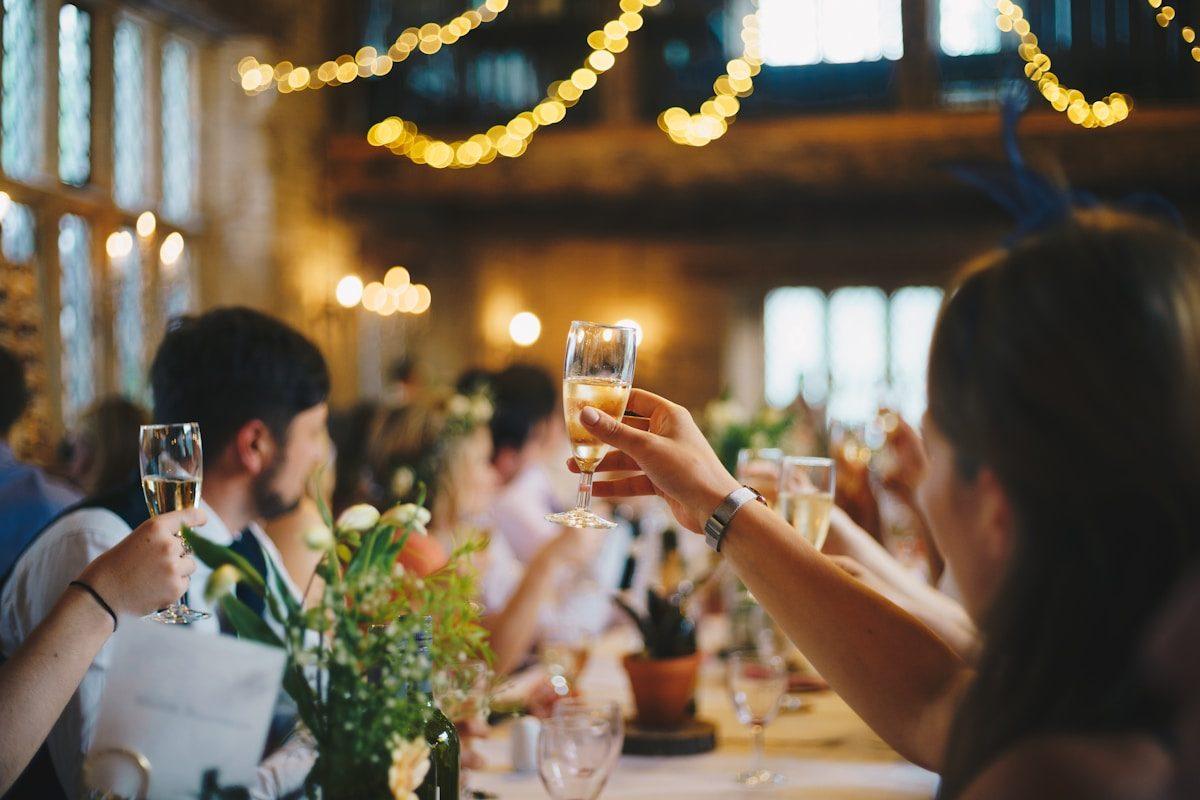
The rehearsal dinner is often the first time two sides of a family, the wedding party and out-of-town friends have a chance to spend unhurried time together. Those photographs can be different from the formal images taken on the wedding day: people greeting one another, a toast from a relative, a table of cousins comparing stories or the couple catching their breath before the ceremony. The pictures matter, but they are easy to scatter across camera rolls and group chats. A simple photo-sharing plan gives guests one place to contribute and gives the host a clear way to collect the files afterward. It should fit the scale and tone of the dinner rather than turn a relaxed evening into another production task.
Decide what the dinner collection is for
Before making a QR sign, decide what you hope to receive. Is this a small album for the couple, a record for relatives who travelled, or a set of informal pictures to look through the next morning? A clear purpose makes the invitation easier to write. If the dinner is intimate, the couple may want a handful of candid views rather than a photograph from every guest. If both families are meeting for the first time, group pictures and introductions may matter more than decoration details. Ask the couple what they would like to remember and build the request around that answer.
A rehearsal dinner does not need the same photography plan as a wedding reception. The professional photographer may not be there, or the couple may not want guests to take many pictures during the meal. Keep any guest collection optional and complementary. Ask for a few moments people naturally see from their seats: the welcome, a toast, a family greeting or a relaxed group portrait. Avoid telling guests to photograph private conversations or to interrupt a speaker. If the couple has hired a photographer, check what coverage is included and make sure the guest prompt respects that person's work.
Choose who will create and look after the collection
The person hosting the rehearsal dinner is not always the couple. A parent, sibling, wedding planner or member of the wedding party may be the one who sets up the collection. Agree on the owner before sharing any link. That person should know the event name, who will receive the photos and where the downloaded archive will be saved. If the couple wants access too, decide how the files will be handed over without sharing anyone's account password. Naming an owner prevents the common after-event question of who was meant to save the pictures.
Candid lets a host create one event collection and share its guest page by link or QR code. Guests open the page in a browser, give a name and choose files; they do not need an app, account or password. A short instruction can be sent in the dinner invitation or group message, and a printed QR code can be placed near the entrance or on a welcome table. A rehearsal dinner can be set up as an event the host names themselves. Keep the collection's purpose and audience clear, especially if the person paying for it is not the couple.
Make the invitation fit a relaxed evening
A long announcement will feel out of place at a small dinner. A single sentence is enough: invite guests to add a few candid photographs to the named collection, explain that the link is on the table card and say who will receive the finished album. The couple or host can mention it briefly after guests arrive, before the meal begins. Do not interrupt the toasts to ask for uploads. People should be able to enjoy conversation and choose whether to contribute without feeling observed or pressured.
If the link is sent before the dinner, include it in a place guests can find again. A group message is convenient but can disappear beneath travel updates, seating questions and photos of the venue. Send one reminder near the event, then include the QR code at the dinner for anyone who sees it there. Add a short written address beside the code in case a guest's camera cannot scan it. Avoid printing a code until someone has scanned the final version from a separate phone and confirmed that it opens the right event page.
Choose where the QR code belongs
A rehearsal dinner may not use assigned tables or formal stationery. Place a QR card where guests can pause without blocking a doorway: near the welcome table, beside the guestbook or on a menu if the couple has already planned one. A single central sign may be enough for a small room. If the dinner spans multiple rooms or a garden and dining space, put the code where people will naturally see it in each area. The goal is not to decorate every surface but to make the invitation findable without asking guests to search for it.
Keep the instruction legible at arm's length. State that the QR code opens a photo collection, whether short videos are welcome and whether guests can contribute after the dinner. Do not promise immediate appearance on a screen unless the host has tested the display and intends to manage it. If the collection is meant to surprise the couple, avoid placing the code where the guest of honour will be asked to use it. A discreet route can let relatives contribute without requiring the couple to manage another task the night before the wedding.
Account for family groups and travel
People at a rehearsal dinner may be tired from travel, using roaming data or borrowing a relative's phone. Keep the upload path short and let guests know they can use the link later if the connection is poor. A QR code opens an online page; it does not work as an offline upload method. Ask the venue whether guest Wi-Fi is available and whether a guest needs to accept terms or enter a code before reaching the internet. Test the upload from the room if possible, particularly if it is below ground, in an older building or outdoors.
Some relatives will prefer not to use a phone during dinner, and some will not want to share pictures at all. That is fine. The host can ask one willing family member to share a few images later, but should not make anyone responsible for documenting the full evening. If grandparents or guests with limited phone access want to contribute, offer to help them scan the code or let them send a few selected photographs to the named host afterward. Keep the assistance optional and avoid taking possession of someone's phone or account.
Plan for the kinds of files guests will send
Still photographs are usually the simplest request for a short dinner. If the host also wants video, be specific: a brief toast or greeting may be useful, while long recordings can be large and take time to upload. Candid accepts photos and video in one guest submission on plans that include video, with a fixed count and storage allowance for each package. Preview includes no video; Gather includes up to 30 videos, Celebrate 100 and Keepsake 300. Storage is 500 MB on Preview, 5 GB on Gather, 20 GB on Celebrate and 50 GB on Keepsake. Check the current plan details against the expected collection before inviting guests to send clips.
If the couple wants spoken messages rather than documentary clips, consider whether a video guestbook is a better fit. The guestbook is a separate feature where a guest records a video message for the couple. It is included with Celebrate and Keepsake, or is a one-off add-on to Gather. Written guestbook messages are available on Gather and above. Do not describe one as the other: a short toast filmed in the room is not automatically a guestbook entry. Decide what the couple would enjoy receiving and make the request accurate.
Set privacy expectations before sharing
Photographs of family gatherings can include people who would not post them publicly. Tell guests who the collection is for and who will receive the archive. Share the event address only with the intended group and decide whether guests should be able to browse what other people contribute. In Candid, the host can switch off the guest-facing gallery so that the page accepts uploads without displaying the collection. The host can also enable approval so a submission waits until it is accepted. These controls do not replace considerate sharing: ask before posting a guest's image to a public account or sending it to a wider audience.
A small family event may feel private because everyone knows one another, but links can still be forwarded. Do not put sensitive details in the event title or instructions. If a family member asks to have a photograph removed or not shared, respect that request and agree who will handle it. If a child appears in a photograph, check with the parent or guardian before making it public. A host should be able to explain what the collection does and what will happen to the photos after the dinner, in plain language rather than relying on guests to infer the rules.
Estimate the right event plan
A rehearsal dinner is often smaller than the wedding, but it can still produce many files if each guest sends several. Estimate the number of contributors, the pictures each person may select and whether video is part of the plan. Candid Preview is free and includes 20 photos, 10 contributing guests, 500 MB, seven days online and no downloads. Gather is a one-time $19 per event with 200 photos, 30 videos, 5 GB, unlimited contributors, one month online and standard downloads. Celebrate is $39 with 750 photos, 100 videos, 20 GB, three months online and original-quality downloads. Keepsake is $69 with 2,000 photos, 300 videos, 50 GB, six months online and original-quality downloads. Confirm current allowances on the pricing page before choosing.
Do not pay for a larger package simply because it sounds safer, but do not assume the free allowance will cover a crowded dinner. Extra photo or video capacity and longer retention are available as one-off add-ons. Retention extensions begin when the included period ends. If the event takes place just before the wedding, the couple may want the gallery available through the wedding and honeymoon; choose the period with that calendar in mind. A host can download files during the online period, so a reminder and an archive owner may be more useful than paying for access the couple will not use.
Make a plan for the host's download
The person responsible for the collection should know how to download it before the dinner. Candid allows individual downloads or a single streamed archive. Gather provides standard downloads; Celebrate and Keepsake provide original-quality downloads. Preview does not include downloads, so a host choosing Preview should understand that limitation before asking guests to contribute. After the download, open several files and check that they work. Save a second copy somewhere controlled by the couple or host, then agree who will send selected pictures to family members.
Set a reminder a few days after the dinner, while the people and moments are still easy to identify. Ask a family member to label a small selection if names or relationships may be unclear. Do not wait until the collection is close to closing to discover that the person with access is travelling or no longer available. Candid sends a warning before the collection is deleted, but the downloaded archive is the host's lasting copy after the online period. Treat that copy as the actual keepsake and store it accordingly.
A practical checklist for the host
Before guests arrive
Agree on the purpose
Ask the couple which moments they want and who will receive the photographs after the dinner.
Create and test the event
Open the guest page from a second phone, upload one test file and verify the host can find it.
Check the venue connection
Confirm guest Wi-Fi or mobile coverage and tell guests they can save the link for later if needed.
Print a clear sign
Scan the final QR code after printing and include a short written link as a backup.
Assign the archive
Name the person who will download, check and store the finished collection.
Keep the dinner about the people
The best rehearsal dinner photo plan is quiet enough that guests can forget about it. A named host, a tested link, one clear sign and one considerate request are usually enough. The collection can gather spontaneous views of family arriving and friends catching up without asking every person to become a photographer. Guests can contribute at the table or after the evening, and the couple can return to the photographs when the wedding preparations have settled. If the setup begins to compete with conversation, simplify it: one link, one purpose and no repeated announcements.
Candid Photos gives the host a named event collection, a browser guest page and a QR code to share. Choose a plan that fits the expected number of photographs, any videos and how long the couple wants access; download the files before the online period ends. A sample upload from a guest phone is the best way to know whether the route is clear. Once the test succeeds, the host can put the sign in place, explain it once and let the dinner unfold without turning the evening into a checklist for everyone else.
Rehearsal dinner photo sharing questions
How do guests share rehearsal dinner photos?
The host can share an event link or QR code and invite guests to upload selected pictures from their phones. A short instruction and a tested guest page make the process easier.
Can a rehearsal dinner use Candid if it is not a wedding?
Yes. The host can create an event with a name that suits the dinner and share its guest page with the invited group.
Can guests add photos after the dinner?
Guests can use the event link while the collection is online. The plan sets the online period, so tell guests the deadline and download the archive before it closes.
Do guests need an app to upload?
No. They open the Candid guest page in a browser from a QR code or link, provide a name and select files. They need internet access to upload.
Give the dinner one easy photo route
Create a named event, test the guest page from another phone and decide who will keep the archive after the evening.
Photo collection by event type
Put one link on the tables and let everyone contribute.
Create a collection, print the table stands, and the photographs your guests took are waiting for you the morning after. Guests never install anything and never make an account.