One destination, several places
Put the same photo link on paper, phones and follow-up messages
A QR code to share event photos is a printed route to a web address, not a separate album. Your distribution job is to carry that same address through the invitation, the room and the message after the event, with wording that tells people what to do when they arrive.
Imagine the same guest meeting your request three times: in an invitation on their phone, on a card beside their plate and in a thank-you message the following day. Each encounter needs a slightly different presentation, but none needs a different collection. The invitation should have a tappable link; the card should have a scannable code; the follow-up should let the guest return without finding the card again. Keeping those routes aligned is what makes a QR distribution plan reliable. Printing more codes is not a remedy for an unclear destination or an unfinished upload page.
Choose the destination before designing the code
Create the event collection first and copy its guest link from the host dashboard. Every collection has a matching QR code. The host needs an account to create and manage that destination; guests need no app, account or password to open it and contribute. Confirm that the link opens the intended event in a browser where you are not signed in as the host. An attractive code pointing at a management page or the wrong occasion is still a failed invitation. Do not use a screenshot of whatever address happens to be in your browser without checking its purpose.
Keep one authoritative copy of the guest address in your own event notes. Give that address and its matching code to whoever prepares the invitations, table stands or follow-up text. If different helpers search through old messages for a link, a test event can accidentally survive into the printed design. Ask every helper to confirm the destination name rather than just confirm that a square code is present. There is no need to create another collection for the bar, the entrance or guests who join remotely. Those are distribution positions, not separate events. One destination also makes later troubleshooting simpler because you can ask which route failed without wondering which album someone was trying to reach.
Match the route to the surface people are using
- A paper invitation
- Use the matching QR code with a brief explanation and a readable guest address. Guests can scan from another device or type the address if needed. Make the photo request visually distinct from travel information or any RSVP instructions so nobody assumes the code is how they confirm attendance.
- A digital invitation
- Include a tappable text link rather than relying entirely on a QR image. Someone reading on their own phone should not need a second phone to reach the collection. A code can remain part of the design, but the working hyperlink is the more direct route on the same screen.
- A table or standing point
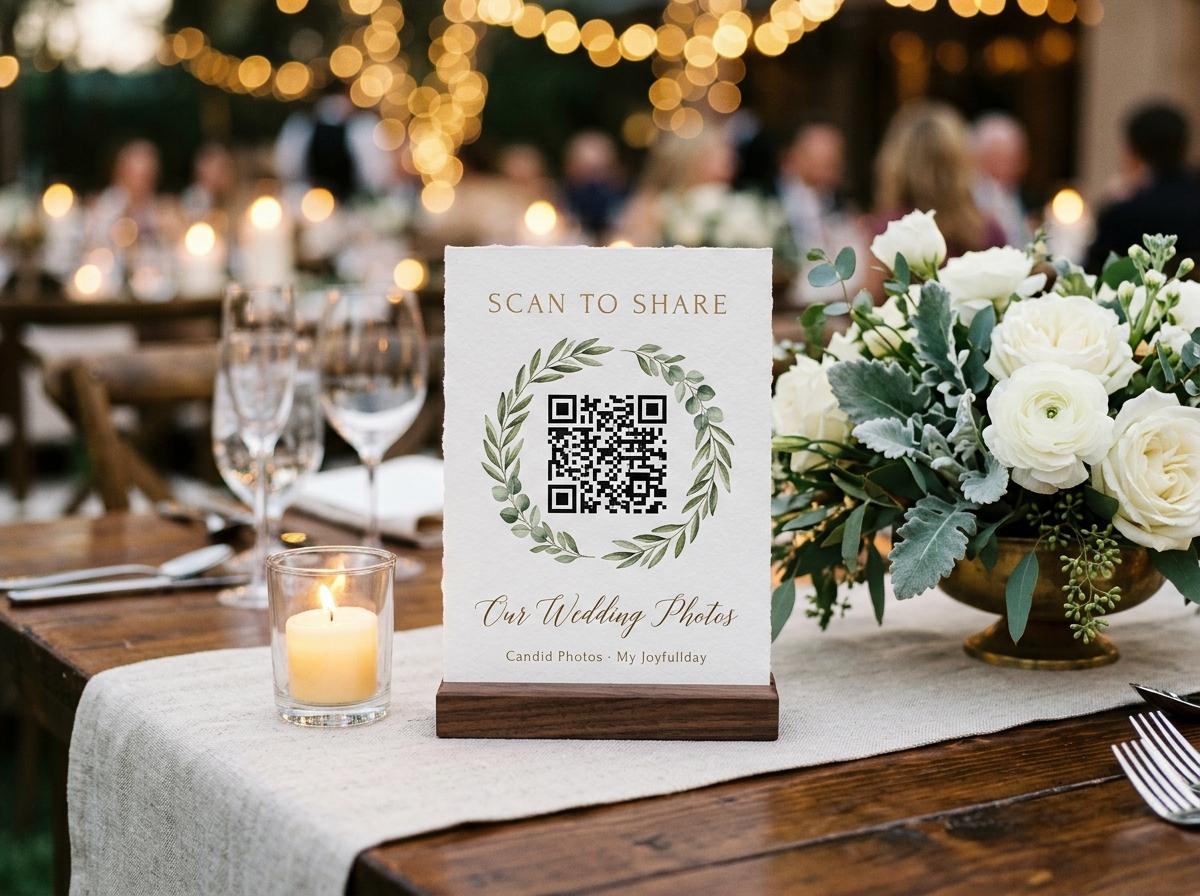
- Place the code where a guest can stop comfortably, hold a phone and act without obstructing other people. The dashboard prints four table stands on one A4 sheet. Fold and place one proof before making the full set, since the final angle and nearby objects can affect the scan.
- A message after the event
- Repeat the same tappable guest link and name the occasion. Guests may no longer have the invitation or remember where they saw the code. Include a specific request and your contribution deadline, rather than sending an unexplained picture of a QR code into an already busy conversation.
Give the scan an explicit purpose
A bare code can mean a menu, a payment request, a mailing list or the venue's website. Tell guests that this one is for event photographs. A useful card says, in plain language: share a few pictures from tonight; scan to open our photo collection; no app or guest account needed. If your page is upload-only, say that the host is receiving the pictures rather than suggesting everyone will see a shared gallery. If videos are welcome, mention them only when your package accepts them. The printed promise should match the page that appears after the scan.
Write for the moment where the card will be read. Near the exit, ask people to save the link and add their favourites when they are home. At a table, invite a small selection during a natural pause. In a digital thank-you, explain why a missing perspective would be useful: perhaps pictures from the group walk or the helpers clearing up. You do not need separate technical destinations for those prompts. Their job is to make the same destination understandable in context. Avoid language that makes participation sound compulsory. Someone may have taken no pictures, may lack a connection or may prefer not to share, and the sign should leave room for that without embarrassment.
Proof the printed route under real conditions
Print at the intended final size
A code that scans when enlarged on your monitor may not work on a small place card. Print an actual proof using the paper and printer you expect to use for the event. Keep a clear light area around the code and avoid placing decorative artwork over its pattern. The code should remain a readable functional element, not a background texture.
Test the finished object
Fold the table stand or put the card in its holder, then scan it from the position a seated or standing guest will occupy. Watch for a crease through the code, a reflective cover, a dark corner or a centrepiece blocking the camera. Move or enlarge the code until a normal approach works without careful coaching.
Try more than one phone
Use different available phones and their ordinary camera apps. Open the address that the camera offers and verify the event name rather than stopping when the camera recognises a code. A code can be technically readable while pointing to the wrong collection, so the destination check is a separate step.
Complete one sample upload
On the connection guests will use, send an unimportant photograph and confirm receipt in the host view. This proves more than the scan alone. If the network needs a venue sign-in page, resolve that before asking guests to transfer files, or provide the direct link for a later attempt from home.
Place invitations where a guest can pause
An entrance is good for awareness
People arriving may have bags, coats and someone waiting to greet them. An entrance sign can introduce the collection, but it should not be the only access point. Avoid creating a queue where guests feel expected to scan and upload before they can enter. Repeat the same route somewhere calmer inside.
A table offers time, not guaranteed attention
Put the stand in clear view without making it compete with food, flowers or place settings. One readable invitation is better than several competing cards. Ask whoever sets the tables to check which way each stand faces. A code aimed into a centrepiece does not help the people you intended to reach.
A shared counter needs permission
If you want a card near a bar, gift table or reception desk, check that it will not interfere with staff or cover necessary information. Keep it recognisably connected to your event. In a venue running several functions, a generic photo-upload sign can send another group's guests to the wrong collection.
The departure point is a reminder
A final card can say that later uploads are welcome before your stated deadline. It should offer the same link rather than a new exit-only code. Do not rely on a leaving guest to perform a large transfer while arranging transport; help them carry the destination home instead.
Separate scanning problems from transfer problems
Use three checks in order. First, can the camera recognise the printed code? If not, inspect lighting, distance, glare and the printed pattern, or use the readable address. Second, does the recognised link open the correct event? If the browser cannot connect, check internet access and any venue network sign-in. Third, does a selected file finish uploading? That is a transfer question, not a reason to redesign a code that has already opened the page. Keeping these stages separate prevents a helper from printing replacements when the real issue is a weak connection.
Scanning does not supply connectivity, and it does not store an upload for later completion. Where reception is poor, invite people to take pictures normally, keep the guest link and return when they have internet access. If a guest is reading your message on the same phone they use for photos, send a normal tappable link instead of telling them to scan the screen. If a transfer is uncertain, check whether the host received the item before retrying a whole batch. A smaller test submission can help identify whether the problem is general or associated with a particular file. Avoid promising a fixed upload time; file size and the available network both matter.
Keep printed sharing consistent with consent
A code displayed on a table is easy to photograph and forward. The event collection is unlisted and kept out of search indexes, but the link does not authenticate its holders. Do not put the code in a public social post if your intention is a limited family exchange. For a sensitive occasion, consider whether printed distribution in a shared venue is appropriate at all. The convenience of scanning should follow your audience decision, not make that decision for you. A smaller, direct distribution may be a better fit than a large welcome sign visible to people attending other events.
Configure the host controls before signs go out. Disabling the public gallery provides an upload-only guest page. Switching approval on holds submissions until the host accepts them. Explain the chosen arrangement and give guests a person to contact about a photograph they want removed. If a room slideshow is planned, say that accepted photographs may be shown on the screen and have someone responsible for reviewing submissions. Do not print a broad promise such as only invited guests can see this when a forwarded address would still work. Specific language protects expectations: the host will receive these pictures, or link holders can browse the shared gallery, depending on the settings you actually use.
Give the printed code a realistic useful life
Before printing
Check the collection's capacity
A code does not raise upload limits. Preview is free with 20 photos, no video, 10 contributors, 500 MB and seven days online, and it has no downloads. For an event you intend to archive, choose a paid plan whose photo, video, storage and download allowances match your request.
While distributing
Use dates the package can support
Gather costs $19 per event and stays online for one month, Celebrate costs $39 for three months, and Keepsake costs $69 for six months. These are one-off US-dollar prices. Put your requested contribution date before the actual closing date and leave yourself time to retrieve the material.
After the occasion
Repeat the destination once, clearly
Send your thank-you with the same link and a focused request for any remaining pictures. Do not assume the paper invitation is still available. A direct message to someone who filmed a particular moment is often more useful than repeatedly circulating the QR artwork to the entire group.
Before closure
Save files, not just the code
Take and verify the download while your paid collection is available. A photograph of the table stand is a memory of the invitation, not a backup of the collection it points to. Gather provides standard downloads; Celebrate and Keepsake provide original-quality downloads. Keep the saved archive independently of the event website.
Practical questions about the same-link approach
Do I need a different code for each table?
No. The same event code can appear wherever that collection is being invited. Vary the wording for the location if helpful, but keep the destination consistent so contributions do not become scattered across accidentally different events.
Can people use a text link instead of scanning?
Yes. The QR code and guest link are two ways to open the same browser page. A tappable link is particularly useful in a phone message, while a readable address gives printed material a fallback.
Will the code still help people after they leave?
It can open the collection while the collection remains available. Send the guest link in a follow-up so people do not need to keep the physical card, and state a contribution deadline within the event's online period.
Does sharing the code let a guest manage the event?
The guest code is for the guest page, not the host dashboard. Guests contribute without an app, account or password; the host manages the event through a separate account. Check that the artwork uses that guest destination before distributing it.
Make one route dependable in every format
Prepare your collection, test the guest address and print one proof of its matching code. Then carry that same destination into invitations, table stands and a later message. Clear words and a verified link do more for participation than covering the venue with unexplained squares.
QR code photo sharing
Put one link on the tables and let everyone contribute.
Create a collection, print the table stands, and the photographs your guests took are waiting for you the morning after. Guests never install anything and never make an account.