Wedding QR codes
QR code for wedding photo uploads: collect from every guest's camera
Wedding guests take thousands of photographs across a ceremony and reception. A QR code on a table stand gives every one of those guests a direct route to your photo collection. No app, no account, no link to remember — just a scan and an upload in under a minute.
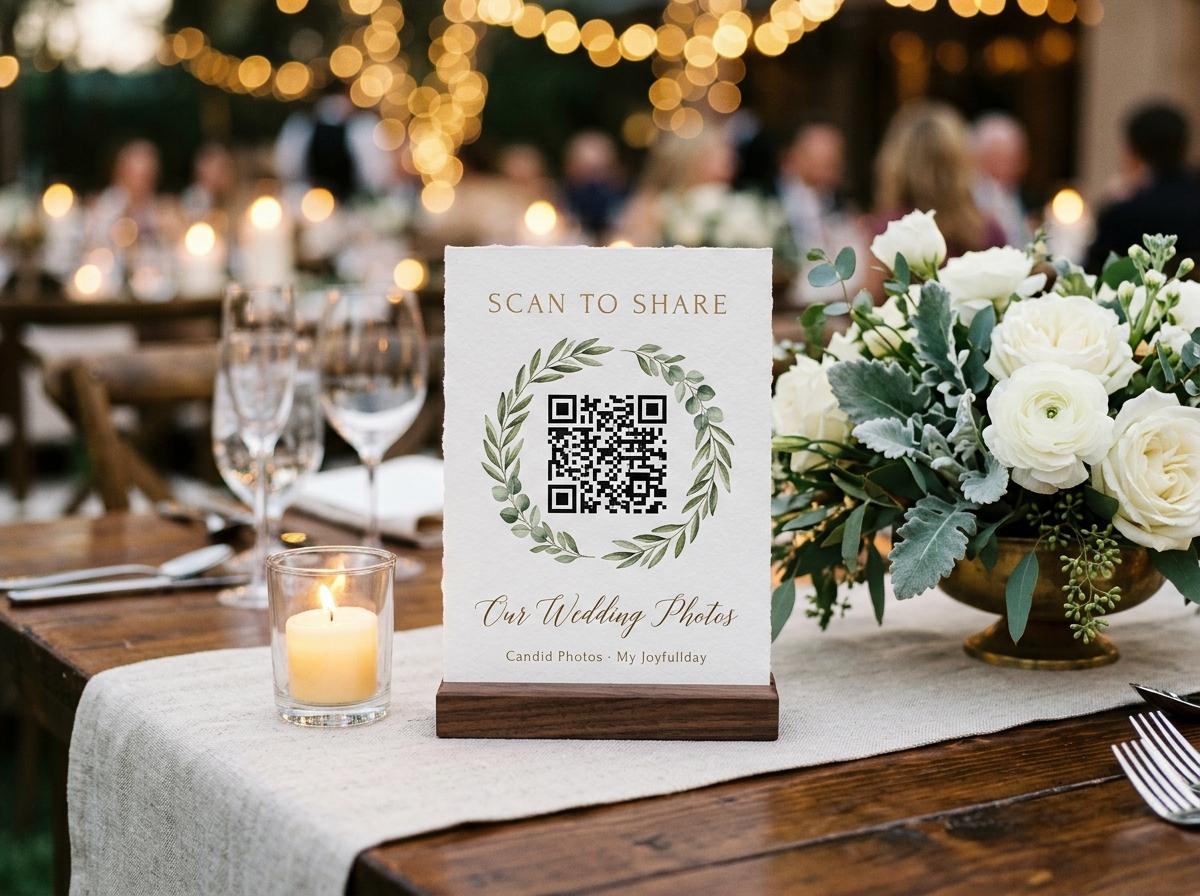
A wedding photographer captures the ceremony and the posed portraits. What they do not capture — and what guests do — is the candid record of the day: the table conversations, the moment a niece fell asleep on a seat, the dance floor at eleven, the groom's uncle attempting the moonwalk. Those photographs exist on dozens of phones, and without a specific collection mechanism, they will be shared with the couple through WhatsApp threads, Instagram messages, and conversations that are hard to follow three weeks later.
A wedding QR code on each table stand is the mechanism that changes that. Guests are already at the table, already with their phones out, and already wanting to contribute. The code removes the only barrier that stops most of them: not knowing where to send what they have.
Why weddings in particular benefit from a QR code upload system
Scale of the photographer gap
A professional photographer covers the ceremony and a portion of the reception. Guests cover everything else: the quiet moments between events, the full room during speeches (from an angle the photographer cannot hold simultaneously), the late-night dancing after the official coverage ends.
Guests want to contribute
Wedding guests are emotionally invested in the couple. The desire to share photographs is high. The barrier is knowing where to send them, not wanting to send them.
Multiple devices per guest
Many wedding guests take photos on more than one device — a phone and a camera, or a phone they shared with a partner. A QR code that any device can scan means contributions from every device in the room.
The table stand is already there
Most weddings have table décor: name cards, menus, flower arrangements, candles. Adding a small QR code stand to this existing table presence requires minimal additional planning.
Setting up a wedding QR code for photo uploads
Create the wedding event gallery
Open Candid Photos and create an event for the wedding. Choose a plan that covers the expected number of contributors and media volume.
Download the QR code
From the event page, download the QR code image. It is ready to print at the size required for your table stands.
Have the codes printed
Many wedding stationers include QR codes on table cards or menus as part of their service. Alternatively, the code can be printed at home and placed in a small acrylic or card stand. Print one per table.
Brief your photographer or planner
If you have a planner or day-of coordinator, let them know about the QR code collection so they can mention it in any announcements and ensure the stands are on the tables before guests sit down.
Browse the collection after the event
Photos arrive in real time throughout the reception. At the end of the evening, the gallery holds everything submitted. Download the full collection in original quality.
QR code vs wedding hashtag: a practical comparison
Wedding hashtag
- Requires guests to remember and correctly type the hashtag.
- Photos are posted publicly on a social platform.
- Quality is reduced by the platform's compression.
- The couple does not control what appears under the hashtag.
- Cannot collect video messages or longer clips.
- Photos remain on the platform, not in a private archive.
QR code upload
- Guests scan and are taken directly to the upload page.
- Photos go into a private gallery, not a public feed.
- Files are stored and downloaded in original quality.
- The couple can review and approve what appears in a shared view.
- Video clips go into the same collection as photographs.
- Files can be downloaded and stored wherever the couple chooses.
What guests experience
A guest at a table with a QR code stand picks up their phone, opens the camera, points it at the code, and taps the link that appears. They type their name, select photographs from their gallery, and tap submit. The whole process takes under a minute. There is no app installation, no account creation, and no need to remember a password or a username.
Questions about QR codes for wedding photo uploads
Do guests need a Google account to upload photos?
No. Guest upload does not involve Google at any point. Guests upload through the Candid Photos browser interface without any account.
What if the venue has poor mobile signal?
Photos can be uploaded over venue wifi if available. The QR code stand can include a note with the wifi password to make this easier for guests. If neither connection is good, guests can submit photos in the days after the event while connected to their home wifi, as long as the event is still open.
Can guests upload photos taken on a camera rather than a phone?
Yes, as long as the camera files are accessible on the device they are using to scan the code. If photos are on a dedicated camera, they can be transferred to a phone or computer and uploaded from there.
Can I order printed QR code stands from a stationer?
Many wedding stationers now include QR code options on table cards and menus. You can download the QR code image from your event page and provide it to your stationer.
Put a QR code on every wedding table
Create your event, download the code, and have it printed with your table stationery. The photos collect themselves.
QR code photo sharing
Put one link on the tables and let everyone contribute.
Create a collection, print the table stands, and the photographs your guests took are waiting for you the morning after. Guests never install anything and never make an account.