QR codes for events
Event photo upload QR code: instant access for every guest
An event photo upload QR code gives guests a physical shortcut to your collection. No link to remember, no app to find. They point their camera, tap the notification, and are on the upload page in seconds.
Table stands, printed codes and the scan that opens an upload page.
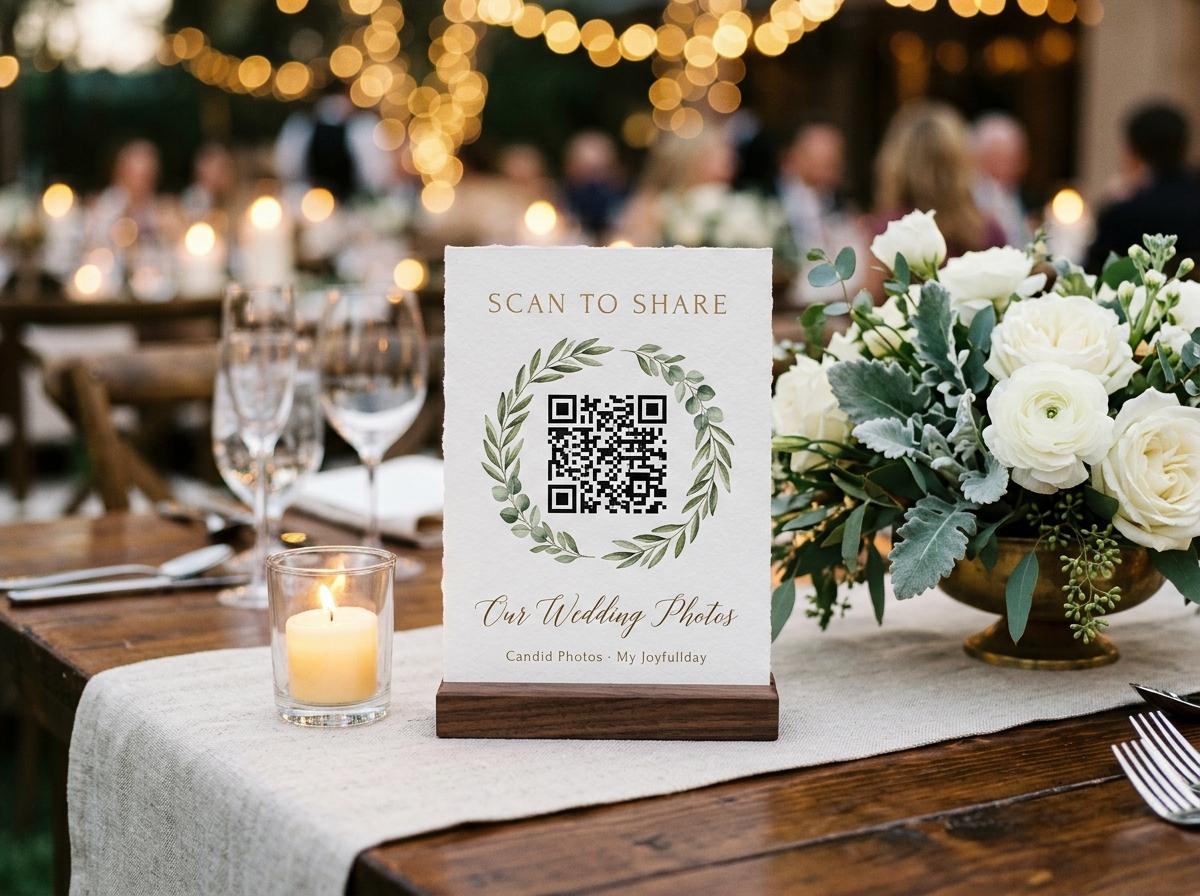
A QR code is a printed URL. What it offers is immediacy — the moment a guest's camera reads the pattern, the destination is in front of them. For event photo uploading, that immediacy matters because the window in which a guest is likely to contribute is narrow. They are at the event, they have photos on their phone, and the action of sharing them is a moment's decision. A code on the table is there at that moment. A link they were meant to have in their email may not be.
The gap an upload QR code addresses
Event photo collection fails most reliably in the gap between taking a picture and sharing it. Guests intend to send their photos. The event ends, the conversation moves on, and the intention sits with the photos in a camera roll until it dissolves. A QR code at the venue captures that intention at the moment it is highest — while the guest is at the event, with the phone in hand, and the photos freshly taken.
How to generate and display an event upload QR code
Create the event in Candid Photos
Create an event with a name and date. The upload link and QR code are generated immediately.
Download the QR code image
The code image downloads from the event page and prints at any required size. It can be used at 6 cm for a table card or scaled up for a large stand or banner.
Print before the event
Print one code per table for a seated event, or one large code for a focal point. Test the printed code before the event to confirm it resolves correctly.
Display during the event
Place the printed codes where guests will see them during natural pauses: at tables, near the bar, by the entrance, or at a focal point in the room.
What makes a QR code easy to scan at an event
- Size
- A code that is at least 8 cm on a side is reliably readable from a phone held at arm's length. Smaller codes work at close range but are more likely to be missed by guests who are not specifically looking.
- Contrast
- Dark code on a white or light background. Coloured backgrounds and translucent overlays reduce scan reliability.
- Label
- A short line of text under the code — 'Scan to add your photos' — removes any ambiguity about what the code does.
- Position
- Eye level when seated, or at a height that is easy to angle a phone camera toward. Codes placed too high or too low are scanned less often.
After the event: what the host has
A gallery containing everything submitted through the QR code, from every guest who scanned and contributed. The host can download the full collection in original quality, share a view-only link with anyone who wants to browse, and store the files wherever is convenient.
Questions about event photo upload QR codes
Can I use the same QR code at multiple events?
No. Each event generates its own QR code. Using a code from a previous event would direct guests to the wrong collection.
What if the venue has poor mobile signal?
Guests can upload later using the same link, as long as the event is still open. Including the wifi password on the same stand as the QR code gives guests a local connection option where available.
Does the QR code work in low light?
The code is read by the phone's camera, which adjusts for ambient light. In very low light — a dark event venue late in the evening — guests may need to increase their screen brightness or use a torch to illuminate the code.
Create your event photo upload QR code
Set up your event and download the code. Display it at your venue and collect photos from every guest who scans.
QR code photo sharing
Put one link on the tables and let everyone contribute.
Create a collection, print the table stands, and the photographs your guests took are waiting for you the morning after. Guests never install anything and never make an account.