A shared album without handing out cameras
A disposable camera alternative for weddings that keeps guest photos together
Disposable cameras invite guests to notice the day and take candid photographs. A QR photo collection offers another route: guests use their own phones, and the couple can gather contributions in one event gallery without buying, placing and developing a stack of cameras.
Disposable cameras have a particular charm: they give guests permission to take informal photographs and leave the couple with a roll of moments they might not have seen. They also ask the couple to buy enough cameras, put them where guests will find them, explain how to use them, collect them before anyone walks away and pay for development. The photographs arrive later, and some frames may be blank, blurred or covered by a thumb. A QR-based event collection is a practical alternative when guests already carry cameras in their phones and the couple wants contributions gathered online during the celebration. The two approaches create different experiences, so the right choice depends on whether the physical camera is part of the fun or simply a way to collect pictures.
What a disposable camera does well
A camera on a reception table can prompt a guest who would not think to send pictures later. It is a visible object and can become part of the table setting. The limited number of exposures encourages people to choose a moment rather than take dozens of near-identical shots. Guests who enjoy the surprise of film may like not seeing every image immediately. A few cameras can also make a lovely detail in the couple's stationery or decor. These are real advantages, especially at a small wedding where a trusted person can collect the cameras and manage development. If the couple values the tactile ritual and accepts the cost and delay, film may be the right choice on its own merits.
Where the camera-table plan needs a person
The cameras do not distribute or retrieve themselves. Someone needs to estimate how many are needed, place them where guests can reach them and make it clear that the cameras belong to the couple. At the end of the night, a designated person should check tables and ask the venue whether any cameras were handed in. A camera left in a coat pocket or carried home may be hard to recover. The couple then needs to send each roll for processing, wait for the scans or prints and organize the results. If a particular person is not responsible for those steps, the plan can quietly stop at the collection point.
Film also limits the number of images and how quickly the couple can see them. A guest may finish a roll early, while another camera returns unused. Low light, flash distance, focus and how someone advances the film all affect the result. A venue with bright windows and a dark dance floor presents different conditions from a sunny garden. None of those limitations make film bad; they are part of the format. They matter when the couple expects broad coverage of the event or wants to see guest photographs the next morning. A QR collection uses each guest's own phone, so it avoids buying cameras, but it also relies on guests noticing the invitation and having a working internet connection.
How a QR collection changes the guest experience
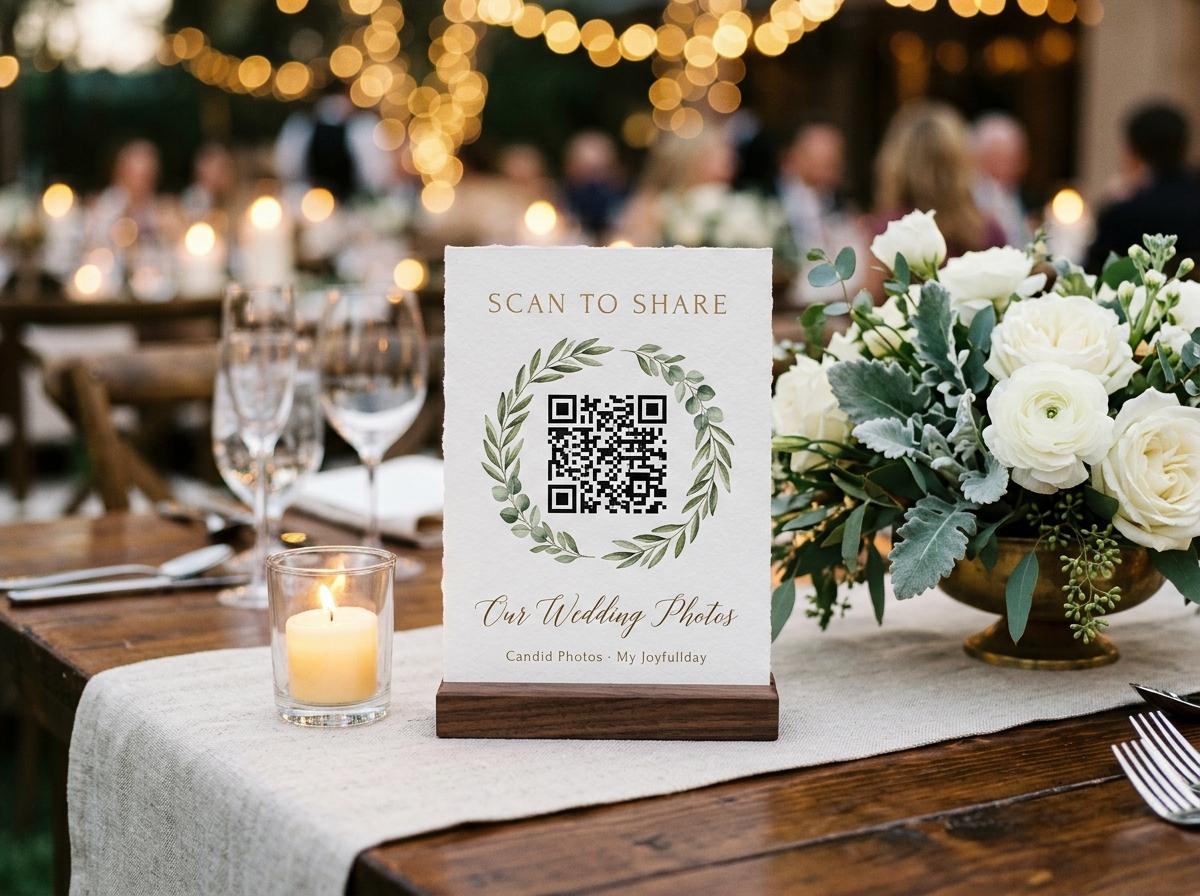
With a QR collection, a guest scans a printed code, opens an event page in a browser and chooses photographs from the phone. There is no physical camera to borrow, rewind or return. Guests can add more than one picture when they have a group of useful moments, and the couple can receive contributions while the event is still fresh. Candid lets a host create a private event gallery and share its guest link or QR code. The host should test the code and upload on a second phone before printing signs, because a code that points to the wrong event or a page with unclear instructions creates friction at the exact moment a guest is ready to contribute.
The phone approach has its own trade-offs. Guests need a phone with a camera and a connection to the internet to send files; a QR code does not make a weak venue network stronger. Some people may prefer to watch the celebration rather than take pictures, and that should remain an easy choice. A prompt that asks for a few moments the couple may miss is more useful than asking everyone to document everything. The host also needs to decide who can view the collection, whether uploads need approval and who will download the archive. A digital gallery can make the images easier to gather, but it does not remove the need for a clear invitation and a person responsible for the finished files.
Compare the work and the likely total cost
For disposable cameras, count the cameras, film rolls, processing, scans or prints and any replacement for cameras that disappear. For a digital collection, check the event plan's guest, photo, video, storage, download and online-period limits. A free or lower-cost option may be enough for a modest event; a larger wedding or a plan that needs original-quality downloads may need a paid tier. Compare the whole event rather than one headline price. Candid plan limits differ, and the host should confirm current terms on the pricing page before deciding. If the couple already owns a suitable camera and enjoys film, that equipment changes the calculation. If they would have to buy, process and scan everything, the total is more than the camera price on the shelf.
There is a time cost as well as a money cost. Film requires handling after the wedding, while a digital collection needs setup before it and a download afterward. Ask who will do each job and whether that person is willing. A couple who wants to spend the first week after the wedding browsing photographs may prefer a gallery that begins receiving uploads on the day. A couple who enjoys waiting for developed film may prefer the reveal. If nobody wants to curate a digital screen during dinner, do not promise a live slideshow just because guest uploads are available. Choose the simplest process that matches what the couple actually plans to do with the images.
Plan for coverage without making guests work
A collection benefits from a specific, modest invitation. Ask guests to share a few informal photographs: the room before dinner, a group with relatives, the view from their table or a moment on the dance floor. Put the instruction where people have a natural pause, such as the welcome table or a table card. Mention it briefly in the welcome or a follow-up message. Avoid placing a sign in a photographer's working area or asking guests to hold up phones during the ceremony. The professional photographer has an agreed job and a clear view; the guest collection is for complementary moments and perspectives, not a request for guests to compete for the aisle.
For film cameras, the instruction should explain where the camera goes when it is finished and who will collect it. For a QR gallery, make the code large enough to scan, include a short written link as a backup and say whether guests can add images after the event. In both cases, make participation optional and avoid promising that every guest will contribute. A couple can ask a member of the wedding party to remind tables once, but repeated prompts can make a celebration feel like a photography assignment. A successful plan gives guests a clear route and then lets them return to the conversation.
Think about privacy and sharing
Film prints and scans can be handed to the couple, who decides who sees them. A digital event page is easier to access through a link, which makes access settings important. Choose a service with controls the host understands, keep the event link among the intended guests and consider whether uploads should be approved before appearing in a gallery or slideshow. Tell guests what the collection is for and who will be able to view it. Do not treat a private event link as permission to post every contribution publicly. A guest may be comfortable sharing a photograph with the couple and family without wanting it included in an open social post. Ask before changing the audience.
The couple should also decide how long the collection needs to stay online and where the downloaded archive will live. Online access is not the same as a permanent backup. Download the event files before the service's online period ends, open a selection to confirm they work and store another copy in a place the couple controls. If family members need copies, share selected files or a suitable archive instead of giving everyone the account password. Film photographs deserve careful storage too: keep negatives, scans and prints together and make a digital copy if the couple wants a second route to preserve them.
A hybrid plan can keep the charm and reduce gaps
The choice does not have to be all film or all phone. A couple might put one or two disposable cameras on tables as a playful detail and use a QR gallery for the wider guest collection. The sign can say which camera belongs to the table and where it should be returned, while a separate QR card gives guests the digital route. This provides a few film surprises alongside photographs that arrive sooner. It also avoids relying on a small number of camera rolls to cover every table. If the couple tries both, assign someone to collect the cameras and someone else to download the digital gallery; otherwise, a hybrid plan can double the number of unfinished tasks.
A hybrid plan needs a simple boundary. The professional photographer remains the main source for formal portraits and key moments. Guests can capture informal views, and the couple can choose whether the film cameras are a small novelty or a serious source of images. State that no guest needs to use both methods. If the venue connection is poor, guests can save the QR link and upload later; the film cameras may capture moments in the room without internet, though development will still take time. Decide in advance whether either collection will feed a screen, because film scans may not be available that evening and digital uploads need moderation if they are shown live.
Test the chosen route before the wedding
A five-step check for the couple
Name the outcome
Decide whether you want a playful guest activity, a broad set of candid photographs, quick access after the event or all three.
Assign ownership
Choose who places and collects cameras, or who creates the event gallery and downloads the digital files.
Test the guest action
For a QR gallery, scan the code from a second phone and complete a sample upload on the venue network if possible.
Write a short instruction
Tell guests what to photograph, where a camera goes when finished or how to open the gallery, without pressuring them to participate.
Plan the archive
Set a date to send film for processing or download and check the event collection, then make a second copy.
Which alternative makes sense for your wedding?
Choose disposable cameras when their physical presence and the delayed reveal are part of the experience, the budget covers film and development, and a named person can collect and process the rolls. Choose a QR photo collection when guests already use their phones, the couple wants photographs gathered in one online place and they are comfortable explaining the upload route and checking plan limits. Choose both when the cameras are a small extra rather than the sole collection method, and someone owns both follow-up tasks. There is no universal winner: the better fit is the one guests can use easily and the couple will actually finish managing.
Candid Photos gives a host an event gallery, guest upload link and QR code to share with contributors. Check the current plan for the event size, storage, video allowance, download quality and online period you need. Set up a test event, open it from a guest phone and download one sample before you print cards or tell guests how to contribute. If film remains part of the plan, buy only the number of cameras someone can collect and process. A modest, complete collection is more useful than an ambitious setup that nobody has time to finish.
Disposable camera alternative questions
What is a digital alternative to disposable cameras at a wedding?
A private event photo gallery with a QR code lets guests use their own phones to submit photographs. It avoids buying and processing film, but depends on guests having a phone and internet access.
Are QR wedding photo collections free?
Some services offer a free tier and others charge. Check guest, storage, download and online-period limits for the exact plan, including any current Candid limits on the pricing page.
Can we use disposable cameras and a QR code together?
Yes. Assign someone to collect the cameras and another person to download the gallery, and make it clear that guests can choose either route.
Do guests need an app to use a Candid QR code?
Guests open the event page in a browser from a QR code or link. They need an internet connection to upload photographs.
Try the guest photo route before printing it
Create a sample event, scan its QR code from another phone and make sure the gallery and download fit your wedding plan.
Guides and comparisons
Put one link on the tables and let everyone contribute.
Create a collection, print the table stands, and the photographs your guests took are waiting for you the morning after. Guests never install anything and never make an account.