Know what the word private means in practice
Are wedding photo sharing apps private? Check the link and gallery settings
Wedding photo sharing apps handle personal pictures, so check who can find the event, who can open its link, what the gallery displays, and how long the files stay online. Privacy depends on settings as well as the service.
How-to walkthroughs and honest comparisons of the options.
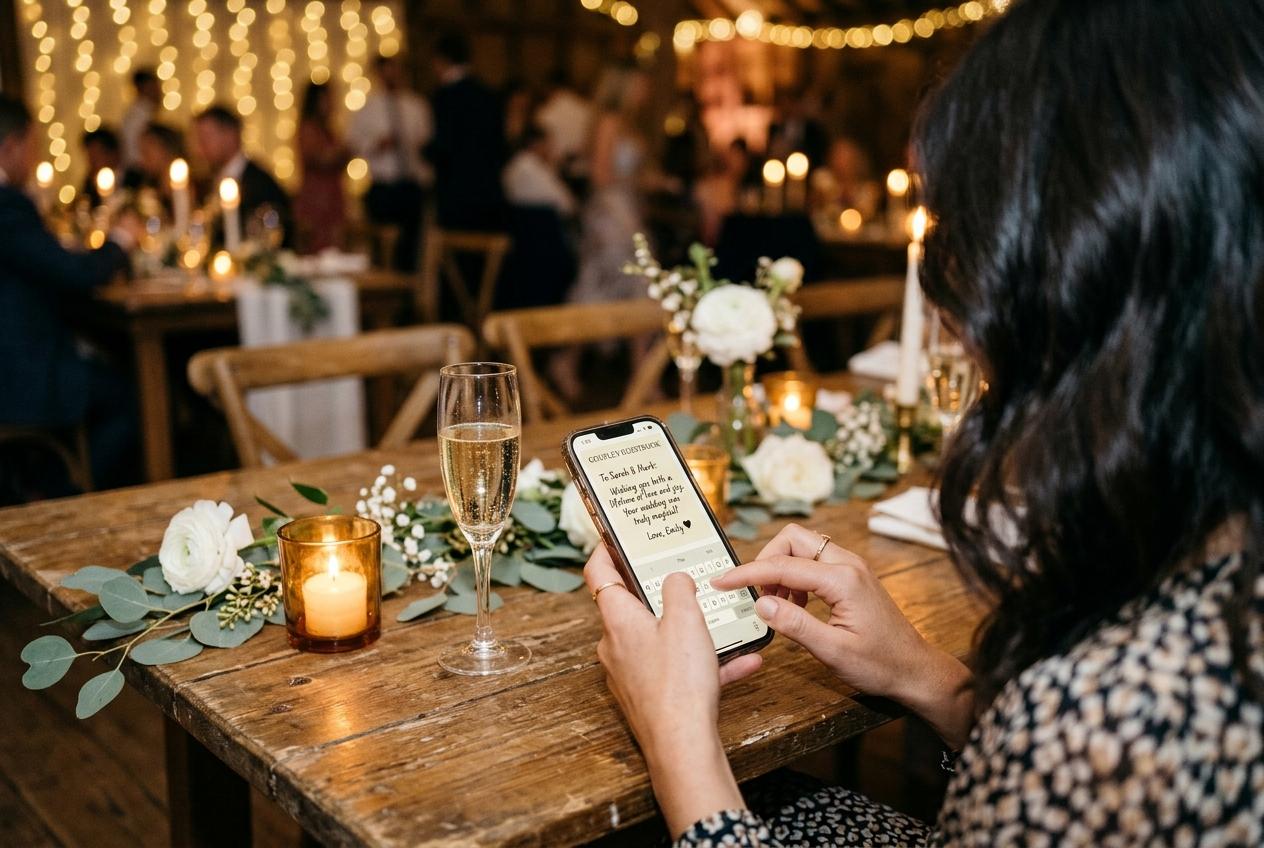
A wedding photo collection may contain faces, children, speeches, family members and moments people intended only for the room. Asking whether an app is private is sensible, but the word can refer to several different things: whether search engines can list the page, whether a guest needs an invitation, whether anyone with a link can open the gallery, whether uploads are visible before review, and how long copies stay on the service. A service can satisfy one of those expectations and not another. Before choosing, turn the general concern into specific questions. What will a guest see after scanning the code? Can the host stop browsing while still collecting files? Who receives the link? What happens after the event? Clear answers make the privacy choice understandable to everyone helping with the wedding.
Separate search visibility from link access
A page that is not indexed in search results can still be accessible to a person who has its address. Those are different controls. Candid guest collection pages are kept out of search indexes, and event addresses are not listed in a public directory. The QR code and short link give invited guests a way to reach the event page. The host should therefore share the link with the people who are meant to use it and avoid publishing the code broadly if the couple does not want wide access. Do not describe an unlisted address as a password-protected invitation: Candid's guest flow does not require a guest account or password.
When comparing another platform, look for separate explanations of search indexing, event invitations and link sharing. Ask whether the event URL is submitted to a sitemap, shown in a public gallery or discoverable through the service's own directory. Then ask whether a guest can forward the link to someone else. A shareable URL is convenient for relatives who cannot scan a printed sign, but that convenience also means the address can travel. If the answer is unclear, test the flow from a private browser session and ask the provider how the address is restricted. Avoid assuming that a QR code is private simply because people must scan it rather than type it.
Choose between a browsable gallery and upload-only access
Some couples want guests to look through the images that have arrived. Others want each guest to send files without opening a gallery of everyone else's photographs. Candid lets the host switch off the guest-facing gallery while leaving the event page available for uploads. That creates an upload-only arrangement for guests. It is useful when the couple wants to collect material without inviting guests to browse the full set in the room. The host can change the choice to match the event plan. Before printing a QR code, decide whether guests should see the growing gallery, submit files only, or use a separate screen for a slideshow.
The guestbook is controlled separately. A host can make the guestbook available or leave it off without using the gallery setting to answer a different question. This matters when the couple wants photographs but not messages, or written wishes but no browsable set of images. Make a short list of the intended guest experience: what is shown, what can be sent, and what requires the host to review it. Share the list with whoever will set up the event, and test each setting from a guest browser rather than relying only on the dashboard label. Privacy becomes easier to manage when the controls map to decisions the couple has already made.
Understand what approval does and who must manage it
Approval holds incoming submissions until the host accepts them. If approval is switched on, a photograph does not immediately appear in the guest-facing gallery or slideshow while waiting. This can be helpful when the couple plans to show uploads on a reception screen or wants to choose what appears in the browsable collection. It also creates a job: somebody needs to review entries during the event or before they are displayed. Choose a person who can manage the queue, agree on when they will check it, and make sure they know how to accept or reject submissions. A privacy control with no assigned owner may leave guests wondering why a file has not appeared.
Keep the decision about approval separate from the plan name. Candid exposes it as a host setting, and the package catalogue does not settle which tier includes it. The host should check the current event setup and pricing screen when deciding whether the control fits their needs. In a direct comparison, ask each provider whether approval is available, whether it affects guest visibility or only a live display, and whether the host can review a submission after it arrives. Do not assume that a control called moderation has the same behavior on every service. Ask for a concrete description of the guest view before relying on it at the reception.
Set expectations before guests scan the code
People are more comfortable sharing when they know where an upload goes. The wording beside the code should say whether the page collects files for the couple, whether there is a gallery to browse, and whether a room display is planned. Avoid vague directions such as 'scan here' without explaining what happens next. If the event is upload-only, say so. If a slideshow will show accepted photographs, tell guests that the host manages what appears. A short note can make the purpose clear without turning the invitation into a legal document. A couple can also say in a welcome message that sharing is optional and guests should send only pictures they are comfortable contributing.
Think through who may be photographed and who needs a different choice. Children, people who do not want their image displayed and guests with family circumstances can make a blanket request to share everything inappropriate. The couple can communicate a preference to the photographer and guests before the day. The upload-only setting, approval choice and distribution of the event link each address different parts of that plan. If a guest asks for a file to be removed, the host should know which dashboard or support path to use. Decide who will respond to those requests, rather than assuming the person who printed the sign will automatically manage every follow-up.
Check who controls the event and the download
The account holder controls the event settings and downloads. Agree in advance which partner, planner or family member will create the collection and who will keep the archive. Do not let the only copy live in a helper's personal account unless the couple has deliberately chosen that arrangement. Candid allows the host to download individual files or the collection as one streamed archive. Download quality depends on the package: Celebrate and Keepsake provide original-quality downloads, Gather provides standard downloads, and Preview does not include downloads. Check that the person responsible can access the dashboard and has a place to store the files before the retention period ends.
Candid's packages include different online periods: seven days for Preview, one month for Gather, three months for Celebrate and six months for Keepsake. The period starts from the event date. Warning email is sent before the online collection is removed; after removal, the host's download is the remaining copy. A privacy plan includes this end date because a file that remains online longer than expected can be a concern, and a collection that disappears before it is downloaded can be a loss. Calendar the deadline, save the archive, open it and confirm that the files are accessible to the people the couple intended.
Ask these questions before trusting any service with photos
Turn a broad privacy promise into a test
- Can a search engine find the event?
- Ask whether guest pages are indexed, submitted to a sitemap or listed in a public directory. Do not confuse search visibility with access for someone who has the link.
- Who can open the link?
- Check whether the address is shareable, whether a password is required and how a host can respond if it reaches the wrong person.
- Can guests browse the collection?
- Test the upload-only option if you do not want guests to view one another's images. Find out whether the guestbook and slideshow use separate controls.
- What appears before review?
- Ask whether approval holds a file from the gallery and room display, and who needs to check submissions during the event.
- When is the collection removed?
- Record the retention period and the download deadline. Confirm what the archive includes and who is responsible for saving it.
Avoid collecting more personal information than you need
A wedding photo collection should make the requested action clear without turning every guest into an account administrator. Candid asks a guest for a name and remembers who is typing for twelve hours so a person can contribute again without repeating that step each time. Guests are not asked to create an account or password. If a service asks for more information, find out why it needs it and whether the host can remove it later. For a couple, the practical question is whether the identification helps the collection without making a simple upload feel like registration for an unrelated product.
Be careful about putting the QR code and private event details in public places online. A code printed on a table is visible to people in that room; a code included in a public social post may be visible far beyond the invitation list. Share the digital link through the channels the couple intended, and ask helpers not to forward it broadly. If the couple wants relatives outside the room to contribute, send them the link directly. A thoughtful distribution choice does not replace a service's privacy controls, but it avoids making the event address easier to find than necessary.
Test privacy from a guest's point of view
A short review before sharing the link
Open the address in a private browser
Check what an unauthenticated guest sees and whether the page asks for information beyond what you expected.
Switch the guest gallery off and test again
Confirm that a guest can still reach the upload page and that the guest-facing view matches the couple's preference.
Review approval and slideshow settings
If entries should wait for review, send a test file and check whether it appears before acceptance. Assign someone to manage the queue.
Decide who receives the link
List where the QR code will appear and which guests receive the digital link. Keep the address out of channels the couple does not intend to use.
Save a copy and note the closing date
Name the person who will download the archive. Add the retention deadline to a calendar while the event details are still at hand.
Privacy is a set of choices, not a single label
Wedding photo sharing can be private in the ways a couple cares about when the service keeps the page out of search, the host controls the gallery, the event link is shared deliberately and the collection has a clear retention plan. None of those decisions is made by the QR code itself. Candid Photos provides unindexed guest pages, an upload-only choice, a separate guestbook setting and an approval control. Its short link is still meant to be shared with invited guests, and the host should know who has it. If a provider uses broad language such as 'private by default', ask what that means in the guest view and what setting the host can change.
Use the same questions for every service on your shortlist. Ask about discovery, link access, gallery visibility, review, retention and exports. Test the chosen settings with another phone before the invitations go out. Tell guests what they are contributing to, assign someone to moderate if needed, and save the collection before it closes. A couple who can answer those questions can explain the arrangement clearly to family and decide whether a product's controls match the wedding. That is a more useful privacy decision than relying on an unfamiliar badge or assuming that an online photo gallery works like a locked physical album.
Wedding photo privacy questions
Are wedding photo sharing apps private?
It depends on search visibility, who can open the event link, whether guests can browse the gallery and how long the files remain online. Check those controls on the specific service and plan.
Can a Candid Photos event be upload-only?
Yes. The host can switch off the guest-facing gallery while leaving the upload page available. The guestbook is a separate setting.
Does a QR code make a photo gallery private?
No. A QR code is a way to open an address. Decide who receives the code, whether the gallery is visible and how the host wants submissions handled.
Can wedding photos be reviewed before appearing?
Candid has an approval setting that holds incoming submissions until the host accepts them. The host should assign someone to review files if this is enabled.
Set the guest view before sharing the code
Choose gallery visibility, decide who will review submissions and test the event page from another phone.
Guides and comparisons
Put one link on the tables and let everyone contribute.
Create a collection, print the table stands, and the photographs your guests took are waiting for you the morning after. Guests never install anything and never make an account.