The first invitation to share
Ask for the wedding pictures you did not take
Good wedding photo upload request wording makes one small invitation, not another wedding assignment. Tell guests what you would enjoy seeing, where to send it and why saying no is fine. A few sentences can do that without turning the people you love into an unpaid photography team. Start with your real plans for the pictures, then choose a message that fits the relationship and the moment.
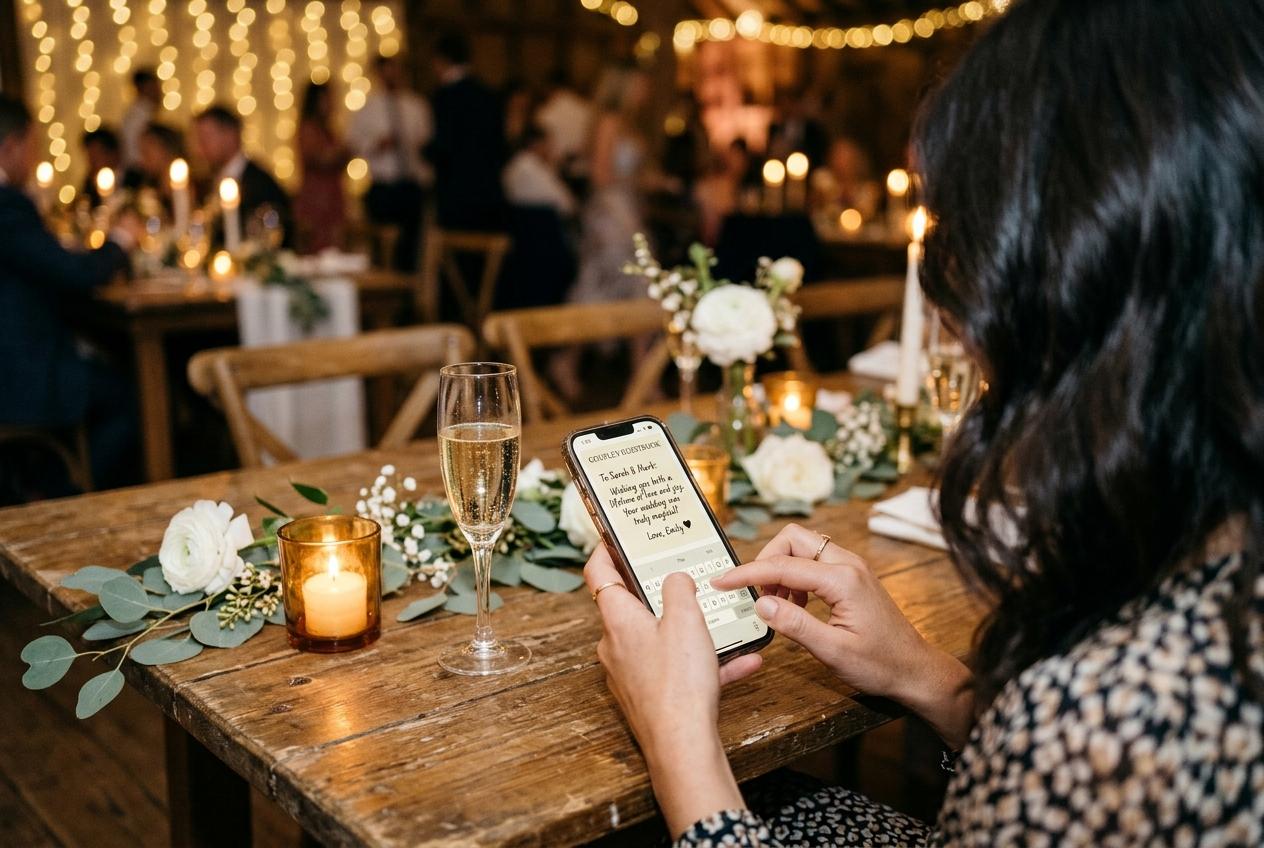
Invite a contribution, not a photographic duty
The first request sets the terms of the whole exchange. A guest reading that you want every photo may imagine an evening spent searching, deleting duplicates and explaining the missing ceremony pictures. Someone reading that you would love a few favourites can make a much smaller decision. Ask for a selection of photographs they already chose to take, not proof that they documented your day properly. There is a difference between welcoming a view from the dinner table and assigning someone to cover the speeches. If you genuinely need a particular person to photograph something, arrange that separately and give them a real opportunity to decline.
Write down your purpose before writing the message. Perhaps you missed the arrivals while getting ready, or want to remember the friends who travelled together. Say that in ordinary language rather than claiming you need to capture every second. The request should still make sense to someone who took one picture and someone who kept their phone in a bag. It should not suggest that sharing is a condition of attending, receiving your thanks or seeing the collection later. A clear destination helps too: Candid Photos gives your event a guest link and matching QR code, so the invitation can lead to one place instead of asking recipients to choose a delivery method.
Build the request around five useful details
- Who is asking
- Sign with the couple's names, especially if the message comes from a helper or a number the recipient may not recognise. Explain the connection in the first line rather than making a stranger-looking link carry the introduction. A familiar sender is useful context, not a reason to omit the names of the event.
- What would be welcome
- Ask for a few wedding photographs they are comfortable sharing. You can mention candid conversations or an angle you missed, but avoid a long shot list. If videos are welcome, check that the event accepts them before adding that invitation. Photos alone are a complete contribution.
- Where the files go
- Include the guest upload link once, next to a descriptive phrase such as Share your wedding photos. Say it opens a browser and guests need no account, app or password. That explains the route without promising that a person will never be asked for identifying details or consent.
- Who may see them
- Describe the arrangement you actually selected. An upload-only page is different from a collection guests can browse, and a room slideshow is another use to explain. Do not call something couple-only if friends will see the pictures. Keep this sentence short, but settle the underlying decision first.
- How to decline
- End with an easy release: no photos or prefer not to share is completely fine. A recipient should not need to supply a reason. If you include a preferred date, make it a practical request rather than a threat, and make sure it falls within the collection's real online period.
Choose a short example that suits the channel
The following are invented examples, not messages the product sends. Replace the bracketed link and date, use your own names and remove any sentence that does not describe your settings. Each example does a different job. A message to a close friend can be personal; a website note needs enough context to stand alone. Avoid copying every variation into the same invitation, which would turn a short request into a page of instructions.
- Example: a direct message after the wedding
- Thank you for being with us on Saturday. If you took any photos you would like to share, we would love a few favourites at [guest upload link]. No app or account needed. No photos, or prefer to keep them to yourself? That is absolutely fine. Love, Alice and Felix.
- Example: a note before the celebration
- We would love to see the day through your eyes, if you happen to take pictures. After the ceremony, you can share favourites at [guest upload link]. Please keep phones away during the vows. Taking or uploading photos is entirely optional. Alice and Felix.
- Example: a small printed invitation
- Your view of our day is welcome. Scan this code or open the address below to send a few photos to Alice and Felix. Sharing is optional. Please check that the people pictured are comfortable with the photos being shared with our wedding guests.
Suggest meaningful pictures without setting a quota
Describe the gaps in your own experience
A sentence about what you missed gives guests a reason to look. You might say you would love to see the arrivals because you were upstairs, or the table conversations because dinner passed quickly. That is more useful than asking for the best photographs, which can make people judge their camera skills. Do not suggest that your professional photographer failed to cover something; guest pictures offer different viewpoints rather than replacing commissioned work.
Make small contributions feel complete
A single picture of a shared laugh can be enough. If you suggest two or three favourites, present that as a way to keep the task manageable, not a minimum requirement. Do not ask a guest to upload again because someone else sent more. There is no obligation to edit, brighten, crop or caption every file before contributing. Encourage people to skip accidental screenshots and near-identical frames without demanding a polished selection.
Respect the limits of the invitation
A request for wedding pictures is not permission to browse someone's whole phone, collect old family photographs or republish their work. Ask separately if a particular image has another purpose, such as a public anniversary post. If a guest used a professional camera, let them decide which files to share and when they are ready. Do not announce that every image will become printable artwork; suitability depends on the file and the intended print size.
Explain visibility before anybody selects a file
Privacy wording belongs beside the invitation, not in an apology afterwards. If guests can browse the collection, say that. If you have switched off the public gallery so the guest page is upload-only, explain that they are sending pictures to the hosts rather than opening a shared browsing space. The approval switch lets the host hold submissions for review before they appear. It does not replace a conversation about consent, and it is not a promise that nobody can copy a picture they have already seen. Share the guest address only with the people you intend to invite; a link can be forwarded.
Decisions to settle before sending
- Agree with your partner whether photographs will be browsable by guests, kept for host viewing or shown on a room screen. Write only the arrangement you have actually enabled.
- Ask guests to avoid private conversations, distressing moments, changing areas and pictures of anyone who has asked not to be photographed. A cheerful atmosphere does not remove those boundaries.
- For pictures involving children, take the relevant parent or guardian's wishes into account. Do not pressure a family to explain a safeguarding concern to the whole group.
- Provide a private way to contact you about a picture. If somebody withdraws permission, respond promptly and review copies or later uses within your control, without promising recovery of copies other people made.
Time the first ask around the guest's actual day
Before the wedding
Offer context, not homework
Put a short optional note in information guests already need, such as your final practical email. Do not create a separate stream of photo requests weeks before there are any photos. Make an unplugged ceremony instruction more prominent than the upload invitation, and say when photography becomes welcome. Guests should never have to choose between following the officiant and following a printed sign.
At the reception
Leave a visible route for willing guests
A table sign lets people act in their own time. Position it where it can be read without interrupting a conversation or blocking a place setting. An announcement, if you make one, can be brief and should not ask people to raise their phones during speeches. Keep a typed address available for anyone who does not want to scan a code.
After travel home
Ask when people can select calmly
A day or several days after the wedding can be sensible, depending on journeys, work and family commitments. Choose a time that suits the people you are contacting rather than claiming there is one perfect hour. A guest who has crossed time zones may need longer than somebody who walked home. Check the event's closing date before offering a leisurely deadline.
Send through a relationship you already have
Choose the smallest relevant audience
Contact people who attended and might reasonably have photographs, using a channel they already use with you. Do not add suppliers, declined invitees or distant contacts merely because their addresses are available. An existing wedding group may be appropriate if its members expect wedding messages; it is not permission to add new people or expose everyone's telephone numbers.
Keep the destination easy to recognise
Use the actual guest link and identify the wedding around it. Avoid a string of shortened links or a subject line that invents urgency. Open the link from the message you plan to send, rather than trusting the version saved in your notes. Confirm that it opens the guest page, not a signed-in host screen, and that the event name is right.
Send the wording yourself
These examples are for your own email, text or existing conversation. They are not a mailing feature or a scheduled campaign. Keep any personal notes about follow-up limited to what you need, and honour a request for no further messages. Someone who answers that they have no pictures has completed the conversation; they do not belong on a reminder list.
Respond to questions without widening the ask
If someone asks how to upload, give a short explanation or the instructions guide rather than adding more requests. If they offer to show you pictures next time you meet, agree a convenient approach. Do not turn a friendly answer into a request to collect photographs from their entire table on your behalf.
Match the invitation to space and time available
Plan capacity before you promise a place for everyone's files. Preview is a free trial for seven days, with 20 photos, 10 contributors and 500 MB; it has no video uploads or downloads. That makes it useful for trying the guest route, not for promising a downloadable wedding archive. Gather is a one-off $19 USD per event with 200 photos, 30 videos, 5 GB, one month online, standard downloads and a written guestbook. Paid plans have unlimited contributors, but their file and storage limits remain finite.
Celebrate is a one-off $39 USD per event for 750 photos, 100 videos, 20 GB and three months online, with original-quality downloads, a slideshow and a video guestbook included. Keepsake is a one-off $69 USD per event for 2,000 photos, 300 videos, 50 GB and six months online, plus two extra managers and the included features of Celebrate. You do not need to quote this table to your guests. You do need to choose a sensible collection, check its actual closing date and leave yourself time to download before it ends. A preferred submission date is your organisational choice, not a new product retention promise.
Questions before you press send on the request
Can we ask guests to avoid sending pictures in a group chat?
Yes. Explain that the guest link is your preferred place because it keeps the wedding collection together, rather than criticising how people normally share. If someone has already sent a picture privately, thank them and ask permission before transferring it yourself.
Should the first message include a deadline?
Include a preferred date only if it helps you organise the collection and gives recipients reasonable time. Check that it is earlier than the real closing date. Avoid a false last chance or suggesting that a missed date has let you down.
Do guests need to register before helping?
Guests use a browser and need no account, app or password. They should follow the guest form, including the identifying details and consent it requests. Do not describe no account as anonymous uploading or as permission to ignore the form.
What if the first invitation receives very few photos?
First check that the link works and that the request reached an appropriate audience. Some guests took no photographs or do not want to share, and better wording cannot guarantee participation. A later, relevant reminder is a separate decision, not an automatic next step for everyone.
Give your invitation a destination worth checking
Set up your event, test the guest page and decide who can see the pictures before you write the first request. Then send a short invitation in your own voice, to people for whom it is relevant, with room for a comfortable no.
Wedding photo sharing
Put one link on the tables and let everyone contribute.
Create a collection, print the table stands, and the photographs your guests took are waiting for you the morning after. Guests never install anything and never make an account.