No app needed
Wedding photo sharing without anyone downloading an app
Every app installation request at a wedding loses you a portion of your guest list. The browser is already installed on every phone in the room. That is the channel worth using.
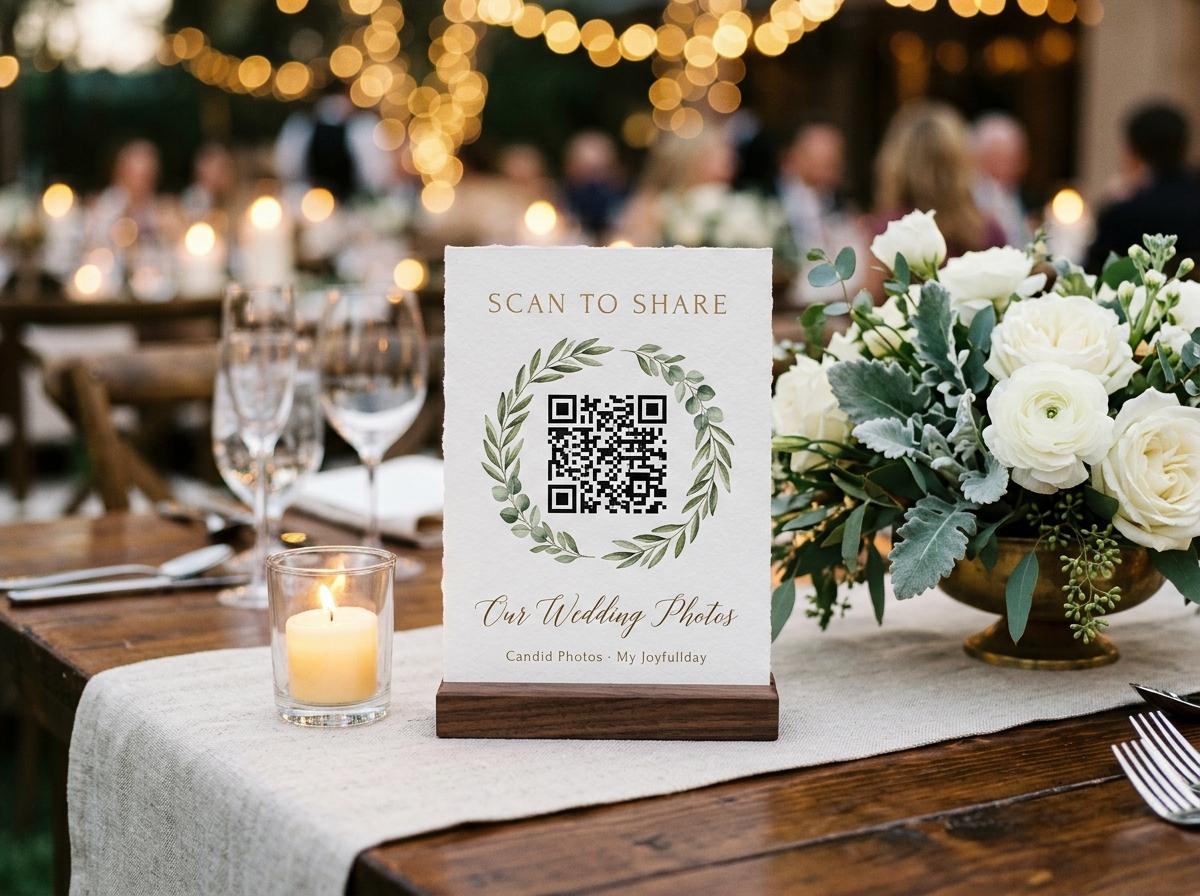
The request to install an app at a wedding arrives at exactly the wrong moment: when the guest is seated, slightly warm from the welcome drinks, talking to someone they have not seen in years, and not in the mood for software. The fraction who complete the installation is small. The fraction who complete the installation and then remember to upload photographs before leaving is smaller still.
Wedding photo sharing without an app is not a compromise. It is the better design. A browser page that opens from a QR code scan uses the camera app that is already on the phone, the browser that is already set as default, and the camera roll that already contains today's photographs. The guest makes no new decisions. They tap, choose, type a name, and send.
Why browser-based is better than app-based at a wedding
App-based photo sharing
- Guest opens the app store, searches for the app name, waits for the download.
- If storage is low, they are asked to delete something before they can install.
- An account is usually required before the app shows the upload screen.
- Battery drains faster on first launch than on a stable browser session.
- The app stays on the phone after the wedding. Most guests do not want it there.
Browser-based photo sharing
- Guest scans the QR code on the table. The browser opens the upload page.
- No download, no storage decision, no choice between browser apps.
- One name field, one file picker, one send button. Everything else is optional.
- The page closes when the guest is done. Nothing is left on the phone.
- The same page works on any device: phone, tablet, laptop.
The question at a wedding is not which approach is better in the abstract. It is which one a guest at a dinner table will complete before the dessert arrives.
How no-app wedding photo sharing works in practice
The collection page is a standard web page, served over HTTPS, accessible from any modern mobile browser. It does not require any plugin, any extension, or any technology that is not already on a phone manufactured in the last eight years.
What actually happens on the guest's device
The camera app reads the QR code
Every phone from the last several years reads QR codes natively from the camera app. The guest points the phone at the table card, a notification appears at the top of the screen, they tap it, and the browser opens.
The browser opens the upload page
The page loads in whatever browser is set as default on the guest's phone. It is a standard web page and behaves exactly as that browser's other pages do: saved passwords, accessibility settings, font size preferences all carry over.
The file picker opens from the camera roll
Tapping the upload button opens the system file picker on the guest's device. It opens on the camera roll, with today's photographs at the top. No special permission is required beyond the standard file access that any website requesting an upload asks for.
The upload goes straight to the collection
The files leave the guest's camera roll and arrive in the event collection. No intermediate service, no third-party cloud, no account that the guest has to manage after the wedding.
Planning for guests across a range of phone ages and habits
A wedding guest list covers the full range of phone confidence, from the teenager with the latest device to the grandparent who treats the camera as the only part of the phone they know. Browser-based photo sharing works for all of them because it uses only the parts of the phone they already know how to use.
Guests with older phones
Any phone that runs a modern browser can open the collection page. The design is intentionally minimal: no animations that require processing power, no features that require the latest operating system version.
Guests who are not confident with QR codes
Every table stand prints the web address in text below the code. A guest who does not want to scan can type the address. A guest who does not want to type can ask the person next to them, who already has the page open.
Guests who do not want to upload at the event
The collection address in the morning message means a guest who was not ready on the night can upload from home the next day. The page looks and works exactly the same from a home wifi connection.
File quality when uploading without an app
A common concern about browser-based uploads is file quality. Social media apps compress photographs before uploading them because smaller files are cheaper to store and faster to load in a feed. A collection page has no reason to compress, because the goal is different: the event owner wants the original files, not a feed-optimised version of them.
- What leaves the phone
- The file the guest selects from the picker is the file that is uploaded. The browser does not modify it. What the camera saved is what arrives in the collection.
- What appears in the gallery
- A thumbnail is generated locally in the guest's browser for the gallery grid. The thumbnail is a preview; the stored file is the original. When the event owner downloads the archive, they get the original files, not the thumbnails.
- What the event owner downloads
- The archive on Celebrate and Keepsake contains the original files. The archive on Gather contains standard-quality downloads of the same set. The difference is the starting point: in both cases, the stored file was the original upload.
Questions about wedding photo sharing without an app
Do guests need a Google account or any other account?
No. The page asks for a name and nothing else. No email address, no existing account with any service, no verification of any kind.
What browsers does the upload page support?
Any modern browser: Safari, Chrome, Firefox, Samsung Internet, Edge. The page is a standard web page and works in any browser that supports file input, which is all of them.
Are the photos compressed when uploaded from a browser?
No. The file the guest selects is the file that arrives. No compression is applied in transit by the platform. The browser itself does not compress files when making a standard upload request.
What if the venue wifi is slow?
Uploads over mobile data work the same way. If the venue wifi is too slow for a large file, a guest can upload over their mobile data connection instead, or save the upload for when they have a better connection at home.
Can guests close the tab and come back later?
Yes. The collection address stays open for the plan period. A guest who closes the tab on the night can open the same address the next morning and upload then. The page remembers the name they typed for twelve hours, so they may not even be asked again.
Let the whole room upload from their own browsers
Create the event and put the QR code on the tables. The page works in every phone's existing browser, with no installation required from anyone.
Wedding photo sharing
Put one link on the tables and let everyone contribute.
Create a collection, print the table stands, and the photographs your guests took are waiting for you the morning after. Guests never install anything and never make an account.