Words for your wedding stationery
Give guests a clear invitation to share
A guest should not have to guess whether the square on your table opens the menu, the seating plan or your photographs. Good wedding photo QR code sign wording answers that question before anyone reaches for a phone. Start with a plain request, add a little of your own voice, and explain what happens after the scan. The examples below are original wording you can adapt to your day.
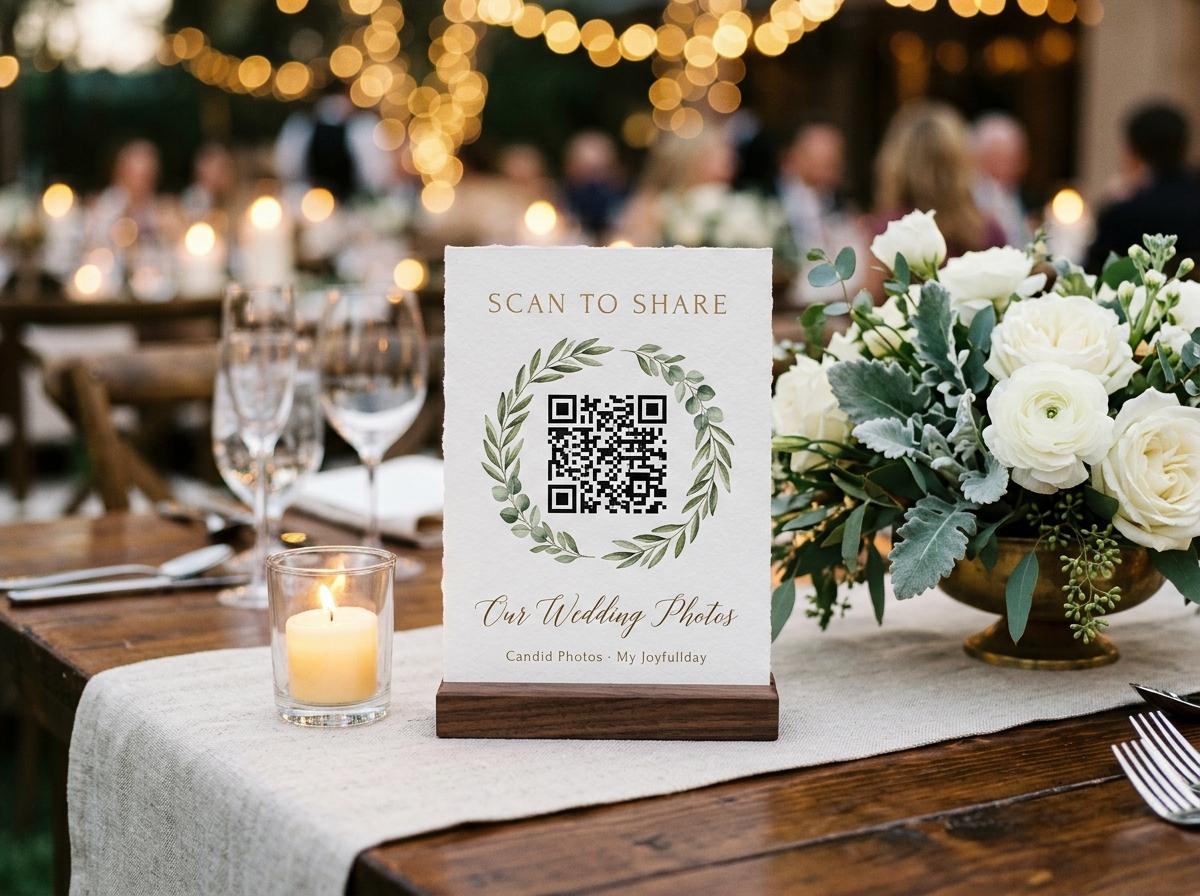
Write the action before the sentiment
A beautiful heading such as Our favourite moments tells guests how you feel, but not what to do. Put a practical line beneath it: Scan to share your wedding photos. That line earns its space because it distinguishes contributing from simply looking. If your guest gallery is switched off, a heading that promises Browse everyone's pictures would be misleading. Decide what the destination allows before polishing the invitation. The paper and the page should describe the same experience.
Name the contribution
Choose photos, photos and short clips, or a written message according to what you actually want and have enabled. A sign that lists every possible activity can leave people unsure where to begin. Give the main request the largest practical line of type.
Explain the small next step
Try: Open your phone camera, scan the code and tap the link. Someone unfamiliar with QR codes may otherwise point the camera, take a photograph of the square and stop. The tap is worth saying explicitly.
End with permission, not pressure
A closing line such as A few favourites would mean a lot to us leaves guests free to enjoy the reception. Avoid assigning a target to each person or implying that attendance comes with a photography duty.
Three complete signs with different voices
- Quiet and formal
- Share a little of our day. We would love to see the wedding through your eyes. Please scan this code to upload a few photographs from the celebration. Open your phone camera, tap the link and follow the guest page. With our thanks, Elise and Hugo.
- Warm and conversational
- You caught something we missed. The first hug, your table laughing, a very enthusiastic dance: we would love your favourites. Scan here to send us your wedding photos. There is no guest account to create. Thank you for being part of our day, Clara and Oscar.
- Short enough for a small stand
- Our wedding, from your seat. Scan to share a few favourite photos. Open your camera and tap the link. Thank you for helping us see the moments we missed. Anna and Felix. Place the readable guest address underneath rather than squeezing another sentence beside the code.
These are suggested scripts, not statements from customers or built-in stationery text. Replace the names and remove any instruction that does not fit your collection. Read the finished version aloud. If it sounds like a service announcement rather than something you would say to friends, shorten the introduction and keep the practical sentence. One sincere detail usually carries more personality than a string of adjectives about unforgettable memories.
Match the invitation to the guest's moment
The same request lands differently beside a dinner plate and at a doorway. At the entrance, people may have coats, gifts and children to manage. At the table, they have time to read a second line. On the way out, they may already have a phone full of photographs but no patience for a long explanation. Change the supporting words for each position while keeping the destination and the main action consistent.
- Dinner table
- A little pause between courses? Send us a few favourite photos from today. Scan the code to open our guest upload page. This version makes sharing an option during a natural gap rather than an instruction to interrupt the meal or speeches.
- Reception entrance
- Welcome to our celebration. When you have a quiet moment, scan to share your wedding photos. You will find this code on the tables too. Only use that final sentence if there really will be another opportunity inside.
- Near the exit
- Taking lovely moments home? We would love to see them too. Use this guest link to send your favourites after the wedding. Add a genuine requested date if you have chosen one, leaving enough time before your collection closes.
Keep an unplugged ceremony unambiguous
A request for guest photos should not undo your ceremony wishes. If phones are staying away during the vows, do not put Scan and share every moment at the ceremony entrance. State the boundary first, then the later invitation. The distinction matters to guests who want to be helpful and might otherwise assume that the QR sign overrides the officiant's announcement. Brief whoever places the stationery so a reception sign does not accidentally end up beside the order of service.
Ceremony wording
Please keep phones and cameras away during our ceremony. We would love you to be fully here with us. After the ceremony, you are welcome to share reception photos using the code on your table. This gives a clear starting point without asking guests to interpret what unplugged means.
Reception wording
The vows are said; now show us the celebration from your side. Scan to share a few reception favourites. Thank you for keeping the ceremony phone-free. If that last sentence feels too corrective, remove it rather than turning the table sign into a second set of rules.
A message for the host to say
You will see a photo-sharing code at your tables. There is no rush; enjoy dinner first, then send a few favourites whenever it suits you. A short spoken invitation can support the paper without making guests watch a demonstration together.
Describe visibility without making promises
Only the couple will ever see these is a stronger promise than a printed sign can support. Think about your actual settings, who you intend to show the pictures to later, and whether a room screen is part of the evening. The guest gallery can be switched off to make the page upload-only. Approval is a separate switch that holds submissions until the host accepts them. Neither setting is a reason to make sweeping claims about every future use of a photograph.
- For an upload-only collection
- Send your photos to us here. Guest browsing is turned off for this collection. Use this wording only after checking that setting on the real guest page, not simply because you prefer the sound of a private collection.
- When submissions are reviewed
- Thank you for sharing. We are checking submissions before they appear, so your photo may not show straight away. This explains a delay without suggesting that a successful upload has disappeared or asking the guest to submit it again.
- For considerate sharing
- Please share photographs the people pictured would be comfortable with us receiving. Ask before posting someone else's picture publicly. This is a human request, not a technical guarantee, and it is especially useful when children or camera-shy guests are present.
Make the small print worth reading
The instructions should survive a quick glance across a table. Use an ordinary readable face for the practical lines even if your names use decorative lettering. Keep the guest address together, outside the clear space around the QR pattern. It is an alternative for someone whose camera will not recognise the code, not a decorative footer to shrink until invisible. Avoid splitting the address across lines where a guest might mistake a line break for a missing character.
- Print one sample and ask someone who has not helped with the design what the sign is asking them to do. Do not explain it first; their first answer reveals whether the heading is doing its job.
- Check that the action is readable from the chair where you expect it to be used. If someone must pick up the sign to read it, make sure the holder can be handled comfortably and safely.
- Keep the practical instruction and code on the same visible face. A beautiful front with every useful detail hidden on the back depends on guests discovering that there is a back.
- For two languages, give each version a complete short instruction. Have a fluent reader check meaning and courtesy rather than relying on a word-for-word translation of a romantic heading.
Ask for useful pictures without assigning homework
We want everything can sound welcoming, but it gives no help to someone with forty near-identical dance-floor shots. A small prompt encourages variety without asking guests to edit the whole wedding on their phones. Suggest moments the couple cannot see from their own seats: relatives arriving, friends meeting, the table before dinner, or a quiet conversation outside. These are invitations to notice what happens naturally, not a shot list that competes with your photographer's work.
Optional lines to place under the main request
- Your table, your friends, your favourite little moment: we would love a glimpse of the day from where you were sitting. This suits a dinner stand because it makes the nearby people the subject rather than sending anyone hunting for a particular shot.
- A few favourites are plenty. Please skip accidental screenshots and repeated versions of the same picture. Use this only if it matches your tone; some couples will prefer to say it in a later message rather than on formal stationery.
- Caught a short clip of the celebration? You are welcome to send that too. Add this only when your collection accepts video, and avoid implying that every guest needs to film a speech or record a personal message.
Let the collection limits shape the request
The printed invitation should reflect the collection behind it. Preview is a free test with 20 photos, no videos, 10 contributing guests and 500 MB, staying online for 7 days from the event date; downloads are not included. That makes Send us every photo and video a poor match for a trial. Test the wording and scan journey with a few people, then choose the capacity needed for the actual wedding before distributing the sign widely.
Paid plans are one-off per event in US dollars. Gather costs $19 for 200 photos, 30 videos and 5 GB, with a written guestbook, standard downloads and 1 month online. Celebrate costs $39 for 750 photos, 100 videos and 20 GB, with original-quality downloads, a slideshow, a video guestbook and 3 months online. Keepsake costs $69 for 2,000 photos, 300 videos and 50 GB, includes two extra managers and stays online for 6 months. Paid retention runs from the event date. Choose the wording for the activities you will actually use, and arrange your own reminder to download before the collection closes.
Proof the words beside the working code
Read the destination first
Open the guest page on a phone and confirm the names, event and enabled contribution options. Use the guest address, not a host management page or a slideshow address. If the paper promises photos and messages, check both before approving the copy.
Test a printed example
Scan the actual paper at its intended size under lighting similar to the reception. Check the readable address separately by typing it. This catches a perfectly working QR code sitting above a mistyped fallback link, which a scan test alone would miss.
Give the venue one final version
Send a clear instruction about which version belongs in each location. Remove earlier drafts from the print pile. Keep a spare finished sign so a spill or last-minute table change does not lead someone to print an outdated version from an old email.
Candid Photos provides four QR table stands per A4 sheet from the dashboard. If you make your own artwork instead, these wording examples are copy you adapt manually; they are not a promise that every sentence can be edited inside the supplied stand designs. Keep the invitation short enough that the code still has a generous clear area.
Questions about what the sign should say
Should we write scan to view or scan to upload?
Use scan to share or scan to upload when collecting guest photographs is the goal. Add browsing language only if the guest gallery is enabled and you genuinely want to make viewing an equal invitation.
Can we mention a date for sending photos?
Yes, choose a requested date comfortably before the collection's actual closing date. Say Please send your favourites by Sunday if that is your request, rather than claiming the software will automatically chase anyone who has not contributed.
Do we need to explain every upload step on the front?
No. The front needs a clear purpose, the scan instruction and a readable alternative address; detailed help can sit elsewhere without crowding the code. Test whether an unfamiliar guest can reach the correct page using only that front.
Is a funny heading a bad idea?
Not if the practical request remains clear and the joke feels kind. Avoid wording that embarrasses reluctant guests or promises to collect compromising pictures, because those jokes can make people less comfortable contributing.
Give your words a destination worth opening
Set up the wedding collection, check the guest page and choose the sign wording that matches it. Print a proof before the full batch so the invitation, the code and the experience all agree.
QR code photo sharing
Put one link on the tables and let everyone contribute.
Create a collection, print the table stands, and the photographs your guests took are waiting for you the morning after. Guests never install anything and never make an account.