A general file store or an event collection
Pix Wedding vs Google Drive for collecting guest photos
Google Drive can hold and share files. Candid Photos is built around one event collection, a guest upload page and a QR code. Compare the setup, access, limits and follow-up work before asking wedding guests to contribute.
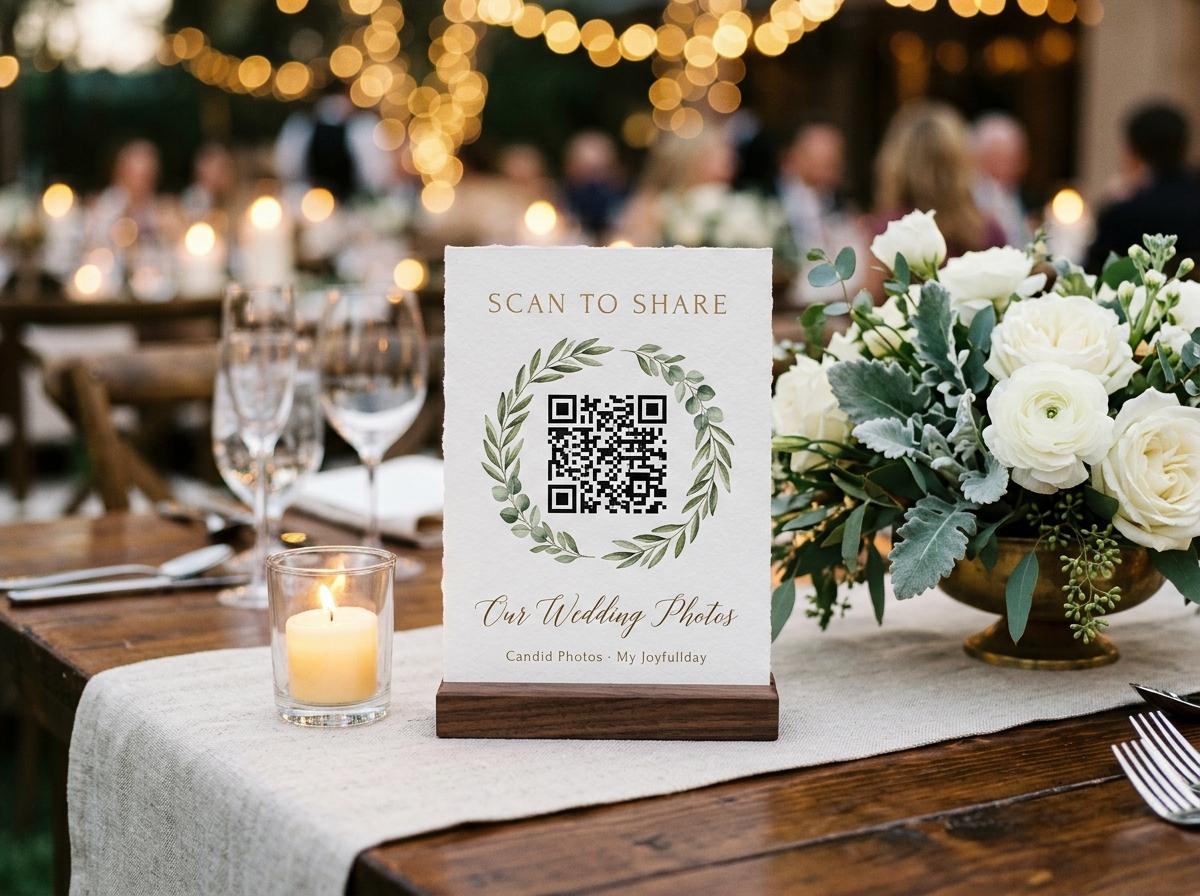
A shared folder in Google Drive can be a sensible place to keep event files, especially when a couple already uses Drive and knows how to manage its permissions. The question is whether it is also the right way to invite a room of guests to contribute photographs. Pix Wedding is designed around a single event: the host creates a collection, then shares a guest page through a link or QR code. Candid Photos offers the same kind of event-focused workflow, with a browser upload page and one collection for the event. The useful comparison is not whether one name is universally better. It is how each route fits the guests, controls, photo volume and preservation plan the couple actually has.
Start with the job you need done
Google Drive is general-purpose file storage and collaboration. It can be used for many kinds of files and shared with selected people or through a link, subject to the account and sharing settings in place. A wedding photo collection has a narrower job: invite guests to send event pictures, keep contributions together and give the host a clear way to retrieve them. Candid puts the guest contribution route and the event's QR code in the same product flow. Neither setup makes the decisions for the couple. The host still chooses who gets the link, explains what to share and decides where the finished files will be backed up.
Before choosing a tool, write down what success looks like. Does the couple want a folder of files they will organize themselves? Is an event-branded guest page important? Should guests browse what other people sent, or only contribute? Will the collection include videos and messages as well as photographs? Does the couple need original-quality downloads, and when will they download them? These questions matter more than a feature checklist that treats every couple as the same. A shared folder may fit a small group that already collaborates on Drive. An event service may make more sense when the host wants a dedicated guest route and a clear per-event plan.
Compare how guests reach the upload
A Drive workflow starts with a folder and its access settings. The host needs to decide whether each person is invited directly or whether link access is appropriate, and what collaborators can do once inside. Google account settings, workplace restrictions and link permissions can affect a particular guest's experience, so test the exact arrangement with a person who is not the owner. Candid creates an event guest page that opens in a browser from the link or QR code. Guests provide a name; they do not need to install an app, create an account or pay. The page remembers who is typing for twelve hours, so the same guest is not repeatedly prompted for a name during that period.
A QR code can reduce the effort of finding a long URL at a reception, but printing it does not make a confusing permission screen disappear. Scan the code from another phone before printing table cards. Follow the guest path as someone outside the host account, and confirm that the page explains what to do. With Drive, test the folder's permission prompt and make sure a contributor can add a sample file without receiving broader access than intended. With Candid, upload one photograph and check where it appears in the host view. A two-minute rehearsal catches a wrong link, a restricted folder or a page that does not say whether videos are welcome.
Understand access and privacy choices
A Drive link can be restricted or shared more broadly, and a folder role affects what collaborators can do with files. Broad access may be convenient, but the host must understand whether contributors can view, add, move or delete content. Settings can also be limited by an organization or account. Check the active settings in the account that will own the event folder rather than assuming that a tutorial matches every account. If the guest list changes, the host may need to revisit who has access. Make a plan for revoking a link or removing a collaborator when the collection no longer needs to be open.
Candid separates several event controls: a host can switch off the guest-facing gallery so that a page accepts uploads without showing the collection; the host can enable approval so submissions wait until accepted; and the guestbook has its own setting. Guest pages are kept out of search indexes, and the address is not listed publicly by the site. This is not the same as saying a link can never be forwarded. Share it with the intended group and tell guests who the collection is for. Avoid using any link as a substitute for deciding how sensitive photographs should be handled or who is allowed to redistribute them.
Compare event limits and the total cost
Google Drive uses the storage and account terms of the Google account or Workspace arrangement the host has. The available space, sharing controls and any organization rules should be checked in that account. Candid uses a one-time payment per event on paid plans, with explicit allowances for photos, videos, storage, contributing guests and how long the event remains online. Preview is free and includes 20 photos, 10 contributing guests, 500 MB and seven days online. Gather costs $19 once per event and includes 200 photos, 30 videos, 5 GB and one month online. Celebrate is $39 with 750 photos, 100 videos, 20 GB and three months online. Keepsake is $69 with 2,000 photos, 300 videos, 50 GB and six months online. These are per-event US dollar prices from the current Candid plan table; check the pricing page before deciding.
A fair comparison includes more than storage. Estimate how many people might contribute, whether the collection needs video, how long family members need access and what download quality the couple expects. Candid's paid plan also determines download quality: Gather provides standard downloads, while Celebrate and Keepsake provide original-quality downloads; Preview does not include downloads. Photo and video add-ons are available for additional capacity, and retention extensions begin after the included online period ends. A Drive folder may be more convenient when the host already has enough storage and is happy to curate a general file space. Compare the actual account cost and the host's time against the event package, not against a single upload limit.
Think about what happens to the folder after the event
A general shared folder can remain part of the host's Drive until the owner changes access or removes it. That can be useful when a family wants a familiar place to keep documents and photographs together, but it also means the host owns the long-term organization and permission upkeep. Decide whether the folder will remain editable, who will maintain it and how a second copy will be made. If the account belongs to a workplace or organization, consider what happens if the owner changes roles or loses access. A wedding archive should not depend on an account nobody will check after the celebration.
Candid's event collection stays online for the period attached to its plan, counted from the event date. The host receives a warning before deletion. Once the online period ends, the host's downloaded copy is the only remaining copy, so downloading is a required part of the plan rather than an optional extra. The host can download individual files or the collection as one archive. Rejected submissions are left out of the archive. Set a calendar reminder, open the downloaded files and store a second copy somewhere the couple controls. A managed closing date is clear, but it does not replace the couple's own backup.
Choose a good fit for videos and messages
Both a general file store and an event collection may be used for more than photographs, but the couple should test the formats and guest steps they need rather than assume. For a wedding, a few short video clips can be much larger than photographs and take longer to upload on mobile data. Ask guests for a particular kind of clip instead of encouraging everyone to film the whole event. Candid accepts photos and video in one guest submission on plans that include video, within the selected plan's count and storage allowance. A video guestbook is a separate feature: guests record or upload a video message for the couple, and its plan availability differs from ordinary video uploads.
For Drive, confirm how the host wants contributors to name files, how the folder will be kept orderly and what access a guest needs to upload. Do not ask everyone to edit a complex folder structure from a phone during a reception. For Candid, tell guests whether they should send still images, short videos or a guestbook message. If the couple wants approval before anything appears in the gallery, enable the control and assign someone to review submissions. A good plan limits confusion without making guests responsible for learning an organizer's whole filing system.
A simple comparison test before you decide
Try both guest routes with a second phone
Use a non-owner account
Open the shared Drive folder or Candid event page from a phone that is not signed in as the host.
Send one test photo
Follow the instructions a guest will receive and notice any sign-in, access or permission prompt.
Check the host's controls
Confirm who can view and add files in Drive, or check the Candid gallery, approval and guestbook settings.
Download and open a copy
Find the sample file from the host side, download it and confirm that it opens in the expected quality and format.
Review the close-out plan
Set a date to check storage, save an archive and make a second copy before access or online hosting changes.
When Google Drive is enough
A Drive folder can be a good fit when the couple already uses Google Drive, has suitable storage, wants to manage every permission themselves and is comfortable explaining the upload path. It may be all a small group needs when everyone knows how to collaborate on files and no event-specific page, QR card, guestbook or slideshow is required. The host can set up a test folder, confirm the link works for the intended people and choose an archive arrangement that fits the family. There is no need to pay for another service simply because the event is a wedding if the existing process already meets the couple's needs.
Drive may also be preferable when the host wants one broad place for many kinds of documents and expects to curate them manually. An event-specific service does not automatically organize every file into the couple's preferred folders or replace their backup. If the host is the person who understands Drive permissions, has time to manage contributor access and can download all the files, a familiar tool can work. The decision should account for the time guests spend figuring out access and the time the host spends after the wedding checking, sorting and backing up the folder.
When an event collection is a better fit
Choose an event collection when the couple wants one clearly named destination, a guest upload page and a QR code made for sharing at the event. It can remove the need for guests to navigate a general folder, and it keeps the contribution step separate from the host's personal file storage. Candid may suit a couple who wants browser uploads without a guest app or account, a private event address, optional approval and plan limits presented for one event. Make sure the selected package covers the expected volume and that someone will download the files before its online period ends.
Do not choose it on the assumption that an online gallery is permanent storage. It is a collection route that still requires a download and backup plan. Do not choose a plan based on unlimited contributors alone if the photo, video or storage allowance is too small for the event. Confirm how the gallery should behave, whether the event needs videos or guestbook entries, and how long the couple wants the link to remain online. Those practical details make a more reliable decision than broad claims about which product is best.
Decide based on the guest path and the archive
The main difference in Pix Wedding vs Google Drive is the shape of the job. Drive is general file storage whose sharing controls the owner configures. Candid Photos is an event collection with a guest upload page, QR code and event-specific plan. If a folder that the couple already manages is enough, use it and test its permissions. If a wedding needs a guest-facing collection with a named event and a simple QR route, compare Candid's plan limits with the anticipated contribution volume. In both cases, run a real guest test, explain the purpose and set a reminder to download a copy.
The photos matter after the reception, when the host no longer has a room full of guests to ask for help. Assign one person to own the archive, verify a selection of files and keep a second copy. Tell family members how to request or receive images without giving away the host account. If the couple wants to share some photographs publicly, choose them deliberately and ask contributors before changing the audience. A good collection system makes the arrival and retrieval of files clear; the couple's own privacy decisions and backups remain theirs.
Pix Wedding and Google Drive questions
Can guests upload wedding photos to Google Drive?
A host can share a Drive folder with collaborators, but the exact guest steps depend on the account and permission settings. Test the link from a guest phone before inviting everyone.
Does Candid require guests to create an account?
No. Guests open the event page in a browser from a link or QR code, provide a name and choose files. They do not need an app, account or password.
Is a Drive folder or event gallery more private?
Neither label answers the privacy question by itself. Check who can open the link, what contributors can do, whether the guest gallery is visible and how access can be changed.
Will Candid keep the wedding photos online indefinitely?
No. Each plan has a stated online period from the event date. The host should download and back up the collection before it closes.
Test the guest upload before choosing a route
Create a sample event, scan its QR code from another phone and compare the guest steps and archive plan with your Drive setup.
Guides and comparisons
Put one link on the tables and let everyone contribute.
Create a collection, print the table stands, and the photographs your guests took are waiting for you the morning after. Guests never install anything and never make an account.