A practical comparison for couples
Looking for a Pix Wedding alternative? Compare the guest experience first
If you are comparing Pix Wedding alternatives, start with the details that affect your guests on the day: how they open the upload page, what they can send, what you pay, and when the collection closes. Here is where Candid Photos fits, using its actual event plans and controls.
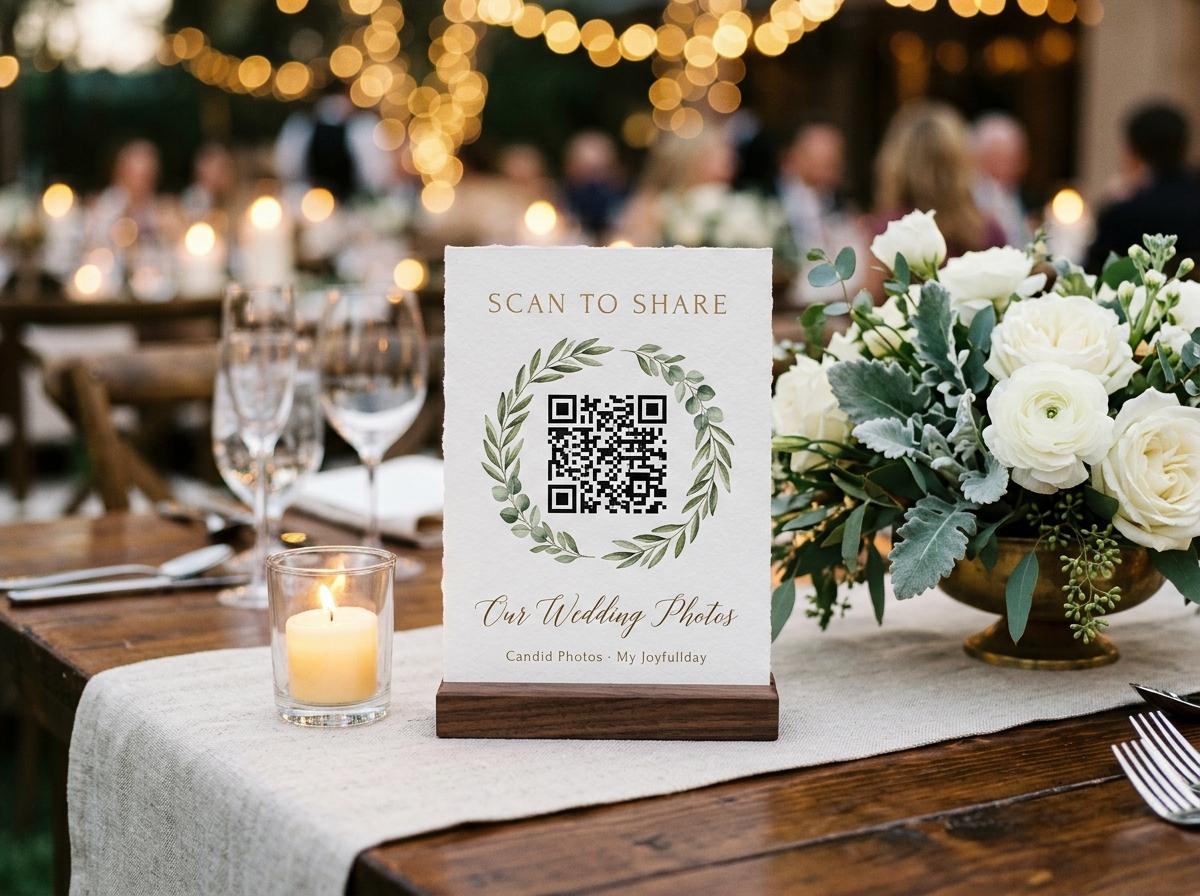
A wedding photo tool is easy to judge from a screenshot and much harder to judge from the aisle. The couple sees a dashboard and a printed code; a guest sees a small prompt on a phone while other people are waiting behind them. The most useful Pix Wedding alternative is therefore not automatically the one with the longest feature list. It is the one whose guest steps, event limits, privacy choices and end-of-event download fit the way your wedding will actually run. Candid Photos is one option to compare on those practical terms. This page describes Candid's own features and plans so you can decide whether its approach suits your event. Check any other service's current terms and checkout details directly before paying, since prices and limits can change.
Begin with the guest's first thirty seconds
The upload flow is the point where a shared collection either becomes part of the celebration or becomes another instruction guests forget. With Candid Photos, the host shares the event's short address or QR code. A guest opens it in a browser, gives a name, chooses photos or videos and sends them. Guests do not need an app, account or password. The page remembers who is typing for twelve hours, which means a guest who returns to add another photograph does not have to repeat the name step every time that day. That is the flow to test on a borrowed phone before you print table signs: scan the code, try a photograph, try a video, and notice what happens when you close and reopen the page.
When comparing Candid with Pix Wedding or another service, make the test fair. Use a phone that is not signed in to the host's account. Use a current browser and a file already in the camera roll. Check whether the page explains what to do, whether a guest can tell that the upload finished, and whether the guest can send both kinds of media your event needs. A host who tests only the dashboard has tested the wrong half of the product. Ask someone who has not seen the setup to scan the code without coaching. Their hesitations are useful evidence: they show where a printed instruction, a clearer welcome or a simpler route could help on the night.
Compare the money against the whole event
Candid Photos uses one-off event pricing in US dollars. The current packages are Preview at no charge, Gather at $19, Celebrate at $39 and Keepsake at $69. The free Preview package is intended for a small trial or a modest collection: it includes 20 photos, no videos, 500 MB of storage, up to ten contributing guests and seven days online. Gather raises the allowance to 200 photos and 30 videos, provides 5 GB, and keeps the collection online for one month. Celebrate includes 750 photos, 100 videos, 20 GB and three months online. Keepsake includes 2,000 photos, 300 videos, 50 GB and six months online. These figures are per event, not a monthly subscription.
A plan comparison should use the size and timing of your own event, not a competitor's biggest headline. Estimate how many people will contribute, whether guests will send video, how long you want the gallery available, and whether you need a slideshow or recorded messages. Candid has unlimited contributing guests on Gather and above; media quantities and storage remain capped by package. Extra uploads and longer retention are available as separate one-off add-ons. Gather can add a live slideshow or a video guestbook for $9 each; Celebrate and Keepsake include those features. Open the pricing page before purchase to confirm the current package details and decide whether paying for unused capacity makes sense for your guest list.
Check what comes back out after the wedding
A gallery is useful during the event, but the downloaded copy is what you keep. Candid Photos stores the file a guest chooses as it arrived. It draws a smaller preview in the browser for the gallery grid; that preview is not a replacement for the submitted original. The host can download individual files or the collection as one streamed archive. Celebrate and Keepsake provide original-quality downloads, while Gather provides standard downloads and Preview has no downloads. A rejected submission is left out of the archive. Before choosing any platform, read exactly what its download contains, whether the originals are retained, and what happens when the hosting period ends.
Do not leave the export until the last evening of the retention period. Download the archive after the event, keep a second copy somewhere separate from the phone used to create it, and open a few files to confirm the archive works. Candid's included online period is counted from the event date. Warning email is sent before removal; after the collection comes down, the host's own download is the remaining copy. If you know that family members will want the gallery well after the first year, compare the included period and extension price before the event. An explicit closing date is easier to plan around than an assumption that an online collection stays available indefinitely.
Decide how private the guest page should be
A QR code is a convenient address, not a privacy setting by itself. Candid event pages are not indexed as public search pages, and an event address is not listed in a public directory. The host can switch off the guest-facing gallery so the page accepts uploads without displaying the collection. The guestbook is a separate control. If the host turns on approval, incoming submissions wait for the host to accept them before they are shown. Decide who will hold the address, where the code will be printed, and who should be able to see images before choosing any event-photo service.
For a wedding, it helps to think through the places the link may travel: a printed sign, a message to relatives who could not attend, a planner's email, or a social post. Use the access and visibility controls that match how broadly you intend to share. If you prefer an upload-only page, check that it can remain that way while the host still gathers files. If photos will appear on a reception screen, identify who can manage that display and how unreviewed submissions are handled. These are ordinary operational questions, not reasons to avoid sharing. Answering them before the event gives the couple and whoever is helping them a consistent plan.
Know what the room display and guestbook include
Some couples want a collection link and nothing else. Others want the reception photographs to appear on a screen or to give guests a place for a message. Candid's live slideshow is included with Celebrate and Keepsake, and it can be added to Gather for a one-off $9. The slideshow has a separate token-gated address intended for a room screen or projector. When approval is on, only accepted photos play. Written guestbook messages are included with Gather and higher packages. Recorded video messages are included with Celebrate and Keepsake, or can be added to Gather for $9. A video message can be recorded in the browser or submitted as a video file.
When you compare a rival's extras, distinguish features that sound alike but solve different problems. A live photo display is not the same thing as a guestbook; a written note is not a recorded video message; and a slideshow address is not necessarily the guest upload address. If a feature matters to your plans, test it with the room, screen and internet connection you expect to use. Find out whether it is included, an add-on or unavailable, and how it behaves when moderation is enabled. Candid's package and add-on details are listed on its pricing page so the couple can weigh the actual event cost instead of inferring it from a feature name.
A simple comparison table for your shortlist
Questions to answer before paying
- Guest access
- Candid opens from a browser link or QR code. Guests do not create an account or install an app. Test the other service on a guest's phone.
- Event limits
- Candid packages state photo, video, storage and retention allowances. Write down the equivalent limits for every other option you consider.
- What you pay
- Candid charges once per event, with add-ons available for extra uploads or extended hosting. Check whether the alternative charges per event, per month or by guest count.
- Collection controls
- Candid lets the host switch the gallery and guestbook separately and turn on approval. Confirm which controls exist and how they affect the guest page.
- Your files after the event
- Candid offers individual downloads or a collection archive; download quality depends on the package. Find the archive deadline and file quality for the alternative.
When another kind of option may fit better
There is no reason to buy an event collection service if the people who need to share already use a system that works for them. A small group comfortable with one cloud drive may prefer a shared folder and its existing storage. A wedding photographer's delivery gallery is the right place for the photographer's edited work; it serves a different purpose from collecting guests' candid views during the reception. A printed album is still a good way to select and present a small set after the day. Those tools can sit alongside an event collection, but check which person owns the files and whether guests can contribute without being added to a private account.
Candid Photos is built around one collection for an event. It does not create separate collections inside that event, offer a phone application for guests, or promise permanent hosting. If your decision depends on features outside the published packages, ask before buying rather than assuming they exist. That is especially true for a complex multi-day event, an organisation with a formal approval process, or a couple who wants a different archive arrangement. The most useful shortlist includes options that meet the actual requirement and leaves out extras nobody will use. A clear limitation in advance is better than a pleasant surprise in a comparison article that becomes a problem on the wedding day.
Run a short test with the people who will use it
Compare the guest flow on two phones
Create a trial event
Use the real event date and invite one person who is not helping you set it up. Check the limits and retention period shown for the plan you are considering.
Scan the code as a guest
Open it in a browser where you are not logged into the host account. Try an image, then a clip, and note each step and confirmation.
Try the host controls
Check the upload-only choice, gallery visibility, guestbook and approval controls. If a slideshow matters, open its separate display address on the screen you plan to use.
Download and open the archive
Check what is included, whether the file opens, and whether the quality suits what you want to keep. Record the collection's closing date in your calendar.
Choose by fit, then make the invitation easy
A useful Pix Wedding alternative should pass your own test for guest access, event capacity, visibility, downloads and total cost. Candid Photos may suit you if you want one browser-based collection, a clear one-off package for the event, and the ability to gather photos and videos from a QR code or short link. Another service may suit you better if its specific features or limits fit your plan. Write down the reason for your choice, the included retention period and who will download the collection. That small note saves a later scramble when the couple, a parent and a planner all assume someone else has the archive.
Once you have chosen, explain the invitation in one sentence and put the QR code where guests naturally pause: near the welcome table, guestbook or seating area. Say what you would like people to send, and when the link will close. Keep a copy of the address in the programme or a message for guests who are not in the room. The sign should make the next action obvious without asking anyone to install anything or guess what the code does. A clear invitation and a tested upload path matter more than printing the same code on every surface.
Questions about choosing a Pix Wedding alternative
What should I compare first when looking for a Pix Wedding alternative?
Test the guest upload from a phone that is not signed in to the host account. Then compare the event limits, one-off or recurring cost, visibility controls, download quality and the date the gallery closes.
Do guests need to install an app to use Candid Photos?
No. Guests open the event page in a browser from a QR code or link, provide a name and choose files to send. They do not need an app, an account or a password.
How much does Candid Photos cost per wedding?
Candid has a free Preview package and one-off event packages priced at $19, $39 and $69. Each has different photo, video, storage and retention limits; check the pricing page for current details.
Can I download the guest photos after the event?
Hosts can download individual files or the collection archive. Download quality depends on the package, and the online collection has a stated retention period, so download and check the archive before it closes.
Test Candid Photos with your own guests
Open the event page from a second phone, try a photo and a video, then compare the package limits with your shortlist.
Guides and comparisons
Put one link on the tables and let everyone contribute.
Create a collection, print the table stands, and the photographs your guests took are waiting for you the morning after. Guests never install anything and never make an account.