Every seat has a different view
Collect the little things around your table
At a wedding small enough for everyone to share a conversation, asking for photographs can feel surprisingly personal. Micro wedding photo sharing works best when it follows the table rather than interrupting it: one simple destination for willing contributions, a few considerate roles and no expectation that every guest spends the meal looking at a phone.
Guest photographs from the ceremony, the speeches and the dance floor.
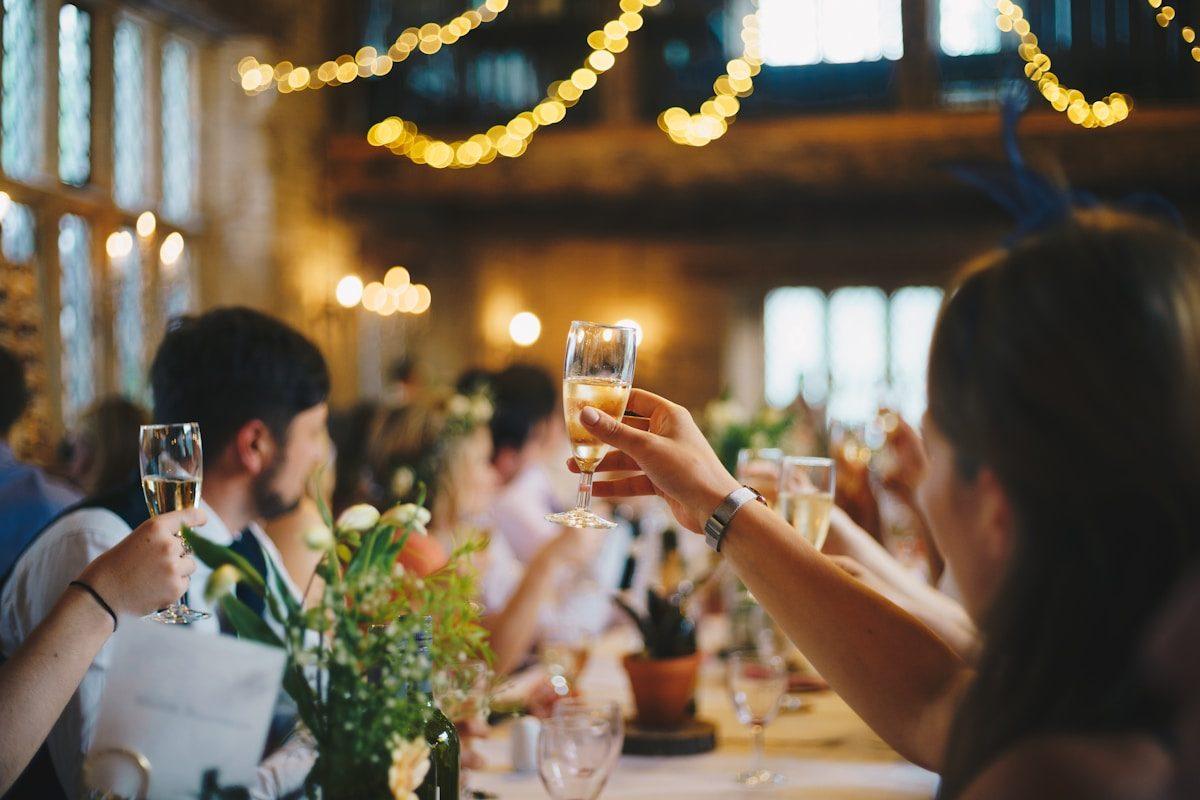
A smaller table changes what you notice
In an intimate room, the record of the day may live in small exchanges rather than a busy dance floor. A grandparent meeting a close friend, a handwritten place setting or a shared joke at the far end of dinner can matter as much as the formal group picture. The couple cannot see every conversation, even when the guest list is short. A shared collection lets people offer their own perspective without pretending the wedding needs the machinery of a large reception. Start by naming the moments you would welcome, then let guests decide whether they have anything to contribute.
Consider a hypothetical wedding with eighteen guests at one long table. The friend beside a parent sees a different part of the evening from the sibling near the window. Neither needs to cover their area like an assigned photographer. A suggestion to share one picture they enjoy is enough to explain the invitation. Candid Photos receives those contributions in one event collection through a browser link or QR code. There are no automatic folders for each end of the table or each household. The purpose is to bring wanted pictures together, not to turn a close group into separate content teams.
Offer three small roles without assigning everyone
The person who introduces the link
Ask one willing guest to explain the collection briefly when it fits the conversation. Their role is to say where photographs can go, not to monitor who has uploaded. At a small table, repeated reminders can feel directed at a particular person even when you mean them generally. Agree on a single introduction, leave a readable address nearby and let people return to it when they choose. The helper should still be free to enjoy the meal.
The person who can help a neighbour
A guest comfortable with phones may offer to show someone the browser page. They can point out the upload control while the owner keeps hold of their device and chooses the files. They do not need host access, another person's password or custody of the whole camera roll. Make help available without labelling an older relative as incapable or assuming everyone who uses a different phone needs assistance.
The person who finishes the collection
Decide who will review arrivals and save the files after the wedding. That is an actual responsibility, unlike casually showing a neighbour the link. It can remain with the couple. If extra administrative access is necessary, Keepsake supports two extra managers; do not imply that every helper becomes a manager automatically. Agree on a handover and download date so a favour does not become an indefinite obligation to maintain the record.
Place the invitation where it can be ignored politely
Keep it near a natural pause
A small QR stand beside the guestbook area or on a side table can be easier to use than something between every plate. Leave enough room around it for a phone to focus without leaning over another diner. Print the address as well as the code, and explain that it opens the wedding collection. Do not compete with menus, candles or flowers for the centre of an already crowded table.
Use words that describe the favour
A hypothetical sign could read: A picture from your seat would mean a lot to us; share it here whenever you have a moment. The invitation asks for a contribution rather than demanding a full camera roll. Guests need no app, account or password. If the ceremony is unplugged, put that boundary in the spoken introduction too, so nobody reads the photo request as permission to film the vows.
Provide a route beyond the restaurant
Send the same link in a follow-up message so people do not have to photograph the sign to remember it. Check the restaurant's guest connection before relying on an immediate upload. If service is weak or access requires a browser sign-in, let guests wait until they have a suitable connection. There is no offline uploading; a photograph stored on a phone needs an online submission before it joins the collection.
Prompts that follow a shared meal
- Before everyone sits
- Suggest details only if they feel relevant: a finished table before bags arrive, the flowers someone arranged or the room from a guest's own seat. Ask before photographing staff, other restaurant customers or personal notes left on place settings. A picture of an empty table is optional, not evidence the decorations were appreciated. Guests who arrive carrying coats, helping a child or finding an accessible seat should not feel late to a photography task.
- Between courses
- If people are already taking a willing group photograph, remind them where it can go afterwards. Avoid asking someone to stand or move while food is being served. A hypothetical pair of families meeting for the first time might prefer conversation to repeated introductions for the camera. Let that be the point of the meal. The most useful prompt can simply be to share a photograph they already like, rather than make a new one.
- After the final toast
- Invite a written recollection of something that would not show in a picture: a line from a speech, a kind gesture or what it felt like to sit together. With the guestbook available and switched on, words can sit beside the photographs. Keep prompts optional and avoid asking guests to repeat private conversations verbatim. A personal impression is welcome; a transcript of someone else's sensitive disclosure is not a keepsake to request.
Close company still needs clear boundaries
Knowing everybody in the room does not mean everybody wants the same audience for their picture. A guest may be comfortable with the couple keeping it but not with relatives downloading or circulating it. Explain the collection's viewing arrangement before asking for files. The public gallery can be switched off to make the guest page upload-only. Approval is a separate host switch for holding submissions until accepted. Choose those controls around the people present, rather than assuming that a small wedding is automatically free of privacy concerns. They are different choices and should not be described as the same protection.
Children, separated families and guests with public-facing work can make a small room socially complicated. Invite requests privately and avoid asking someone to announce a boundary over dinner. Guest pages are excluded from search indexes, but a forwarded link or saved photograph can still travel beyond the original group. Set expectations for wider sharing in ordinary language. In a hypothetical wedding joining two families who have not met, the couple might receive uploads first and later send a mutually comfortable selection. That is a deliberate human choice, not automatic audience grouping by family or table position inside the service.
Match the allowance to habits, not headcount
A modest set of photographs
- Gather costs $19 USD once per event for 200 photos, 30 videos, 5 GB and one month online, including standard downloads and a written guestbook. A small guest list may fit comfortably if people send a chosen set, but the collection still has separate count and storage limits.
- Preview is $0 with 20 photos, no videos, 10 contributors, 500 MB and seven days, without downloads. It is useful for trying the guest route, not for assuming every person at a micro wedding can contribute or that you can export the collection later without a paid plan.
A smaller wedding with larger files
- Celebrate is a one-off $39 USD per event for 750 photos, 100 videos, 20 GB and three months online. It includes original-quality downloads, a slideshow and video guestbook. A few guests recording long clips can make these allowances more relevant than the number of chairs.
- Keepsake costs $69 USD once per event, with 2,000 photos, 300 videos, 50 GB, six months, two extra managers and the original download, slideshow and guestbook features. Choose that capacity for a real need, not because an intimate wedding should be made to resemble a bigger one.
All prices are one-off USD event prices, not monthly subscriptions. Preview can add a written guestbook or slideshow for $9 each; Gather can add a video guestbook or slideshow for $9 each. These choices do not require you to put a screen in a small dining room. Compare what you will use and check the current event deadline before making your final selection.
Give the quiet guest another way to contribute
A message need not be a speech
Some guests enjoy writing but dislike speaking to a room, even a small one. Offer a brief written wish when the guestbook is enabled, without announcing who has or has not left one. A hypothetical prompt might ask what the guest hopes you remember about this dinner. Make clear that a sentence is welcome and that choosing not to write is equally acceptable. Private affection does not need to become a public performance.
Video should have a willing speaker
If you use the video guestbook, suggest a quiet place and ask before anyone starts recording another person. A clip captured over a table full of conversation can include people who never agreed to a message. Let the speaker record or select their own contribution. Do not pass a phone around as a compulsory activity between courses, or keep asking for another take because the first sounded shy.
No file can also be an answer
A guest caring for a child, supporting a relative or simply enjoying the meal may have nothing to submit. Thank them for being there without adding a qualification about missing pictures. The collection should not reveal a scoreboard of who contributed most or become a measure of closeness. Concentrate on what arrives and follow up only where someone has explicitly offered a particular photograph you would like to receive.
Let the table conversation end naturally
As the meal finishes
Offer the address without another announcement
A guest who asks about sharing can take the link with them; everyone else can continue saying goodbye. Do not turn the final minutes into a group upload session, especially when people are arranging lifts or helping clear the room. If a transfer is already running, let its owner verify completion before putting the phone away. Scanning the code alone does not mean a photograph was sent.
A few days later
Thank first and request second
Send a warm note about seeing everyone together, followed by a brief invitation for any remaining photographs. State a contribution date that fits within the verified retention period. In a hypothetical eighteen-person wedding, personal follow-ups might be more natural than a broadcast, but there is no need to contact every non-contributor. Avoid a message that makes guests defend why they did not photograph your day.
Before the collection closes
Make the saved record yours
Download the files your plan supports and check the archive opens. Keep a second copy, then organise any personal folders outside the service. Original downloads retain the file supplied, not an improved version of a dark restaurant shot. Before printing or circulating a favourite, consider the audience people agreed to. The care you took around the table should carry through into how you keep and share its photographs.
Practical answers for an intimate reception
Do we need a code at every place setting?
Not necessarily. One accessible stand and a directly shared link may suit a small table better than repeated signs. Test the code where you put it, keep the address readable and leave guests room to use it without leaning across a meal.
Can a helpful guest run everything for us?
A guest can explain the upload page without becoming a collection manager. Keep administrative responsibility clear and do not share host credentials; if you need supported additional management access, Keepsake includes two extra managers.
Is a slideshow expected at a micro wedding?
No. It is an optional way to display the collection, and a small room may be better served by conversation. Choose it only if you want a screen and have a suitable setup, rather than buying a display feature because other weddings use one.
Can everyone add pictures from their own seat?
Invited guests can use the same browser link to contribute, subject to the collection's limits and available connection. Their files join one collection; they are not automatically separated into table, household or family folders.
Make room for pictures without losing the meal
Choose one collection, one gentle introduction and a clear person to save the files afterwards. Let guests offer the moments they noticed from their seats, with words or photographs if they wish. An intimate wedding needs a considerate invitation, not a larger production around the table.
Wedding photo sharing
Put one link on the tables and let everyone contribute.
Create a collection, print the table stands, and the photographs your guests took are waiting for you the morning after. Guests never install anything and never make an account.