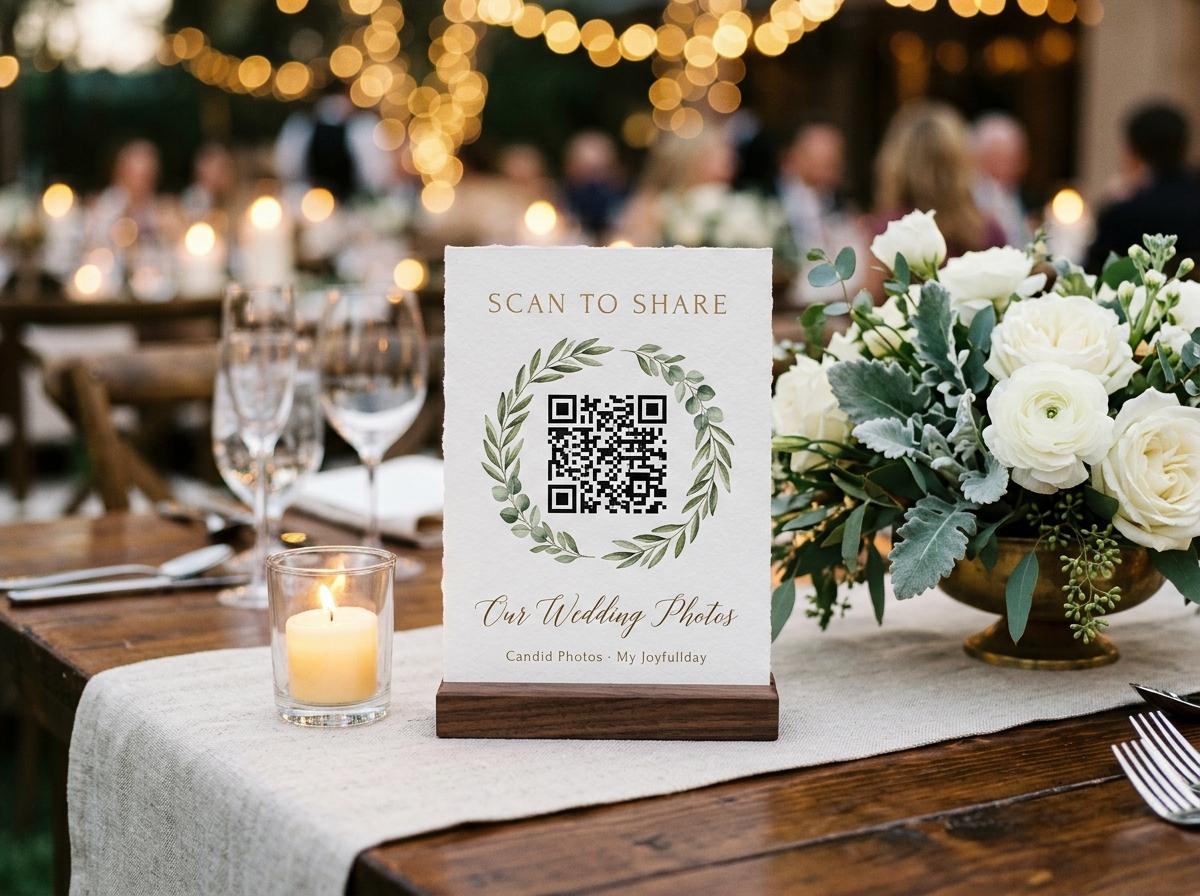
A decision about the room, not the stationery
Are wedding QR codes worth it? They are when guests know what to do
Wedding QR codes can make it easier for guests to send the photos they already took. They are worth printing when the link opens a clear upload page, the event has a plan for inviting contributions, and someone knows how to keep the files afterwards.
A QR code on a wedding table is not a magic way to make a room share photographs. It is a shortcut from a printed sign to a page. Whether that shortcut is worth the card stock depends on what happens after a guest scans it: the page has to explain itself, the guest needs to know what to send, and the host needs a plan for the collection. If the code opens a confusing page or leads to an account wall, guests put their phones away and the sign becomes decoration. If it opens a simple browser page and the couple makes one clear invitation, the code can remove the search for a link and give every guest the same route. That is the practical decision, more than the novelty of printing a square pattern.
What a wedding QR code actually changes
Without a shared upload address, every guest solves the same small problem differently. One sends a photograph to a family chat, another waits until the couple asks, and somebody else never remembers which email address to use. A QR code puts one path in a visible place. At Candid Photos, it opens the event page in a browser; the guest provides a name and chooses photographs or videos to send. There is no guest app, account or password to set up. The host can also share the short link with people who are not standing beside the printed sign. The code therefore helps with finding the destination, while the invitation and the upload page still have to make the action clear.
That distinction helps prevent overselling the tool. The code cannot decide which moments to photograph, explain a host's privacy preference or persuade someone who would rather keep a memory private. It cannot make an offline phone upload files, or make a guest who has not taken pictures contribute. It can save people from typing a long address and can make the upload link easier to rediscover when it sits on a sign by the guestbook or seating chart. If those are real obstacles for your plans, printing a code solves a practical problem. If guests already share everything in one place and the host is happy with that arrangement, an extra code may not add much.
The value depends on the upload path behind the code
Before printing anything, scan the code from a phone that is not signed in to the host's account. Watch what opens. A useful guest page says what the guest can do, lets them select a file from the phone and confirms that the submission has been received. A code that goes to the couple's homepage, a login screen or a download prompt asks a guest to work out the next step. That friction lands on the person holding a drink or greeting relatives, not on the person who designed the card. Test the entire journey in the same browser your guests will use, including the confirmation after a test image arrives.
Also check whether the guest page is for uploading, browsing, or both. Some couples want guests to see a growing gallery, while others want the page to accept submissions without displaying images in the room. Candid lets the host switch off the guest-facing gallery while leaving the upload page open. The guestbook is a separate setting. If a host turns on approval, submissions wait until the host accepts them before they show. Those choices affect the explanation on the sign. A simple line such as 'Scan to share the pictures you took today' is clearer when you have already decided whether scanning leads to a gallery, an upload-only page or a page with both.
Choose sign locations where a pause already happens
A code works best where a guest has a moment to read it and a reason to act. Consider the welcome or seating table, the guestbook area, the bar queue, or the printed programme. A code placed at every table can become background visual noise; one visible sign that the couple mentions may be enough. Ask the venue where signs are permitted before you print, especially if staff need to move things during service. Keep the sign stable, upright and easy to scan without requiring someone to lift a centerpiece or cross the room. A printed card is useful only if a guest can find it and use it without interrupting the event.
Think about timing as well as location. A guest may take arrival photographs before they ever sit at a table. A welcome sign can explain the collection early; a short reminder during the welcome can reach people who missed it; a copy of the link sent after the event can help the guests who were busy celebrating. The host can also share the short address with family members who were unable to attend. The point is not to cover every surface with a code, but to put the instruction at one or two moments when it fits naturally. That keeps the sign readable and helps the couple avoid turning the celebration into a series of upload announcements.
Write the sentence that makes the code useful
A guest should not have to guess whether the code opens the menu, the seating plan or the photo page. Label it with a short verb and a clear object: share the pictures you took, send a clip from the reception, or add a message for the couple. If you want pictures of a particular moment, name it. If you want guests to avoid posting something publicly, say that plainly. A specific invitation sets expectations without pressuring anyone to take a picture. It also helps guests choose a useful frame instead of sending every accidental image from their camera roll. The words beside the code are part of the guest experience, not an afterthought to the design.
Keep the instruction short enough to read from where the sign will sit, and use large type with strong contrast. Include the short link in small readable text as a backup for an older camera or a damaged print. Make the code dark on a light background and leave clear space around it. Do not put a decorative pattern over the important parts of the code. Print one test on an ordinary sheet, scan it in the venue lighting and from a comfortable standing distance. The Candid dashboard can print four table stands on one A4 sheet, but a host can also use a simple card. The key is a reliable, legible destination, not elaborate stationery.
Account for internet access at the venue
A QR code can open an address, but submitting a file to an online collection requires an internet connection on the guest's phone. Wi-Fi at the venue may be strong near the entrance and unreliable in a basement room, garden or crowded reception space. Ask the venue what coverage is available in the areas guests will use, and test the page on the actual network if you can. Mobile data may work for some guests and not others. A printed QR code does not make the upload work offline, so do not promise that it will. If connectivity is uncertain, share the address in a message as well and let guests know they can send files later when they have a connection.
A sensible fallback is part of the plan, not a failure. Keep the short link available for the morning after, when a guest can use home Wi-Fi or mobile data. Avoid asking a guest to upload a large video while standing in a venue corner with one bar of signal. If a test is slow, try a different spot and tell the couple or planner which areas are better. The host can collect files before or after the event because the event address is not limited to the printed card. This lets the QR code be the easy in-room invitation while the link remains a second route for people whose connection or timing does not cooperate.
Decide what a guest should be able to see
The phrase private photo sharing can mean different things. Some hosts mean the event should not appear in search results; others mean guests should not browse photographs, or that only invited people should receive the link. Decide which meaning matters before creating the sign. Candid guest collection pages are not indexed as public search pages and the event address is not published in a public directory. A host can turn off the guest-facing gallery while accepting uploads. Since any person with the link can try to open it, distribute the code and address where intended and avoid posting them publicly if that is not the couple's preference.
If you enable approval, decide who will review submissions and when. Approval can prevent a new file from displaying before a host has accepted it, but it also means someone has a task during the event. Do not turn on a control without assigning a person who can manage it. If no live screen is planned, the couple may care more about who can see the gallery than how quickly the page updates. If photos will play on a room display, explain the review process to whoever is managing the screen. A QR code only starts the journey; the visibility and review settings determine what happens after the guest submits a file.
Count the collection limits before you promise unlimited sharing
A QR code is not the same as an unlimited service. Candid packages have stated allowances for photographs, videos and storage. Preview includes 20 photographs, no video uploads, 500 MB, ten contributing guests and seven days online. Gather includes 200 photos and 30 videos; Celebrate includes 750 photos and 100 videos; Keepsake includes 2,000 photos and 300 videos. Their storage and retention allowances differ too. If a couple expects the entire room to send a collection of files, choose a package after estimating participation rather than assuming the code removes every limit. A sign should not promise that every guest can add unlimited files unless the chosen service and plan actually say so.
It is also worth deciding what the couple wants after the celebration. Some want the gallery available for family to revisit; others mainly want a download to keep. Candid's retention periods run from seven days on Preview to one month on Gather, three months on Celebrate and six months on Keepsake. Gather offers standard downloads; original-quality downloads are on Celebrate and Keepsake, while Preview has none. The host can download individual files or the event archive. Include those limits in the planning conversation so the printed code does not imply that the page is an everlasting public album. Plan when and where the archive will be saved.
Calculate the effort against the benefit
The value of a wedding QR code is easiest to judge by comparing its small setup effort with the work it saves guests. Creating a sign, testing the scan and saying one sentence during the welcome takes some preparation. In return, guests have one place to send files and the couple does not have to search a dozen private chats after the event. If the product needs an app install or account, factor that effort into the choice. If a photographer already provides a gallery for edited images, remember that it may not collect candid guest pictures. A QR code is useful when it improves a real step in your collection plan, not simply because other weddings have one.
The QR code helps with access; the rest still needs a plan
It can help
- Give guests one address to scan instead of asking them to type a link.
- Make the upload invitation visible where people pause during the event.
- Keep the same link available to guests who want to contribute afterwards.
- Point the room to a browser page when the selected service supports that flow.
It cannot decide
- Whether guests have an internet connection or want to share a photograph.
- How many files the selected package allows or how long they stay online.
- Who can see submissions, whether they need review or who keeps the archive.
- Whether the event's professional photographer delivers a separate gallery.
Test the printed sign before the wedding
A quick rehearsal that catches the common problems
Print at the final size
Use the card or stand you plan to place at the venue. Test the actual print rather than scanning only the image on a laptop.
Scan from a guest phone
Use a different phone and browser from the host. Confirm that the code opens the intended event page and that the guest knows what to do.
Try the connection you expect
Test Wi-Fi or mobile data near the venue locations where guests will scan. If one area is unreliable, use another sign location or share the link later.
Send a test file and check the host view
Confirm that the submission appears where the host expects and that visibility or approval choices behave as planned. Remove your test if the product provides that control.
Assign the end-of-event download
Choose who will save the collection and note the date the online period ends. A QR card gathers files; a saved archive keeps them.
So, are wedding QR codes worth it?
They are worth it when a printed sign makes a useful action easier, the upload page works on a guest's phone, the couple has chosen limits and privacy settings that fit the event, and someone is responsible for the download afterwards. They are less useful when the code opens a confusing page, there is no connection, or nobody has told guests what it is for. Candid Photos supplies a QR code and short event address; guests open the page in a browser without installing an app or creating an account. The host still chooses a plan, setting and invitation. If those pieces make sense for your wedding, the QR code can be a small, practical part of collecting the room's photographs.
The final decision does not need to be complicated. Decide whether you want a shared collection, estimate how many people and files it should hold, test the scan and confirm the venue connection. Print one readable sign, tell guests what to share and keep the link for later. If one of those steps does not work, fix the plan before spending on stationery. A tested code with a clear instruction is useful; a code that has never been scanned is only a design element. That is the simplest way to tell whether the printed square will earn its place at the wedding.
Wedding QR code questions
Are QR codes worth using at a wedding?
They can be useful when they open a clear guest upload page and the couple tells people what to share. Test the sign, internet connection, privacy settings and package limits before printing it.
Do wedding QR codes work without Wi-Fi?
The printed code can be scanned, but sending files to an online collection requires an internet connection. Guests can use mobile data or return to the link later when they are connected.
Where should I put a wedding photo QR code?
Place a readable sign where guests naturally pause, such as the welcome or guestbook table. Mention it once and keep a copy of the short link for guests who are not in the room.
Do guests need an app to scan a Candid Photos QR code?
No. The code opens the event page in a phone browser. Guests provide a name and choose files to send without installing an app or creating an account.
Try the QR route before you print
Open a test event, scan the code from another phone and see whether the guest flow fits your wedding.
Guides and comparisons
Put one link on the tables and let everyone contribute.
Create a collection, print the table stands, and the photographs your guests took are waiting for you the morning after. Guests never install anything and never make an account.