Upload link
One wedding photo upload link, shared once and working for weeks
A single link covers every guest, every device, every upload from the morning of the wedding to the morning after. The collection builds behind it; the archive comes down when it is over.
Guest photographs from the ceremony, the speeches and the dance floor.
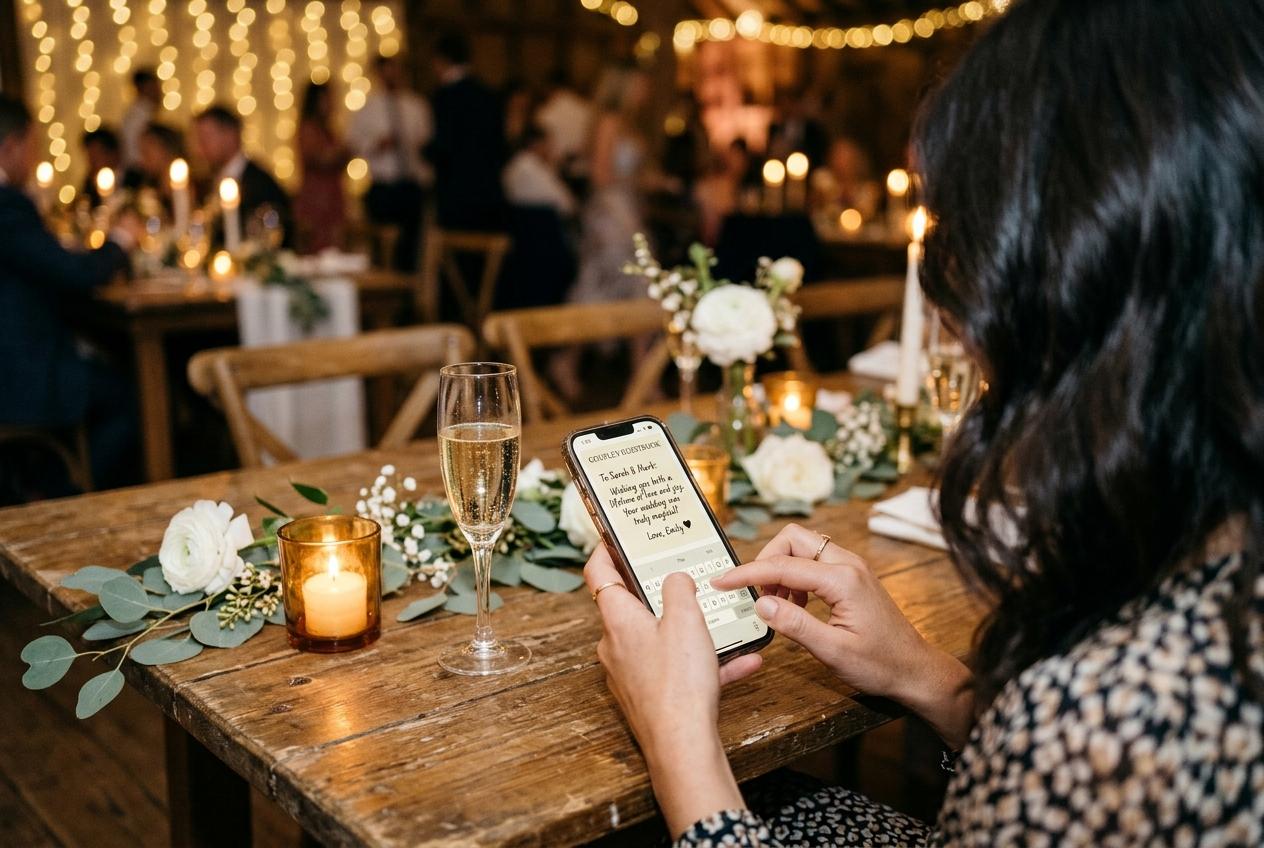
A wedding photo upload link is the simplest description of what couples actually need: one address, shareable by text, by message, by printing on a card, that every guest can open without an account and use without installing anything. The link does not change when the settings change. It does not expire between the invitations and the wedding day. It does not require different addresses for different guests.
The simplicity of one link is what makes it work at scale. A couple who has shared one link in every communication before the wedding — the invitation, the reminder, the morning-of message — has covered every guest who might miss the QR code on the table. And the guest who scans the code and the guest who opens the link from a message end up at exactly the same page.
Where the link goes before the wedding
The collection address is available as soon as the event is created. That is months before the wedding, and months is the right amount of time to get the link into every piece of communication that goes to guests.
The digital invitation
Including the upload link in the digital invitation means every guest who opens it has the address in their email or message thread. They may not use it until the wedding day, but they will not have to look for it.
The event website or the wedding website
Many couples maintain a simple page with logistics for guests: venue, timing, accommodation. Adding the collection link here means every guest who visits the site for directions also has the upload address.
The morning-of message
A short message sent to all guests on the morning of the wedding, with the link included as text, covers everyone who will not scan the QR code on the table. This message is the reason late-day and next-morning uploads happen.
The printed table cards
The QR code on the table card encodes the same address as the text link. Guests who prefer to type the address instead of scanning the code find it written beside the code on every stand.
What a guest experiences when they open the link
The page behind the link is the guest upload form: the event name, the welcome line, the file picker, the name field, and the send button. Nothing else. No marketing, no pricing, no prompt to sign up for anything.
The guest's experience from link to submission
They tap the link
From a message, an email, or by typing the address from the card. The browser opens the same page regardless of how they arrived.
They see the event details
The occasion name, the hosts' names, the date, and the welcome line the event owner wrote. This takes two seconds to read and answers the question of whether the page is real.
They choose files
One tap opens the file picker. Photographs and video clips are in the same picker, and the picker opens on the camera roll from today. A guest can send one file or twenty in one submission.
They type a name and send
One field for a name, then send. A confirmation appears immediately. The page remembers who is typing for twelve hours, so a second upload does not ask for the name again.
The link that is already in a guest's message thread is the one they will actually use on the morning after.
Sharing the link with guests who could not attend
A wedding photo upload link with no account requirement works equally well for a guest who is in the room and a guest who is in another city. The same link, shared by message after the wedding, gives remote friends and relatives the same upload page. They can contribute a photograph they took from afar, or leave a written message if the guestbook is open, and it lands in the same collection as everything from the room.
The link works from any device with a browser
A wedding photo upload link that opens in a browser on a phone works equally on a tablet or a desktop. A guest who wants to upload from a laptop the next morning can do that from the same address.
How the guest page worksHow long the link stays active
The collection address remains active for the plan period, starting from the event date. Gather keeps the collection open for one month, Celebrate for three months, and Keepsake for six months. Additional retention periods can be purchased as add-ons from the dashboard. When the period ends, the files are removed from the platform, and the link no longer leads to an active upload page — which is why downloading the archive during the period is important.
- During the plan period
- The link opens the guest upload page for anyone who has it. New submissions arrive in the collection and appear in the gallery and approval queue.
- After the period ends
- The link is no longer active. The files have been removed from the platform. The archive the event owner downloaded during the period is the permanent copy.
- After the warning mail
- Warning mail arrives before the closure, with enough time to download the archive. The email goes to the address the event owner registered with.
Questions about wedding photo upload links
Does the link change when we update the collection settings?
No. The link is permanent for the life of the collection. Settings like approval, gallery visibility and the welcome line can all be changed from the dashboard without changing the address.
Can we have different links for different groups of guests?
One collection has one link. If you want separate collections — one for the morning and one for the evening, for example — you would create two events, each with its own link. For most weddings, one collection is the right structure.
Is the link private?
The address is not listed anywhere and the guest page is excluded from search indexes. Only guests who receive the link can open the page. The collection is not discoverable by anyone who has not been given the address.
Can guests upload from home after the wedding?
Yes. The link stays active for the full plan period. Guests who missed the upload on the night can open the same address at home the next day or during the following week.
What do we do if we need the link to stay active longer?
Additional retention periods are available as add-ons from the dashboard. They can be purchased at any point during the plan period, before the collection closes.
Put the link everywhere your guests will see it
Create the event and copy the address. It goes in the invitation, the morning message, and on the table card beside the QR code. Every place a guest might look for it is a place worth putting it.
Wedding photo sharing
Put one link on the tables and let everyone contribute.
Create a collection, print the table stands, and the photographs your guests took are waiting for you the morning after. Guests never install anything and never make an account.