Four stands on one sheet, and the five things that make them scan
The QR code is the part of this that does the work, and it is also the part most likely to be printed badly. Here is what comes out of the dashboard, what it takes to make it readable on a lit table, and what to do for the guest who cannot scan at all.
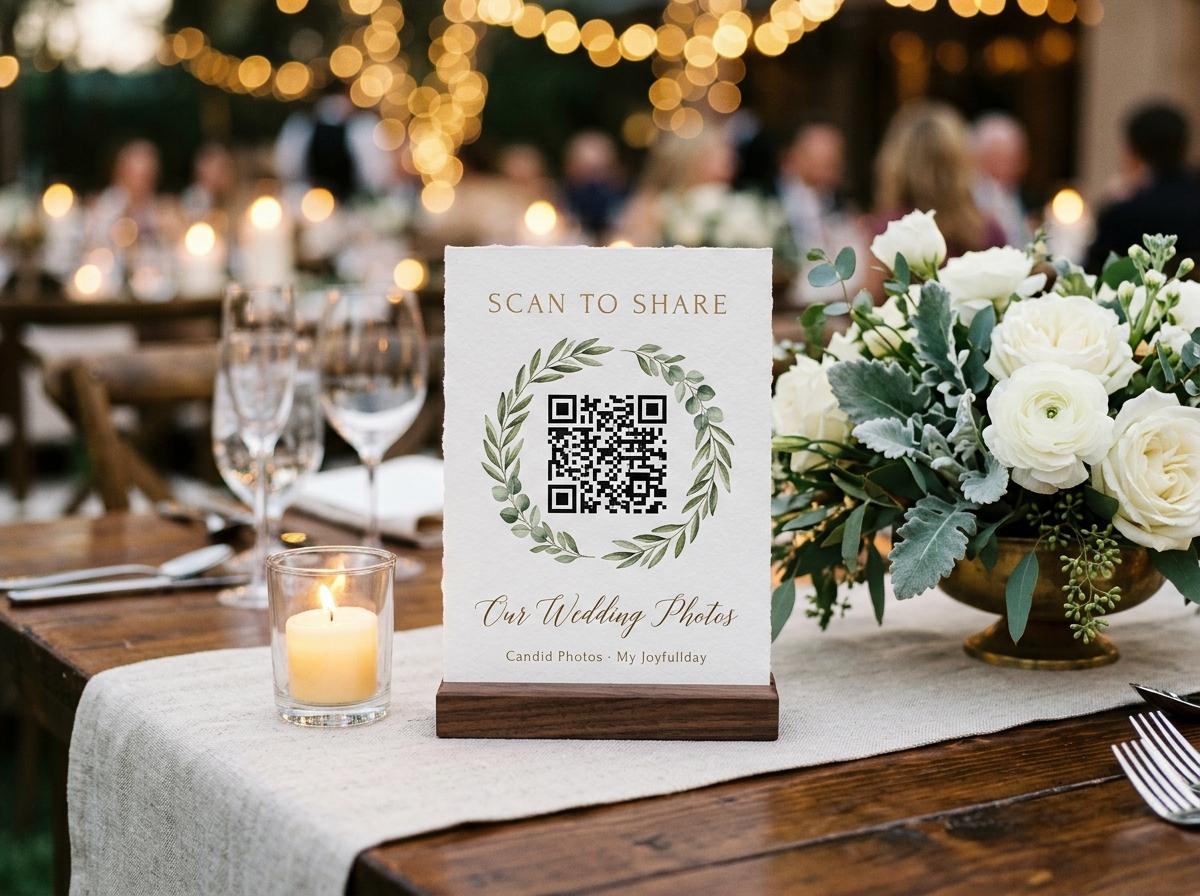
A printed code is the reason a collection fills. A link in an invitation is opened by the guests who were always going to send something; a card standing on a table in front of a person who has just taken a good photograph is what converts everyone else. It works because it arrives at the exact moment the behaviour is already in the guest's hand.
Which is why the print job is worth ten minutes. A code that will not scan is worse than no code, because it tells the guest that this whole thing is somebody's half-finished idea.
What the dashboard gives you
Two files, both generated from the collection's own address, available on the sharing tab from the minute the collection exists.
- A print sheet
- One A4 page carrying four table stands, separated by cut lines. Each stand has the code, the collection name and the line that tells a guest what will happen when they scan. Print it at actual size — the scaling option in a print dialog is what turns a working code into a soft-edged one.
- A single image
- A 1200-pixel PNG of the code alone, for anybody making their own cards, a slide for the projector, an order for a printed sign, or the invitation artwork itself. It is the same code, at a size that survives being shrunk.
There is a switch beside them that puts a small mark in the centre of the code. Use it when the cards are going to be photographed or screenshotted and you would rather the picture said where it came from. Leave it off if you plan to print very small, because the centre of a QR code is the part a camera needs most.
Making it scan on a real table
Print at 100 percent
Every dialog called Fit, Scale to page, or Shrink to printable area. The pattern was laid out for a physical size, and shrinking it to fit a margin is how a code ends up with modules too small for a phone camera to separate.
Keep the printed code at least three centimetres wide
That is roughly the size on the sheet. Anything smaller needs a guest to hold their phone close and steady, which they will not do while eating.
Keep it dark on light
A code printed on a deep background, or in a pale grey on white, fails because a scanner reads contrast rather than colour. If you remake the card, the black modules stay black and the space around them stays light.
Watch the laminate
Gloss laminate under a downlight turns a card into a mirror. Matte laminate, or no laminate on a card that lives indoors for one evening, is the version guests can actually read at eighty degrees of table lamp.
Scan one yourself, from a different room
Not the phone you used to make it. A different handset, across the room, in the light the venue will really have. It takes fifteen seconds and it is the only test that predicts the evening.
Where to put them
One stand per table is the plan, and four sheets covers sixteen tables. Beyond that the question is not how many codes but where people pause long enough to use one: the tables themselves, the bar, the photo table, the room where guests wait, and one at the exit for the people who took the best photographs after dinner. A card that a guest has to unfold and hold up is a card that stays in its envelope.
- Two spare sheets, printed at the same time as the first, on the same printer and the same paper
- One sheet kept flat for the guest who cannot find a table with a stand on it
- The typed address written somewhere a host can say it out loud
- A scan tested on a phone that is not yours, in the room's actual lighting
- The card placed so the venue's candles do not lean on it, and nobody's centerpiece stands in front of it
A stand that goes face-down in a florist's arrangement is the most common way an evening under-collects, and the only way to catch it is to walk the tables once after the room is dressed.
The guest who cannot scan
There will be one, and it will be somebody whose photographs matter. A cracked lens, a ten-year-old phone, a camera app that will not read a code from a printed card. None of that is a reason they stop having pictures.
The link goes in the invitation as well
Written out, not only as a code. A guest who copies it into a browser gets to the same page, and an older relative who forwards it to their own phone by text gets there too. It is one line in the same email that has the dress code in it.
The address is short on purpose
The reason the guest address is worth fussing over in the wizard is exactly this moment: a host standing at a table, saying the words slowly, while somebody types them into a browser. Lowercase, no punctuation, no year to spell out.
You can send a photograph for them
Nothing requires the guest to be the one holding the phone. A file sent to the host by any means, then uploaded from the host's own device, lands in the same collection and carries that guest's name when it is entered at the form.
Common printing failures, and what they cost
The code printed but it will not scan. What went wrong?
Almost always one of three things: the print dialog scaled the sheet down, the ink is a pale grey or the background is dark, or the code is smaller than three centimetres. Reprint at actual size, dark on light, and test from across the room.
Can I put the code on a screen instead of a card?
Yes, and the 1200-pixel image is the file for it. A projected code works but scans poorly from the back of a room, so pair it with cards on the tables rather than relying on it alone.
Does the code still work after the event?
The code never changes and never expires. It carries the address, and the page it opens tells the truth about the collection — still open, closed, or archived. A guest who finds a card in a coat pocket in March and scans it gets a clear answer, not a broken link.
Do you post printed stands to me?
No. The sheet is printed from your own printer, on your own paper, whenever you want it — which is the reason four per sheet, cut lines and a spare are all you have to plan for.
What if I print the stands before I open the collection?
That works fine. The code carries only the address, and the free Preview plan is already on the collection. A guest who scans it while it is still a draft reads that it is not open yet, and the same card opens the gallery the moment you do.
Print the sheet while the occasion is still in your head
Four stands, one A4 sheet, cut on the hairlines. Two sheets if the venue has more tables than you counted.
How it works
From the invitation to the morning after
Nothing here needs an app, an account or a card. Guests give a name once and send their files.
Something this page does not answer? Write to support@candidphotos.myjoyfullday.com.