Compare event photo collections by the details that matter
Looking for a GuestPix alternative? Compare the event plans first
GuestPix and Candid both offer a QR-led way to gather event photographs. Compare each service's current package, guest flow, event structure, storage and downloads against what your wedding actually needs.
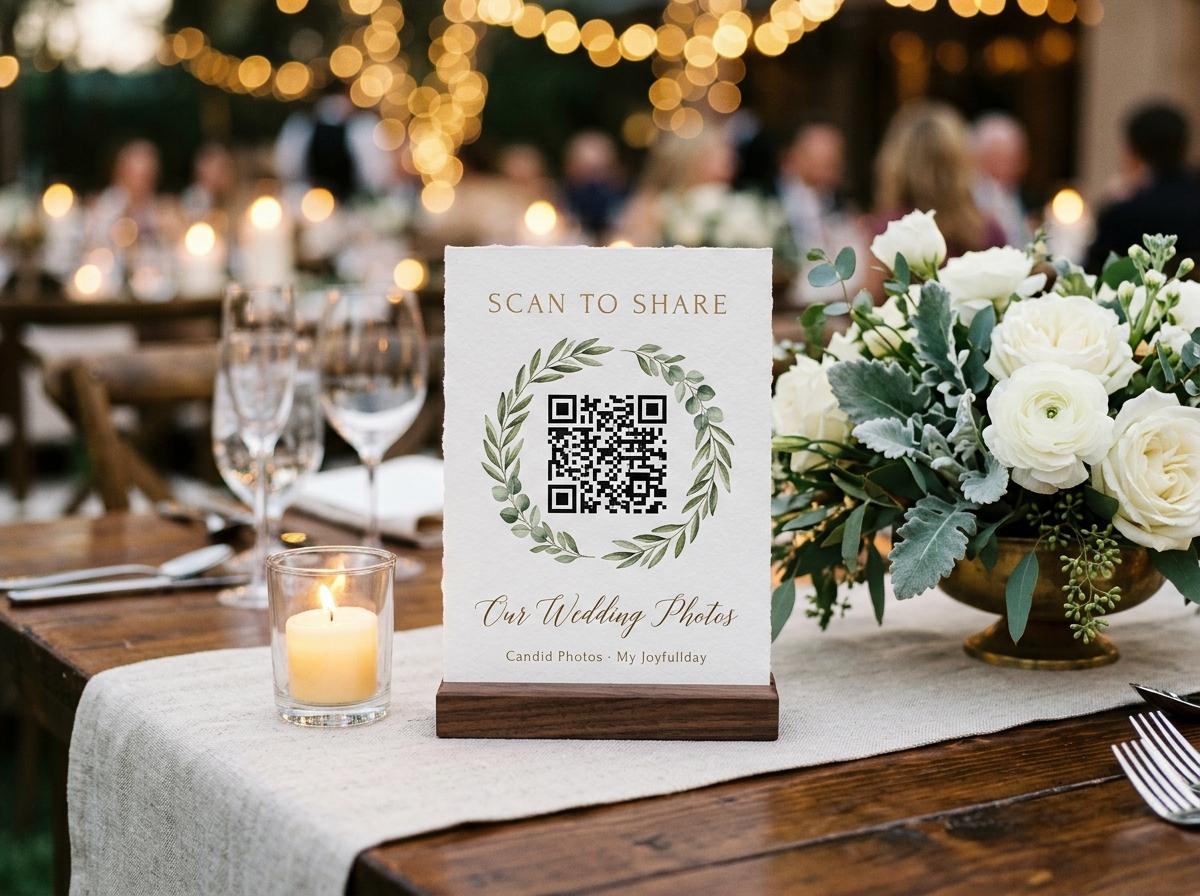
If you are comparing GuestPix with an alternative, you are probably looking for a simple way to collect guest photographs through a QR code or link. The names of the plans matter less than what a couple can actually do with the event: how guests upload, whether they need an app, how many event pages are included, what media is accepted, how long access lasts and what the host downloads. GuestPix markets QR-based event galleries, and Candid Photos offers an event page with a matching QR code and browser upload. Both belong in the comparison set, but their packages and terms are not interchangeable. Check the current offer for the event you are planning before choosing.
Start with the shape of the celebration
Some couples want one shared collection for the wedding day. Others want separate places for an engagement party, rehearsal dinner and wedding. Those needs affect cost and organization. GuestPix describes a bundle for multiple events on some wedding packages; check the current plan to see exactly how many galleries, QR codes and upload periods it includes. Candid creates one collection per event. A host can create separate events for separate occasions, but they remain separate collections and are not separate albums inside one event. If multiple celebrations must share one purchase, verify how both services handle that before paying.
Also decide whether the event is a single day or a weekend. Ask when uploads open, how long guests can contribute and how long the gallery stays available afterward. A collection that closes before relatives return from travel may not suit the plan. A host who can download the event promptly may not need a long online window. Do not rely on a package headline such as 'wedding bundle' or 'full gallery' to answer those questions; look for the actual dates and number of events included.
Try the guest experience from a separate phone
The guest path is one of the easiest things to test and one of the most important. Scan the QR code from a phone that is not logged in to the host account. Check whether the page opens in a browser, whether it asks the guest to install anything, what information it requests and whether the upload instructions make sense without help. If there is a PIN or other access step, test it as a guest and decide how the couple will distribute it. A beautiful code cannot compensate for a page that guests cannot open at the venue.
Candid guests open the event page in a browser from a QR code or link, provide a name and select files. They do not need to download an app, create an account, set a password or pay. The page remembers who is typing for twelve hours. The host should still test the code and upload before printing signs, because the event name, settings and network all matter. Ask a friend to complete the guest steps without coaching; any question they ask is a useful sign that the instructions need to be clearer.
Compare gallery access and privacy controls
Ask who can view the gallery, who can contribute and what the host can change after invitations go out. GuestPix advertises private gallery options and a PIN-protected link on some packages; review the current plan and test the exact access mode you would use. Candid keeps guest pages out of search indexes and does not list their addresses. The host can turn off the guest-facing gallery so guests can upload without browsing submissions, and can enable approval so uploads wait until accepted. These settings answer different questions, so compare the actual guest view rather than relying on the word private.
A QR code or private link can be forwarded by a guest. Tell invitees who the collection is for, do not post the code publicly and decide what happens if the address reaches someone outside the guest list. Consider whether an upload-only page is useful when guests should not browse one another's photos. If the couple wants moderation, choose who will review images and what criteria they will use. A host should also explain how people can ask for a contribution to be removed. Product controls help manage access, but they do not make a link impossible to share.
Check photos, videos and guestbook features separately
A service may support photographs, video clips, written guestbook entries and recorded video messages, but those features can belong to different packages. GuestPix describes photo and video sharing, a guestbook and slideshow features; verify which are included in the wedding package you are considering. In Candid, written guestbook messages are available on Gather and above. Video guestbook messages are included on Celebrate and Keepsake or are a one-off add-on to Gather. Ordinary guest video uploads have their own count and storage allowance. Do not assume that a video guestbook and an event video upload are the same feature.
Think about what the couple really wants to receive. A few short clips from the reception differ from a message recorded directly for the couple. A slideshow on a room screen is different again: it needs a display, someone to manage it and a plan for which images appear. Candid includes a live slideshow on Celebrate and Keepsake; it can be added to Gather. With approval enabled, accepted photographs are the ones shown. Compare the feature in a test event and check what the host can control rather than paying for a label the couple will not use.
Compare the actual upload and storage allowances
A phrase like 'unlimited guests' does not tell you how many files the event can hold. Check the allowed number of photos, video count, total storage, file-size restrictions and what happens when the limit is reached. Estimate contributors and files separately: a hundred invited people do not necessarily mean a hundred uploads, and one guest may send several large videos. If a service offers an add-on, note the cost and how it changes the limit. A plan that fits a small ceremony may not suit a large, multi-day wedding weekend.
Candid's current packages use clear per-event allowances. Preview is free with 20 photos, 0 videos, 500 MB and 10 contributing guests. Gather costs $19 once per event and includes 200 photos, 30 videos, 5 GB and unlimited contributors. Celebrate costs $39 with 750 photos, 100 videos and 20 GB. Keepsake costs $69 with 2,000 photos, 300 videos and 50 GB. Extra photos and videos are available as one-off add-ons. Check the live pricing page before purchase because the product's published package details can change.
Check what the host can download
A gallery is useful during the event, but the couple needs a way to keep the files. Find out whether the host can download individual images, a complete archive or both, and whether the files are original-quality or processed copies. Ask if guests can download other people's contributions or only the host can. If the couple wants to print photographs later, original-quality downloads may matter. A service that displays a photo does not automatically provide a suitable archive. Try a sample download before sending the QR code to every guest.
Candid stores the file the guest selected as it arrived. The gallery uses browser-drawn thumbnails, and the host can download individual files or the collection as one streamed archive. Gather provides standard downloads; Celebrate and Keepsake provide original-quality downloads; Preview has no downloads. Rejected submissions are excluded from the archive. GuestPix describes full-resolution ZIP downloads on its current pages, but verify which wedding plan includes the download and whether access is for the host, guests or both. Compare the actual files, not just the wording on a marketing page.
Compare the complete price, not a starting figure
Write down the complete amount for the event you are planning. Include whether the price is a one-off payment or subscription, how many separate events it covers, which add-ons are needed, how long uploads stay open, how long the gallery stays online and whether the download is included. Note the currency at checkout. If a package includes a printed template library or other feature, ask whether you will actually use it. A product can be good value for one wedding and poor value for a couple whose needs do not match its inclusions.
Candid's current paid plans are one-off per event in US dollars: Gather is $19, Celebrate $39 and Keepsake $69. Preview is free. Each level changes photo and video limits, storage, online period and downloads. Add-ons are available for extra files, longer retention, a video guestbook or a live slideshow on Gather. GuestPix offers its own wedding packages and multiple-event bundles on some plans; review the current wedding pricing page directly, because the amount and inclusion can change. Compare the precise bundle for your dates rather than an older screenshot or a third-party price list.
Decide how long you need the collection
The upload window and gallery hosting period may be separate. Check when guests can start submitting, when the couple can no longer add files and when access to the finished collection ends. A wedding weekend may benefit from an upload period that includes pre-wedding gatherings, while a one-day event may not need a long lead-in. Make sure the timeline includes guests who will upload after travelling home. Ask whether a paid extension starts immediately or after the included term and set a reminder before the date the archive closes.
Candid's online period begins from the event date and ranges from seven days on Preview to one month on Gather, three months on Celebrate and six months on Keepsake. Longer retention can be added, with the extension beginning at the end of the included period. The host receives a warning before deletion, but should still download and make a backup before access closes. Confirm GuestPix's current upload and hosting terms for the selected plan in the same way. An online period is a service window, not a promise that the only copy of the wedding will stay online indefinitely.
Consider the table sign and guest instructions
Printed materials are useful when guests are seated, but they should not become the main reason to choose a service. Check whether the provider supplies a QR code, what can be customized and whether you can print a clear card on an ordinary printer. Candid gives each event a short address and matching QR code; four table stands print on one A4 sheet from the dashboard. The host can place them at natural pauses and add a short written link. GuestPix advertises editable QR templates; compare the current package and print format if branded stationery is important to you.
Test the printed code after it comes off the printer. A QR code that is too small, cropped or covered with decorative text may not scan. Keep the instruction short: what to share, whether video is welcome and whether photos can be added later. A guest should not have to guess whether the QR opens a menu, a website or a gallery. Place the sign where people can pause without blocking a server or the photographer. If the wedding is unplugged during the ceremony, use the signs at the reception and make the timing clear.
Choose by fit, not by the loudest feature list
GuestPix may be a better fit for a couple whose desired plan includes the particular gallery, templates, PIN access or bundle of events shown on its current package. Candid may suit a couple who wants a browser guest page, simple event QR code, stated photo and video limits and a one-event purchase. Neither list proves which service is right for every wedding. Think about the guest route, who controls the archive, how many separate celebrations are in scope and what the couple will actually do after the day. A feature that is not used has no value just because it appears in a comparison chart.
If the wedding plan has several events, compare whether separate galleries are included and how their dates affect uploads and retention. If the couple wants no PIN, check whether a link-based access model is comfortable for their guest list. If they want review before pictures appear, verify that approval is available and understand how a host turns it on. If a live slideshow or video guestbook matters, test that feature rather than assuming the title of the package guarantees a particular setup. A five-minute walkthrough is more useful than relying on a feature name.
Run a side-by-side test before checkout
Evaluate the event as a guest and as a host
Create a test event
Check the event name, QR code, guest instructions and whether the package covers one day or several celebrations.
Use a second phone
Scan the code as a guest and follow every prompt without help from the host.
Send one photo and one clip
Confirm accepted file types, upload behaviour and where each item appears in the host view.
Try a download
Check the archive, file quality and who has permission to retrieve it.
Record dates and total cost
Write down the payment, capacity, upload window, hosting period and backup deadline for the selected package.
Make the decision that suits your wedding
A GuestPix alternative is worth choosing when it fits the couple's event better, not simply because it has a different name or lower first price. Compare the real guest journey, multiple-event needs, privacy controls, file limits, download access and time online. Use the couple's likely guest behaviour and the organiser's available time to narrow the choice. If a requirement is not explained clearly, ask the provider before buying and keep the answer with the event plan. Avoid counting on a feature that appears only in another package or on a page last updated several months ago.
Candid Photos offers a named event collection, QR code and browser guest page, with package limits that the host can compare before checkout. Create a sample event, scan it from another phone and download a test file. Confirm that the selected plan covers the wedding's photos, video and online period. Name the person who will download the archive before the event begins. That gives the couple a grounded basis for deciding whether Candid, GuestPix or another service matches the way their guests will actually share.
GuestPix alternative questions
Is Candid a GuestPix alternative?
Candid offers an event photo collection with a guest link and QR code. Compare its current package, guest flow and limits with the GuestPix plan you are considering.
Can Candid make a separate gallery for every wedding event?
Candid creates one collection per event. A host can create separate events for separate occasions, but several collections are not combined inside one event.
Do guests need an app for Candid or GuestPix?
Candid guests open the upload page in a browser and do not need an app or account. Check the current GuestPix guest flow directly before choosing a plan.
What should I compare before switching from GuestPix?
Compare the exact event bundle, QR and guest steps, access controls, photo and video limits, downloads, total price and online dates.
Compare your event needs with Candid's plans
Test the guest page, confirm the photo and video allowances and compare the total per-event cost before choosing.
Guides and comparisons
Put one link on the tables and let everyone contribute.
Create a collection, print the table stands, and the photographs your guests took are waiting for you the morning after. Guests never install anything and never make an account.