Event photo sharing website
A dedicated website for sharing and collecting event photos
Every event gets its own page: a web address that guests can reach from a QR code on the table or a link in the invitation. Photos go in, the gallery grows, and when the event is over you download everything that arrived. This is what an event photo sharing website is for.
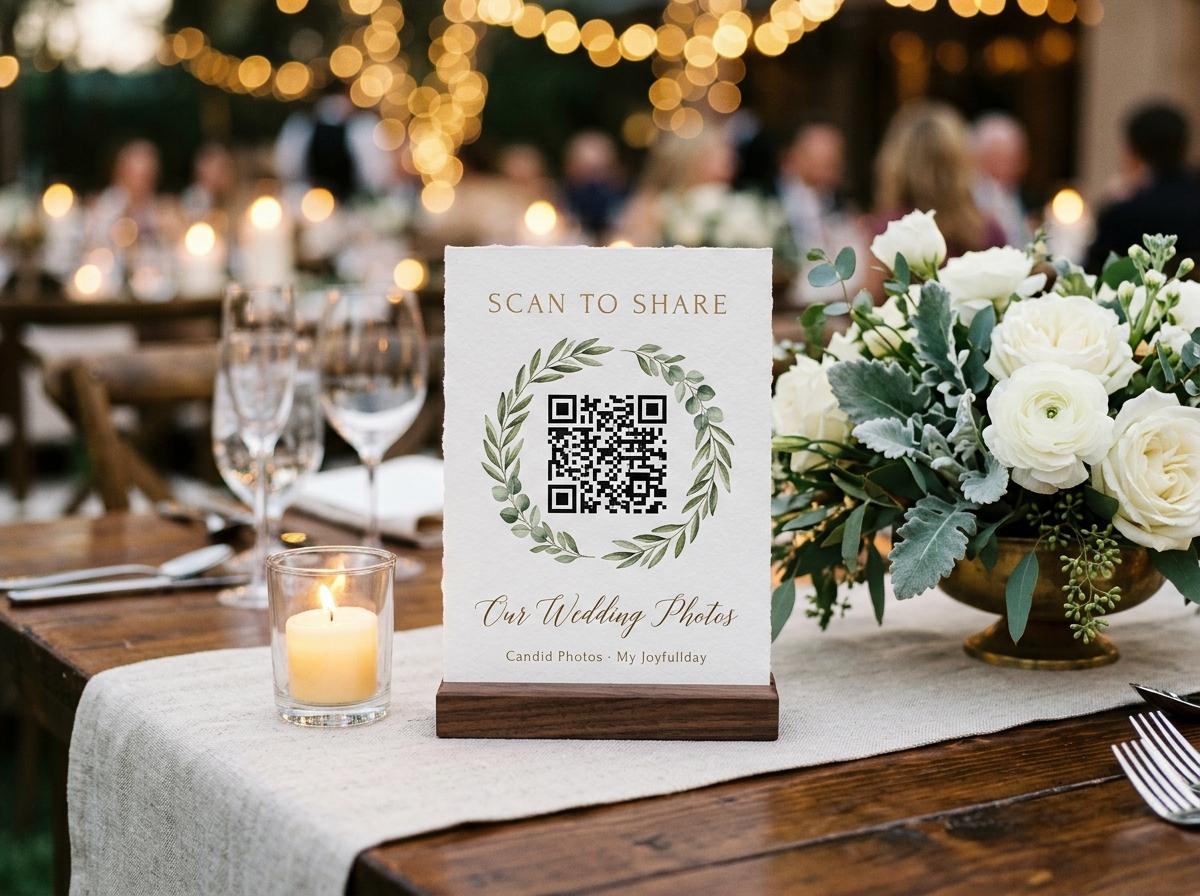
A dedicated website for an event is a different thing from a photo library or a social media post. It exists for one event, lives at one address, and has one job: collect photographs from the people who were there, hold them safely, and give the host a way to keep them. When the event is over and the host has downloaded the collection, the website has done everything it needed to do.
The alternative — using a general photo library, a social platform or a group chat — is not really a website for the event. It is a channel that the event passes through on the way to somewhere else. The photos end up mixed with everything else in the library, or scattered across a chat thread, or public by default on a platform the host did not intend to use for this purpose.
What a dedicated event website does differently
- One address for everything
- The event name, the date, the hosts, the gallery, the guestbook and the upload page are all at one address. Guests do not need to know which part of the website to visit — there is only one place to go.
- Open to contributors without an account
- The website accepts photos from any guest with a browser. A guest who has never heard of Candid Photos can contribute in under two minutes without creating anything.
- Private to the event
- The address is not listed anywhere. Guest pages are excluded from search indexes. The event's photos are not public unless the host chooses to make the gallery public, and that choice belongs to the host.
- Owned by the host
- The host can download the entire collection as a single archive. That download is the host's property — not the platform's. The online gallery has a closing date; the download does not.
- Built around a timeline
- The website exists for a specific event and closes when that event's photos have been collected. It is not a permanent album that accumulates forever — it is a temporary collection that becomes a permanent download.
How to set up an event photo sharing website
Open Candid Photos and create the event
Name the occasion, add the date and the hosts' names. These are the three things displayed on the guest page. Everything else can be adjusted later.
Choose the gallery settings
Public gallery or upload-only. Approval on or off. Guestbook open or closed. Each is a toggle — none require any technical knowledge.
Take the link and QR code
The link goes in invitations, messages and event pages. The QR code goes on the printed stands. Both lead to the same guest page.
Put the stands on the tables
Four stands per printed A4 sheet, from the dashboard. The stands carry the QR code and the event name. Place them before guests arrive.
Let guests contribute
During the event and in the days that follow, guests upload their photos and videos. Each submission goes into the same gallery and is attributed to the person who sent it.
Download everything
One archive download, available from the dashboard for the duration of the plan. The files are the originals your guests sent.
What appears on the guest page
The guest page is deliberately simple. A guest should be able to arrive at the page, understand what it is for, and complete an upload in under two minutes. Here is what they see.
The event details
The event name, the hosts and the date. This confirms to the guest that they have the right page — particularly important when several events are happening on the same weekend.
A welcome message
A short line of text that the host can customise. The default is straightforward; a custom message tells guests what to upload and what happens to it.
The upload button
One tap opens the camera roll picker. Guests select their photos and videos, give a name, and send. If the gallery is public, they can browse other contributions after uploading.
The guestbook
If the guestbook is open, a written message option appears on the same page. Some guests who prefer not to share photos leave a message instead — the guestbook is not a consolation prize, it is a different kind of contribution.
An event website that works is one a guest can use in the time it takes to notice the QR code on their table and pick up their phone.
Using the website on the day
The website does its best work when it is in front of guests during the event, not after it. Contributions made in the two hours after a photo was taken are more likely to arrive than contributions requested the following week. The table stands, the room slideshow and the welcome announcement are the three mechanisms that make during-the-event collection work.
Before
Put the link in the invitation
Some guests upload before the event: a photo of the gift, a message from someone who cannot come, a picture from the journey. Early contributions go into the same collection as everything from the day itself.
During
Stands on the tables, slideshow on the screen
The stand is the prompt; the slideshow is the reward. When a guest uploads a photo and sees it appear on the room screen twenty minutes later, three people at the adjacent table ask how to do the same thing. This is how a collection goes from thirty submissions to three hundred.
After
Late contributions and the archive download
The website stays open for the duration of the plan. Late contributors use the same address. When you have everything you want, download the archive and move the files to wherever you keep your photos.
Questions about event photo sharing websites
Does every event get its own separate website?
Yes. Each collection you create gets a unique web address. You can run multiple collections at the same time — a wedding and a birthday in the same month each get their own page and their own QR code.
Can I customise the event website?
You can set the event name, hosts, date and welcome message. The theme can be chosen from the available options on Keepsake. The structure of the guest page is fixed — that is what keeps it fast to use.
Is the website accessible on slow connections?
Yes. The page is built to load quickly on mobile connections. Uploads process in the background, so a guest on a slow connection can submit their photos and move on without waiting for the upload to finish.
Can I add a custom domain?
Collections live at an address within Candid Photos. Custom domains are not currently supported, but the short address and QR code are what most hosts use in practice.
What happens after the website closes?
The online collection comes down on the date the plan specifies, after warning emails. Everything you downloaded before that date is yours permanently.
Create your event website
Open a collection, get the link and the QR code, and put the stands on the tables. The free plan is a real event and needs no payment details to start.
Event photo sharing
Put one link on the tables and let everyone contribute.
Create a collection, print the table stands, and the photographs your guests took are waiting for you the morning after. Guests never install anything and never make an account.