The whole shopping basket
Build a wedding collection budget beyond the plan price
A wedding photo collection budget is a small event shopping basket, not just a software price. Put the collection, printed instructions, optional display, extra online time and your final copy on separate lines. You can then remove an unnecessary purchase without accidentally removing the part that makes the collection useful.
How-to walkthroughs and honest comparisons of the options.
Define the result before allocating money
Begin with what you want to have after the wedding. A small set of guest photographs is a different purchase from a large mixed photo and video collection with a room display. Neither replaces the work you have commissioned from a photographer. This budget concerns contributions from guests, the invitation to send them and the practical steps needed to keep them. Keeping that scope clear stops unrelated wedding expenses from hiding inside a cheap-looking collection total.
- The essential result
- Write one sentence such as: We want guests to send a selection of pictures, and we want a downloadable copy afterwards. That statement makes download availability an essential cost consideration. It also makes an elaborate screen display optional rather than something you must buy merely because it is available.
- The optional experience
- List the extras you genuinely want: written wishes, recorded video messages or a slideshow during the reception. Decide whether each serves your guests and your schedule. A feature nobody has time to introduce can be included in a package and still be unnecessary in your event plan.
- The assumptions
- Estimate how many photographs and clips you intend to request, how long relatives need to contribute and who will do the final download. These are planning assumptions, not predictions about guest behaviour. Put them beside the money so you can see what changes if the request grows.
Separate fixed charges from your own event supplies
Candid Photos prices are one-off US-dollar charges per event, not a monthly subscription commitment. Printing, stands, a screen and a separate storage device are different purchases, made through whichever suppliers you choose. Do not add invented supplier costs to a product price and present the result as a checkout quote. The examples below use clearly labelled allowances so you can replace them with real quotes for your own wedding.
- Record the selected collection package as one event charge. Note included features beside it so you do not purchase something twice or assume a paid extra is already included.
- List printing and any card holders separately. A QR code on a card you already planned to print may need little additional spending, while a separate sign has its own production cost.
- For a slideshow, check the room's equipment arrangement. A package including slideshow access does not supply a television, projector, cable or a person to operate the display.
- Put longer online access on its own line only if you need it. A delayed download is not a good reason to buy more time accidentally; make that decision before the existing period ends.
- Use your payment provider's actual conversion information if paying from another currency. Do not treat a rounded home-currency estimate as the advertised US-dollar price.
An allowance is money you choose to reserve, not a fee this service necessarily charges.
Use the free rehearsal without mistaking it for the archive
Preview is a useful way to test the guest path before spending on signs. It includes 20 photos, zero videos, 10 contributors, 500 MB and seven days online, with no downloads. The host registers; guests do not need a Google account or any other account. Test with ordinary sample pictures you already retain elsewhere, because a free rehearsal should not become the only home of irreplaceable wedding files.
Spend time before spending on print
Open the guest link outside your host session, send a test image and scan a single printed proof. Check that the event name, wording and address are right. Reprinting a whole batch because the wrong link was used is a preventable cost, even if each individual card was inexpensive.
Understand the optional trial extras
A written guestbook is an optional USD 9 addition to Preview, and a slideshow is a separate optional USD 9 addition. Buying either does not change the trial into a package with video uploads or downloads. Budget the capability you need rather than assuming an extra unlocks everything.
Move from rehearsal to the event deliberately
Before distributing the address widely, choose a package with enough counts, storage and online time for the request you will make. The value of the rehearsal is knowing the route works. It is not evidence that the smallest allowance can hold a much larger wedding collection.
Compare three clearly hypothetical shopping baskets
These baskets are planning examples, not customer stories, supplier quotes or recommended spending targets. The package and extension prices are current US-dollar product prices. Every printing, holder and device amount is an invented allowance used only to show the arithmetic. Replace those amounts with your own costs and remove anything you already own. No basket should be chosen until its file capacity matches your intended request.
- A simple collection: USD 27
- Gather at USD 19 plus an illustrative USD 8 printing allowance totals USD 27. This example assumes an existing way to display the cards and no room screen. The package supplies 200 photos, 30 videos, 5 GB, one month online, a written guestbook and standard downloads. The small total is meaningful only if those limits fit.
- A displayed collection with longer access: USD 66
- Celebrate at USD 39, hypothetical printing at USD 12, hypothetical holders at USD 6 and a six-month extension at USD 9 total USD 66. This assumes the venue already provides usable screen equipment. The package includes the slideshow and video guestbook, so this basket does not add separate charges for them.
- A larger collection with a separate copy: USD 106
- Keepsake at USD 69, hypothetical printing at USD 12 and an illustrative USD 25 reserve for a separate storage device total USD 106. This is not a device recommendation or market price. It demonstrates how a plan for keeping files outside the event can appear explicitly in the budget instead of being forgotten.
Check the package boundary before stacking extras
An add-on can be the right small purchase, but two or three extras deserve a fresh comparison. Gather is USD 19; adding its USD 9 video guestbook and USD 9 slideshow makes USD 37 before other costs. Celebrate is USD 39 and includes both, as well as different capacity, online time and download quality. That USD 2 difference is worth examining, not an instruction to choose the larger package automatically.
Pay for the smaller package and chosen extras
- Gather provides 200 photos, 30 videos, 5 GB and one month online, with standard downloads and a written guestbook. It can fit a deliberately modest collection without purchasing capacity you do not expect to use.
- A single optional video guestbook or slideshow adds USD 9. Check whether you want one or both, and whether the underlying file limits still fit the contributions you are encouraging.
- An extra upload allowance raises the named photo or video count. Do not assume that a count purchase also raises storage, changes download quality or adds more online time.
Compare the larger included allowance
- Celebrate provides 750 photos, 100 videos, 20 GB and three months online for USD 39, with original-quality downloads, a video guestbook and a slideshow included.
- Keepsake provides 2,000 photos, 300 videos, 50 GB and six months online for USD 69, including two extra managers. Shared administration is a separate reason to consider that package.
- Use the current pricing details to compare the whole result, not just the extra feature that caught your eye. A longer period or larger storage allowance may matter more than the smallest immediate total.
Control the physical costs without hiding the instructions
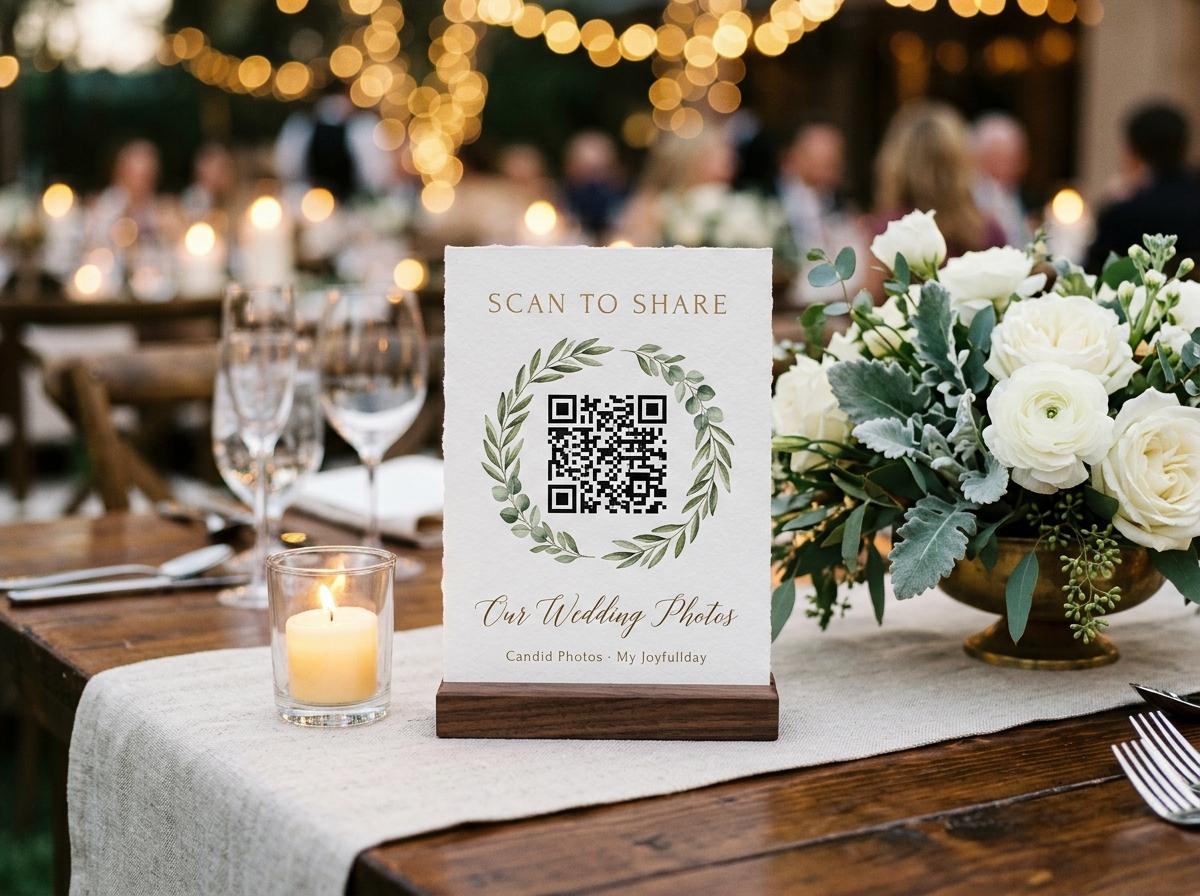
A collection does not need a sign on every surface. It needs instructions where guests can read and use them. Start from the stationery you are already producing and the way people move through the venue. A readable card at a natural pause can be more useful than a large decorative display nobody approaches. Test the print at its intended distance instead of spending first and hoping the code remains easy to scan.
Choose locations before quantities
Mark where seated guests will notice a request and where someone can stop without blocking a doorway. Count the actual locations, not merely the number of guests. This avoids buying an individual card for every person when a smaller set of shared instructions would serve the same purpose.
Use a proof to protect the printing budget
Print one example with the final QR code, a short explanation and a readable address. Check the contrast and scan it from a normal position. The dashboard can print four table stands on an A4 sheet, which gives you a practical option to compare with custom stationery.
Plan a digital route as well
Send the clickable guest address after the wedding or through the communication channel you already use. Digital follow-up is particularly useful for people who leave early. It is not a reason to omit clear reception instructions, but it can remove the need for extra takeaway cards.
Borrow before buying display equipment
If you want a slideshow, confirm what the venue actually supplies and who will connect it. Do not assume that an included software feature makes the room ready. If the display creates a separate hire bill you do not value, leave it out of the event basket.
Reserve attention as well as money
The hidden cost of a collection can be the owner's time. Somebody must check the guest path, distribute the invitation and save the files later. Approval is a host switch, and using it also means making time to review submissions. These are real tasks even when no separate invoice arrives. Write them into the plan so the cheapest basket does not quietly depend on you leaving the reception to solve every small problem.
- Before the event
- Allow a short session to test the link and print proof, plus another to finish the instructions. If a friend is helping, ask them to perform the guest test rather than only looking over your shoulder. Discovering an unclear instruction early saves attention on the day.
- During the event
- Decide whether someone is simply pointing out the code or actually managing the collection. A friend can explain a guest upload without an administrative seat. If dashboard access is required, check the package and actual manager controls instead of sharing the owner's password as a budgeting shortcut.
- After the event
- Put the final reminder and download in a calendar you already use. Include enough time to open the archive and confirm the files are readable. A copy that exists only as an unchecked download is an unfinished task, even if every paid element of the wedding basket is settled.
Buy more time for a reason, not because you forgot
Longer online access can be useful for relatives returning from travel or for a couple who want to browse the collection together later. It should still be a deliberate purchase. A six-month extension costs USD 9 and a twelve-month extension costs USD 15. Extensions start at the existing expiry, not on the purchase date. They extend time; they are not a substitute for checking remaining file counts and storage.
When choosing the package
Write down the included period
Use one month for Gather, three months for Celebrate and six months for Keepsake. Put the actual event expiry somewhere you will see it. Do not use an old planning note with a longer historical period when deciding whether your final reminder will arrive in time.
Before the initial deadline
Decide whether online access still serves a purpose
Ask whether someone still needs to contribute or whether you simply have not made your own copy. Extra time can be a reasonable choice for the first situation. For the second, complete the download rather than assuming another payment is the only next step.
At the final handover
Close the budget with a usable copy
Record what you spent, remove hypothetical allowances that were never used and verify the saved files. Keep a separate backup appropriate to their value to you. The event collection has an expiry, so your budget is complete only when the keeping plan has been carried out.
Budget questions worth answering before checkout
Does the one-off price cover every wedding event I create?
No. Prices are per event. If you create separate collections for separate occasions, budget for those separately rather than treating one event purchase as an account-wide subscription.
Should I buy a video guestbook just because guests may send clips?
Ordinary video uploads and a video guestbook are different considerations. Gather includes a video upload allowance, while its video guestbook is an optional USD 9 addition. Decide whether you want recorded messages as well as submitted clips.
Are the printing amounts in these examples real quotes?
No. They are hypothetical allowances used to demonstrate a complete shopping basket. Obtain your own printing, equipment and storage-device costs before treating an example total as your budget.
Can a larger photo allowance solve a full storage allocation?
Do not assume so. File counts and storage are separate limits, and extra uploads raise the named allowance. Review both before buying something to solve a capacity problem.
Bring a complete basket to the pricing decision
Choose the outcome you want, estimate the files and list the supplies you already have. Then compare the package and genuinely useful extras, with a final-copy task beside the total. You can keep the budget modest without leaving the printing, expiry or download decision to chance.
Guides and comparisons
Put one link on the tables and let everyone contribute.
Create a collection, print the table stands, and the photographs your guests took are waiting for you the morning after. Guests never install anything and never make an account.