Graduation and school events
A Graduation Photo Sharing App That Works for Classmates and Family
Graduation day is photographed from dozens of angles by people who will scatter across multiple cities by the following week. A graduation photo sharing app brings all those photographs together while the day is still running and keeps them accessible to the people who want them most.
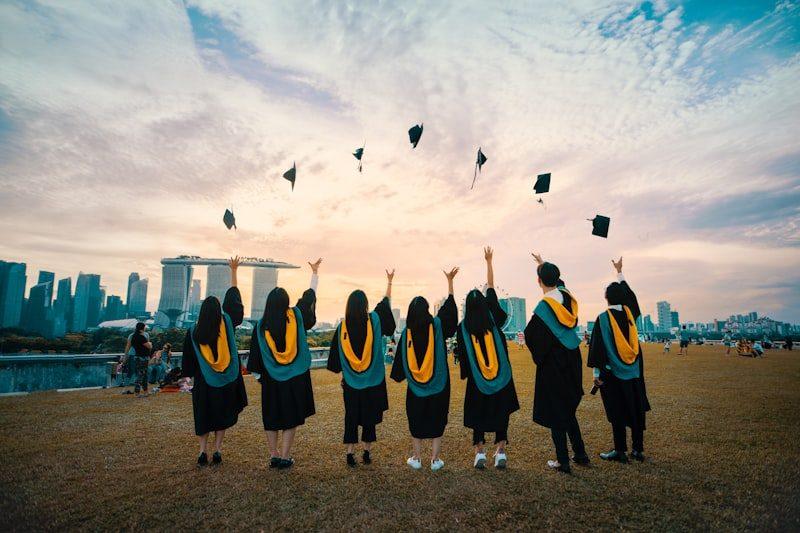
Graduation produces photographs in a particular pattern. The ceremony generates hundreds of images across family camera rolls, then immediately disperses the photographers to cars, restaurants, and return journeys. By the following evening, those photographs are in forty different places, associated with forty different people, none of whom have a natural mechanism to consolidate them.
A graduation photo sharing app is the mechanism. It creates a shared destination before the ceremony, accepts contributions during the day, and keeps the collection accessible after the room has dispersed. The app does not require installation or account creation from the people contributing — just a link or a QR code, opened in the browser they already use.
Who holds the best graduation photographs
The photographers at a graduation ceremony
The parents
Typically the most prolific photographers at any graduation. They photograph the graduate from arrival to departure, often on multiple devices. They are also the people most likely to want the photographs that other parents took — the candid in the corridor, the group photograph outside the hall.
The graduate
Has photographs of classmates and moments the parents did not witness. Also has video of the ceremony from the participant's vantage point, which is a different record from the audience's.
The classmates
Hold the photographs of the graduate with their peer group — the moments that are for the graduate and their friends, not the moments staged for the family. These photographs rarely make it to the family without an active collection mechanism.
The official photographer
Professional images, usually available for purchase after the ceremony. These cover the posed and official moments. Guest photographs cover everything else.
How a graduation collection works in practice
Before the ceremony
Open the event and share the link
Create the event, copy the link, and share it in the class group chat and in the family group. Guests who want to send old photographs — the graduate as a child, the first day of school — can contribute before the ceremony.
During the ceremony and reception
QR codes at the venue
A QR stand at the reception venue captures contributions during the celebration. Classmates, families, and friends who might not organise their photographs later will scan and contribute in the moment.
The following week
Late contributions from classmates
Many of the best graduation photographs arrive several days after the event, as people go through their camera rolls and find frames they had not noticed during the busy day. The collection stays open to receive them.
The closing date
Take the download
The graduate and their family download the full collection. After the closing date, the downloaded archive is the permanent record.
What the collection holds
- Ceremony photographs
- The cap throw, the diploma, the walk across the stage. From every family's angle.
- Reception and celebration photographs
- The gathering afterwards, the garden party, the restaurant dinner. These are often the frames that capture the emotional texture of the day better than the ceremony itself.
- Classmate photographs
- The year group assembled for the last time. The photographs that only classmates can take of each other.
- Video
- The ceremony speech, the name being called, the toast at the dinner. Video contributions go into the same collection as photographs.
- Messages
- Notes from classmates, family members who could not attend, and teachers who want to mark the occasion.
Sharing the collection after the day
A graduation collection is often shared beyond the people who contributed to it. The graduate's family, friends who could not attend the ceremony, and teachers who have known the student for years are all natural audiences. The host controls who sees the gallery: the public gallery can be turned on after submissions have been reviewed, allowing the link to be shared widely, or kept off for a private collection.
Questions about graduation photo sharing apps
Can classmates contribute without an account?
Yes. Classmates open the link in their browser, select their photographs, enter a name, and send. No account, no installation, no registration.
Can I collect photos from both the ceremony and the party after?
Yes. One collection covers the whole day. Contributions from the ceremony, the reception, and the celebrations that follow all go into the same gallery.
Can family members who were not at the ceremony contribute?
Yes. Anyone with the link can contribute. Family members who watched the livestream, friends who sent congratulations from afar, and teachers who want to add a note can all use the same link.
How do I share the collection with classmates after it is complete?
Turn the public gallery on in the event settings, then share the gallery link. Classmates and family who were not part of the initial collection can browse the full gallery using the same link.
Create your graduation photo collection
Open the event, share the link with the class group, and let the ceremony fill the gallery from every angle.
Photo collection by event type
Put one link on the tables and let everyone contribute.
Create a collection, print the table stands, and the photographs your guests took are waiting for you the morning after. Guests never install anything and never make an account.