Graduation and school events
Graduation Party Photo Sharing That Covers the Whole Celebration
A graduation party is usually multiple events in one day: the ceremony, the reception, the family lunch, the dinner with classmates. Photo sharing that works across all of them keeps the full day in one place rather than scattered across the separate occasions.
Conferences, corporate days, schools, churches, sport and community.
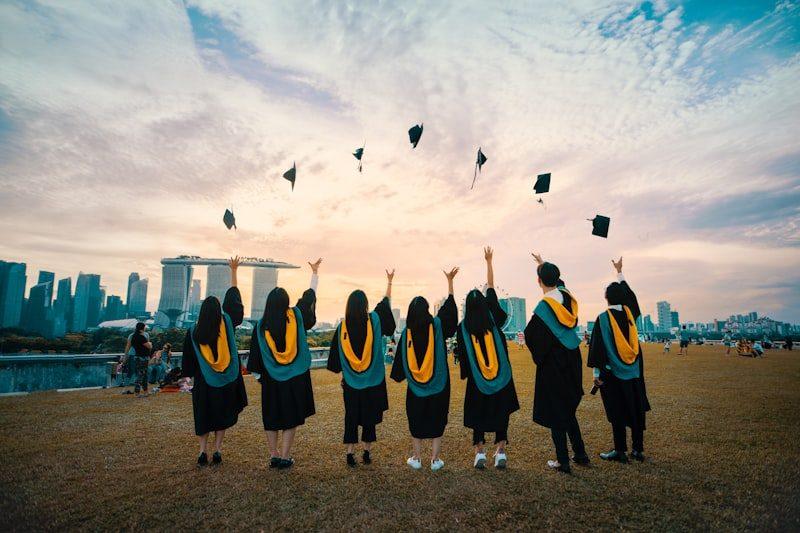
Graduation day is photographed more than almost any other occasion — by the family at the ceremony, by classmates at the reception, by everyone at the dinner. What is unusual about graduation photography is not the volume of photographs taken but the number of distinct events that happen in a single day, each photographed by a slightly different group of people.
A single shared gallery covers all of them. The parents at the ceremony and the classmates at the bar that evening all use the same link. The collection becomes the full record of the day, not the record of one event within it.
The events that make up a graduation day
What gets photographed on graduation day
The ceremony
The cap-and-gown moment, the diploma, the year group assembled. Usually photographed by family from the audience and by classmates from the participant's vantage point. These two sets of photographs are rarely in the same place.
The reception
Immediately after the ceremony, while the room is still assembled. Often the most candid part of the day — the celebrations before anyone has had to get in a car.
The family celebration
The lunch or dinner the family organises. This is usually where the best family photographs of the day are taken, often by people who were not at the ceremony.
The classmate gathering
The evening event with the year group. These photographs are entirely in classmates' camera rolls and very rarely reach the graduate's family without an active request.
How one gallery covers the whole day
A single event in the gallery can receive contributions from any of these occasions. The gallery does not distinguish between photographs from the ceremony and photographs from the dinner — they all arrive as guest contributions and appear in the same collection, sorted by submission time. The host can browse through the day in the order it was photographed.
- Open the event once
- One event covers the whole graduation day. The link and QR code are the same for all parts of the celebration.
- Share across different groups
- The class group chat, the family group, and the dinner guest list all receive the same link. Each group contributes from their own part of the day.
- One download at the end
- The archive at the end of the event contains everything from every part of the day. No separate downloads for separate occasions.
Getting classmate photographs into the collection
Classmate photographs are the most difficult to collect in a graduation context. The family has natural motivation to gather photographs; classmates have photographs of a different kind — the candid ones, the year-group ones, the moments the family was not present for — but no particular reason to send them without a prompt.
How to reach classmate photographers
- Put the link in the class group chat before graduation day, so it is there when classmates are actively photographing
- Post the QR code at the classmate-specific events — the reception, the evening gathering — where family may not be present
- Send the link again the day after in the class chat, with a brief note, since many of the best photographs are found on camera rolls rather than taken in the moment
- Tell classmates the collection stays open for two weeks, so there is no urgency that discourages contribution
Video from graduation day
Graduation produces more video than most occasions. The name being called at the ceremony, the first family photograph outside the hall, the toast at the dinner — each of these is as often filmed as photographed. Video contributions go into the same collection as stills. Plans differ in how many minutes of video are included, but every paid plan accepts video from guests.
Questions about graduation party photo sharing
Can I use the same collection for the ceremony and the party afterwards?
Yes. One event covers the whole day. All contributions from the ceremony, the reception, and the evening party go into the same gallery.
Can classmates contribute without being in the family group chat?
Yes. Anyone with the link can contribute. The link can be shared independently in the class group without going through the family communication channels.
Can I keep the collection private from classmates while making it available to family?
Yes. Turn the public gallery off and share the gallery link only with family. Classmates can still contribute through the upload link, but they cannot browse the full collection.
What is the most effective moment to remind people about the gallery?
During the ceremony reception, when everyone is together and photographs are actively being taken, is the highest-yield moment for a verbal reminder. The day-after message in the class group captures the people who forgot during the busy day.
Create the gallery for your graduation day
Open one event, share the link in the class and family groups, and let the whole day come together in one collection.
Photo collection by event type
Put one link on the tables and let everyone contribute.
Create a collection, print the table stands, and the photographs your guests took are waiting for you the morning after. Guests never install anything and never make an account.