Baby showers
Baby shower guest photo upload: one link, every picture
A baby shower is usually photographed by everyone and organised by one person. By the time guests are heading home, most of those pictures are buried in camera rolls they will not open again until a birthday six months later. A guest photo upload page fixes that while the afternoon is still happening.
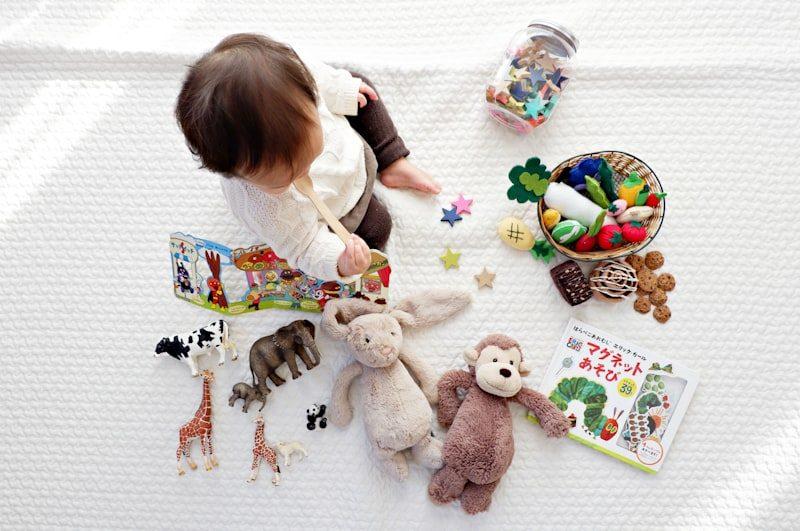
A baby shower is a room full of people who want to take photographs and a host who is too busy to chase them afterwards. The photos exist — they are on eight or ten different phones before the first gift is opened — but getting them into one place after the event is where most collections fall apart. Some guests mean to send their pictures. Few actually do, and those who do tend to use a channel that only reaches the host and not the other guests who were there.
A shared upload page changes the dynamic. Instead of asking guests to remember to send something to someone, later, through a medium you have yet to choose, you give everyone a single destination that works while the gathering is still in progress. The host sets it up before the day, shares the address in the invitation or the group message, and the pictures arrive without further effort.
Why photo collections fall short after a baby shower
Baby showers are informal, which is precisely what makes the photographs hard to collect. There is rarely a photographer, and because the event does not follow the scripted beats of a wedding, the pictures tend to be scattered across the whole afternoon rather than clustered around obvious set pieces. Someone photographs the decorations when she arrives. Someone else gets a candid of the guest of honour laughing at a card. A third person catches the moment two friends who have not seen each other in two years recognise each other across the table.
What makes photo collection difficult at this kind of event
Guests leave at different times
A baby shower rarely ends at a fixed hour. People drift out in ones and twos, and by the time the host is thinking about photo collection, half the room has already gone. A link that was shared beforehand means photos continue arriving for days, not just during the window when everyone is present.
No natural handover moment
A wedding has speeches and a first dance — moments when attention is focused and an announcement can be made. A baby shower is a conversation that moves around the room, which means there is rarely a point at which the host can address everyone about photo sharing without it feeling forced.
Multiple formats and devices
Some guests are shooting on a dedicated camera. Others are on their phone. A few have both. A collection method that works across all formats without requiring the guest to do anything beyond selecting and uploading is the only one that gathers pictures from all of them.
The gift-opening distraction
The moments around opening gifts are usually the best-photographed, and also the moments when everyone's attention is on something else. By the time a guest wants to share a picture she took fifteen minutes ago, the conversation has moved on and the moment to mention it has passed.
The good-intentions problem
Every guest at a baby shower intends to send photos. It is the kind of thing people mean sincerely while they are still in the room. The gap between intention and action widens as the days pass, and within a week the moment for a casual WhatsApp forward has closed, because now it would require finding the photos, recalling who to send them to, and explaining the delay.
How a shared upload page works in practice
The host creates an event on Candid Photos, sets the event name and date, and receives a shareable link. That link opens an upload page — no account required, no app to install. Guests tap the link, optionally enter a name, choose their photos or videos, and submit. The host sees everything arrive in a single gallery, labelled by contributor.
Setting up before the day
Create the event
Open Candid Photos, choose a plan, and name the event. This takes two or three minutes and can be done as far in advance as you like. The link is available immediately.
Share the link in the invitation
Put the upload address on the printed invitation or in the digital version. If the guest list is in a group chat, drop it there. Guests who see it in advance are primed to use it on the day.
Put a printed code at the gathering
Print the QR code from the event page and place it on the table with the gifts or the food. Guests who missed the invitation link can scan and upload without asking anyone for instructions.
Let it run during the event
No management is required while the gathering is in progress. Photos arrive in the gallery as guests submit them. You can glance at the collection on your phone between conversations if you like, or leave it entirely until afterwards.
Download and keep
When the event closes, download the full collection in original quality. The files are exactly as they left the guest's device, not resized or recompressed by a sharing platform.
What guests need to do — and what they do not
The practical test for any photo-sharing method at a social gathering is what it asks of the least technical person in the room. A baby shower typically includes guests across a wide range of ages and comfort levels with technology. A method that works for one demographic but not another means gaps in the collection.
- No app installation
- Guests open the link in their phone's browser. There is nothing to download, and they will not see it again on their home screen after the event.
- No account required
- Guests do not create a login or give an email address unless they want to. They type a name so the host can see who contributed, and that is the full registration process.
- No Google account required
- Guest upload works independently of any Google sign-in. Guests who do not use Google Drive or who prefer not to log into accounts can upload freely.
- Any device
- The upload page works on iPhone, Android, and any browser-capable device. A guest on a tablet and a guest on the cheapest available smartphone reach the same page.
- Photos and videos
- Guests can submit stills and video clips in the same upload. The host's gallery holds both.
Planning ahead: when to share the link
One to two weeks before
In the invitation
Including the upload link in the invitation serves two purposes. It tells guests the host is collecting photos, so they come primed to contribute, and it means anyone who takes a picture before the official start — an arrival shot, a decoration photo — has somewhere to put it immediately.
The day before
In the group message
A reminder in the group chat the evening before the event reaches guests who may have missed the detail in the invitation, or who need a prompt to find the link again. It also signals that you are genuinely interested in their photos, which increases participation.
During the gathering
On the table and mentioned once
A printed QR code or a small sign with the link covers guests who are not in the group message or who did not read the invitation carefully. A single mention during the gathering — not a formal announcement, just a sentence in conversation — is usually enough to reach those who missed the printed notice.
The day after
In a follow-up message
A short thank-you message that includes the link again gives guests who forgot or who were occupied during the event one final comfortable opportunity to contribute. Photos continue to arrive for two or three days after most events when the link is included in a follow-up.
The best photo collections from a baby shower are not built during the event — they build themselves before, during, and in the two or three days after, as long as the link is easy to find.
What stays private
A baby shower is a gathering for people who are close to the guest of honour. The photo collection should reflect that — not a public gallery, not an open link broadcast to anyone who finds it. Candid Photos creates a private collection accessible only to people who have the link. The link is not indexed, not discoverable through search, and not visible to anyone who has not received it directly from the host.
The host can see all submissions and, depending on the plan, approve or reject items before they appear in the shared gallery. This means the collection is shaped by the host's judgment, not simply by whatever guests happened to upload.
Common questions about baby shower photo uploads
Do guests need to create an account to upload photos?
No. Guests open the link in a browser and upload directly. They can optionally type a name so the host can see who contributed, but no registration, email address, or account of any kind is required.
Can guests upload from an iPhone and an Android phone to the same collection?
Yes. The upload page is a web page that works in any modern mobile browser. The device make and operating system do not matter.
Is there a limit to how many guests can upload?
There is no limit on the number of contributors. Any number of guests can submit photos and videos to the same collection.
Can guests upload video clips, or only photographs?
Guests can upload both. Photos and videos from the same event go into one collection. The plans differ in total video duration allowed.
How long does the collection stay online?
Each plan specifies how long the collection remains accessible from the event date. The host receives a notification before the closing date so there is time to download everything.
Collect every baby shower photo in one place
Create your event, share the link in the invitation, and let the photos arrive while the afternoon is still running.
Birthdays and parties
Put one link on the tables and let everyone contribute.
Create a collection, print the table stands, and the photographs your guests took are waiting for you the morning after. Guests never install anything and never make an account.